Amazon Cancellation Fees and Flipkart Dispatch Penalties 2026: What Sellers Must Change Before the Festive Sales


The festive season can make a strong Amazon or Flipkart account look profitable on paper while quietly leaking money through avoidable cancellations, missed dispatch deadlines, and fulfilment errors. For Indian sellers preparing for high-volume sales, the problem is no longer just marketplace commission. Operational mistakes can now directly affect your margin.

The biggest change is that Amazon India has introduced an order-value-based cancellation fee for eligible Easy Ship and Self Ship orders, while Flipkart has introduced a tiered penalty structure for fulfilment failures. If your inventory, dispatch, or order-processing system is still managed manually, the festive sales period is the wrong time to discover a gap.

What changed in Amazon seller cancellation fees in 2026?

The Amazon seller cancellation fee changed from August 17, 2026, for eligible Easy Ship and Self Ship orders in India. Instead of calculating the cancellation charge using referral-fee-based rates, Amazon now calculates it as a percentage of the order value.

The revised structure is straightforward:

  • Orders below ₹10,000: 10% cancellation fee
  • ₹10,001 to ₹50,000: 8%
  • ₹50,001 to ₹1,00,000: 5%
  • Above ₹1,00,000: 2%
  • 18% GST is added to the cancellation fee

The charge can apply when the seller cancels an order for a reason other than a buyer request. It can also apply when Amazon automatically cancels an order because the seller did not ship and confirm it within the required 24-hour window after the estimated ship date.

For a ₹8,000 order, a 10% cancellation fee means ₹800 before GST. With 18% GST on the fee, the effective charge becomes ₹944. One or two errors may seem manageable. Repeated cancellations during a festive campaign can become a real margin problem.

That is why sellers should not treat cancellation fees as an accounting issue alone. They are often a symptom of poor inventory accuracy, slow order processing, weak warehouse coordination, or an unrealistic stock commitment.

If your Amazon store has frequent stock-outs, listing mismatches, or delayed order handling, professional Amazon account management services can help bring inventory, account health, listings, and daily marketplace operations under one structured process.

How much can Amazon cancellation fees cost sellers?

The biggest risk is not necessarily one expensive cancellation. It is a high cancellation rate across hundreds of festive orders.

Consider a seller receiving 100 orders for a ₹7,500 product. If just four seller-side orders are cancelled and each attracts the 10% fee, the cancellation charge is ₹3,000 before GST. With GST, that becomes ₹3,540. The seller has lost that amount without acquiring another customer or creating additional revenue.

The calculation becomes more important for higher-ticket products. A ₹35,000 order falls into the 8% bracket, creating a ₹2,800 fee before GST. A ₹75,000 order falls into the 5% bracket, creating a ₹3,750 fee before GST.

This creates an important trade-off for sellers. Keeping too much inventory ties up working capital, but keeping too little inventory can increase the chance of stock-outs and cancellations. The right answer is not simply “buy more stock.” It is better demand forecasting combined with accurate marketplace inventory syncing.

Amazon has also increased closing fees from September 7, 2026. According to Amazon’s current seller fee information, the increase is ₹1 for products priced up to ₹500 and ₹3 for products priced above ₹500 across applicable fulfilment channels.

So your festive profitability calculation should include more than the product purchase cost and advertising spend. Review referral fees, closing fees, fulfilment costs, cancellation exposure, returns, discounts, and promotional expenses before finalising your selling price.

What are the new Flipkart dispatch penalties in 2026?

Flipkart introduced a three-tier fulfilment penalty structure effective August 23, 2026. The policy focuses on what happens when a seller misses the committed Dispatch By Date or cancels an order.

The reported penalty structure is:

Fulfilment failurePenalty
Shipment not ready for pickup by the committed Dispatch By Date₹30
Seller cancellation or auto-cancellation after repeated missed dispatch deadlines₹60
Shipment delayed and subsequently cancelled₹90

The practical difference is important. A seller is no longer looking only at marketplace commission when calculating the cost of a sale. Operational performance can create an additional cost on individual shipments.

Flipkart’s own seller documentation confirms that sellers are expected to dispatch products within the applicable timeframe and provide dispatch details as required. Its order-management documentation also states that repeated seller cancellations can lead to restrictions on selling activity.

For sellers preparing for Big Billion Days and other festive campaigns, the safest approach is to treat Dispatch By Date as a financial deadline, not simply an operational reminder.

This is where Flipkart account management services can become valuable for growing sellers. Regular catalogue, inventory, order, account-health, and performance monitoring can help identify operational gaps before they become expensive during peak demand.

Why do Amazon and Flipkart penalties hurt more during festive sales?

Festive sales create a different operating environment. Order volume increases rapidly, advertising becomes more competitive, warehouses become busier, and stock can move faster than your normal replenishment cycle.

A process that works for 30 orders per day may fail at 300 orders per day. That is why sellers should test fulfilment capacity before the campaign rather than during it.

Start by identifying your top-selling SKUs from the previous 60–90 days. Compare their average daily sales with expected festive demand. Then check available inventory, supplier lead time, warehouse capacity, packaging availability, and marketplace stock settings.

The second step is to create an exception list. Flag products that are frequently out of stock, products with supplier delays, products with unusually high cancellation rates, and products where marketplace inventory differs from physical inventory.

The third step is to review listing accuracy. A listing that promises the wrong pack size, colour, quantity, or variant can create returns and customer complaints even when dispatch happens on time.

This is also where ecommerce product listing optimization supports profitability. Better listing structure does not directly remove a cancellation fee, but accurate titles, attributes, images, descriptions, and product information can reduce the operational confusion that contributes to avoidable orders and returns.

What should Amazon and Flipkart sellers change before festive sales?

Do not wait for the first festive order to test your processes. Build a simple pre-sale control system.

1. Audit inventory accuracy

Compare physical stock with the quantity showing on Amazon and Flipkart. Investigate every significant mismatch.

A marketplace order should not be accepted for a product that is physically unavailable. If your inventory system updates slowly, increase the frequency of stock reconciliation before the sale.

2. Identify cancellation-prone SKUs

Look at the previous 30–90 days of orders and separate buyer cancellations from seller-side cancellations.

Then ask why seller cancellations happened. Was the product unavailable? Was the wrong quantity uploaded? Did the warehouse miss the order? Was the SKU discontinued? Each reason requires a different fix.

3. Build a dispatch buffer

If your team normally needs one day to process orders, do not design a festive operation that assumes every order will be packed within minutes.

Create a realistic internal cut-off before the marketplace deadline. The goal is to leave enough time for packing errors, label problems, manpower shortages, and pickup delays.

4. Recalculate SKU-level profitability

Do not use one average marketplace margin for the entire catalogue.

Calculate expected profitability by SKU after marketplace fees, advertising, discounts, fulfilment, returns, and potential operational penalties. A product with strong sales volume can still be a poor business decision if the contribution margin is too low.

5. Monitor performance every day

During festive campaigns, weekly reporting is often too slow. Track cancellation rate, pending orders, dispatch delays, stock-outs, advertising spend, sales, returns, and contribution margin frequently.

If the numbers start moving in the wrong direction, act before the problem compounds.

For sellers managing multiple marketplaces, ecommerce account management services can bring these activities into one ongoing workflow instead of leaving each platform to be handled separately.

What is the biggest mistake sellers make with marketplace penalties?

The common mistake is treating penalties as unavoidable marketplace costs.

They are not always unavoidable. A seller cannot control every buyer cancellation or logistics event, but many seller-side cancellations and dispatch failures can be prevented through better forecasting, inventory controls, order monitoring, and escalation processes.

There is another trade-off worth considering. Automation can reduce manual mistakes, but automation built on incorrect inventory data simply makes the wrong information move faster. Your first priority should therefore be data accuracy. Automate only after the underlying process is reliable.

Sellers should also maintain evidence for operational exceptions. Keep records of inventory issues, pickup attempts, support cases, shipment scans, and relevant marketplace communications. If a dispute or adjustment becomes necessary, clean documentation is far more useful than relying on memory.

For a broader look at how marketplace listing quality affects visibility and sales, see this guide on Amazon, Flipkart and Quick Commerce listing optimization.

A practical 7-day checklist before festive sales

Use this sequence before increasing your festive advertising budget:

  1. Check physical inventory against marketplace inventory.
  2. Identify SKUs with previous seller-side cancellations.
  3. Review Dispatch By Dates and internal warehouse cut-offs.
  4. Confirm packaging and manpower capacity.
  5. Audit titles, variants, images, and product attributes.
  6. Recalculate SKU-level profit after all marketplace costs.
  7. Set up daily monitoring for cancellations, dispatch delays, stock-outs, and advertising performance.

Do not increase ad spend aggressively until these basics are under control. Sending more traffic to a listing that cannot reliably fulfil orders can increase revenue while making profitability worse.

How can sellers reduce Amazon cancellation fees and Flipkart penalties?

The most effective approach is to treat marketplace operations as a connected system rather than separate tasks.

Inventory affects order acceptance. Order acceptance affects fulfilment. Fulfilment affects cancellations and dispatch performance. Listing accuracy affects customer expectations. Advertising affects order volume. Each part influences the next.

Before the festive rush, audit the complete marketplace workflow, identify where orders are being lost, and fix the highest-cost problems first. Sellers with a large catalogue or multiple marketplaces should consider professional marketplace support instead of relying entirely on manual monitoring.

If you want an independent review of your Amazon or Flipkart operations, an ecommerce marketplace specialist can assess listings, account health, inventory processes, advertising, and operational performance and then prioritise the fixes that are most likely to protect sales and margins.

FAQs

Q1. What is the Amazon seller cancellation fee in India in 2026?

Ans. For eligible Easy Ship and Self Ship orders, Amazon’s revised cancellation fee applies from August 17, 2026. The rate ranges from 10% for orders below ₹10,000 to 2% for orders above ₹1,00,000, with 18% GST added to the cancellation fee. The fee applies to qualifying seller-side and automatic cancellations.

Q2. Does Amazon charge cancellation fees for buyer cancellations?

Ans. The revised fee is designed for cancellations other than buyer-requested cancellations. Sellers should still check the current Seller Central fee schedule for the specific order and fulfilment model because marketplace policies can vary by programme.

Q3. What are Flipkart dispatch penalties in 2026?

Ans. Flipkart introduced a three-tier penalty structure from August 23, 2026. Reported charges are ₹30 for missing the Dispatch By Date, ₹60 for certain seller or auto-cancellations, and ₹90 where an order is both delayed and subsequently cancelled.

Q4. How can sellers prevent Flipkart dispatch penalties?

Ans. Start with accurate inventory, clear internal dispatch cut-offs, sufficient warehouse capacity, and daily monitoring of pending orders. Your internal deadline should be earlier than the marketplace deadline so your team has time to correct packing, inventory, or pickup issues.

Q5. Should sellers increase prices because of marketplace penalties?

Ans. Not automatically. First calculate the actual impact on SKU-level contribution margin. If penalties are caused by preventable operational failures, fixing the process is usually better than passing the cost to customers through higher prices.

Q6. Is professional marketplace account management worth it for festive sales?

Ans. It can be valuable when the catalogue, order volume, advertising spend, or number of marketplaces has grown beyond what your internal team can monitor consistently. The benefit is not simply outsourcing tasks. The goal is to identify operational and commercial problems early enough to protect sales, account health, and profitability.
Amazon Account Health 2026: The Must-Follow Checklist to Stay Safe & Scale Your Business


Amazon Account Health is no longer something sellers can ignore and fix later. In 2026, with stricter policies, smarter bots, and more competition, your Amazon Account Health is the difference between a stable, scalable business and a sudden account shutdown. If you want to stay safe, avoid surprise suspensions, and grow profitably, you need a clear, actionable Amazon Account Health checklist 2026 and the discipline to follow it.

This guide breaks down exactly how to improve Amazon Account Health, what metrics matter most, and how to prevent Amazon account suspension 2026 before it happens. Use this as a practical checklist to protect your revenue, keep your listings live, and build a long-term, defensible Amazon business.

Understanding Amazon Account Health in 2026

Amazon Account Health is the overall scorecard Amazon uses to judge how trustworthy and compliant your seller account is. It combines policy compliance, customer experience, and shipping performance into one view that directly impacts your visibility and risk of suspension. In 2026, Amazon is tightening enforcement, using AI to detect patterns of abuse, and acting faster on violations.

For serious sellers, Amazon Account Health is now a core business KPI, not just a support tab you check when something goes wrong. The better your Amazon Account Health, the more confident you can be when scaling ad spend, launching new products, or expanding into new marketplaces. Poor health, on the other hand, means every new order could push you closer to a suspension or listing removal.

Core Metrics That Define Strong Amazon Account Health

To follow a reliable Amazon Account Health checklist 2026, you must first understand the metrics Amazon tracks. These metrics fall into three main buckets: customer service performance, policy compliance, and shipping performance. Each of these areas is monitored continuously and can trigger warnings or suspensions if they fall below standards.

While the dashboard may look simple, every metric is influenced by dozens of operational decisions. Your customer communication, product quality, packaging, shipping partners, and listing accuracy all affect how to improve Amazon Account Health. Treat each metric as a leading indicator of deeper operational issues that need attention.

Customer Service Performance Indicators

Customer service metrics are central to Amazon Account Health because they reflect how buyers experience your brand. Key indicators include Order Defect Rate (ODR), negative feedback rate, A-to-z Guarantee claims, and chargeback rates. When these climb, Amazon assumes your products or processes are not meeting expectations.

To keep these metrics healthy, focus on accurate listings, fast responses to buyer messages, and proactive problem resolution. Resolve issues before they become claims or negative reviews, and document your actions. Consistent customer care is one of the most reliable ways to prevent Amazon account suspension 2026.

Policy Compliance and Listing Integrity

Policy violations are a leading cause of Amazon listing suspension and full account shutdowns. Common issues include restricted products, intellectual property complaints, review manipulation, and misleading product information. Amazon’s automated systems now flag suspicious patterns faster than ever.

Maintain strict internal checks before publishing or editing listings. Ensure images, titles, bullets, and descriptions comply with category rules and Amazon’s style guides. Regularly audit your catalog to remove outdated claims, prohibited keywords, or non-compliant content that could damage Amazon Account Health.

Shipping, Delivery, and Operational Performance

Late shipments, high cancellation rates, and lost packages all harm Amazon Account Health. Even if your products are great, poor logistics can trigger warnings and penalties. Amazon expects consistent, predictable delivery performance aligned with the promises on your listings.

Use reliable carriers, accurate handling times, and realistic inventory buffers. If you use FBA, monitor inbound performance and stock levels to avoid stockouts that lead to cancellations. Strong operations not only protect your Amazon Account Health but also support better reviews and repeat purchases.

The Must-Follow Amazon Account Health Checklist 2026

A structured Amazon Account Health checklist 2026 helps you move from reactive firefighting to proactive risk management. Instead of waiting for performance notifications, you build routines that catch issues early. This is essential if you want to scale safely and maintain stable revenue.

Use the following checklist weekly and monthly to keep your Amazon Account Health in the green and your growth plans on track. Document each step so your team can follow the same process as you add more products, markets, and staff.

Weekly Account Health Review Routine

Set a recurring weekly slot to review the Amazon Account Health dashboard in detail. Look for new policy warnings, performance alerts, or unusual trends in returns and feedback. Address every notification, even if it seems minor, because small issues often signal bigger problems.

During this review, track your ODR, late shipment rate, and cancellation rate against Amazon’s thresholds. If any metric is trending upward, investigate root causes immediately. This disciplined routine is one of the simplest ways to understand how to improve Amazon Account Health consistently.

Listing Compliance and Content Audit

At least once a month, run a structured audit of your catalog to reduce the risk of Amazon listing suspension. Check that each listing follows category rules, uses approved claims, and avoids restricted keywords. Verify that product images, variations, and attributes match what buyers actually receive.

Use this audit to align Amazon product listing optimization with compliance. Update titles, bullets, and descriptions to be both conversion-focused and policy-safe. This balance ensures you attract more traffic while protecting Amazon Account Health from unnecessary violations.

Customer Feedback and Review Management

Customer feedback is both a risk and an opportunity for Amazon Account Health. Negative reviews and A-to-z claims can hurt metrics, but they also reveal where your processes are failing. Systematically monitor reviews, messages, and return reasons to spot patterns early.

Respond professionally to buyer concerns, offer fair resolutions, and use insights to improve packaging, instructions, or product quality. Over time, this approach reduces complaints and builds a stronger reputation. Healthy feedback trends directly support better Amazon Account Health and higher conversion rates.

How Amazon Product Listing Optimization Protects Account Health

Amazon product listing optimization is not just about keywords and rankings. In 2026, optimized listings also reduce confusion, returns, and complaints, which all impact Amazon Account Health. Clear, accurate content sets the right expectations and leads to happier customers.

When you optimize listings with both SEO and compliance in mind, you reduce the risk of Amazon listing suspension. You also improve click-through rates and conversion, which signal to Amazon that your offers are relevant and trustworthy. This combination strengthens both visibility and safety.

Key Elements of a High-Performing, Compliant Listing

Focus on precise titles, honest bullet points, and benefit-driven descriptions that match the actual product. Avoid exaggerated claims, prohibited phrases, or competitor references that could trigger policy issues. Use high-quality images that clearly show what buyers will receive.

Incorporate your target keywords naturally, including Amazon Account Health related terms where relevant to buyer questions. This helps you rank for important queries like how to improve Amazon Account Health while keeping content user-friendly. The goal is clarity first, optimization second.

Scaling Safely: From Stable Account Health to Business Growth

Once your Amazon Account Health is stable, you can confidently invest in growth. This includes expanding your catalog, increasing ad spend, and testing new marketplaces. However, every growth move must be supported by strong operations and compliance processes.

Consider structured Amazon account managment support as you scale. Whether in-house or external, you need clear ownership of performance metrics, policy monitoring, and listing quality. This ensures growth does not outpace your ability to maintain strong Amazon Account Health.

When to Bring in Expert Support

As your catalog and ad spend grow, managing Amazon Account Health becomes more complex. Multiple brands, marketplaces, and fulfillment models increase the risk of missed alerts or inconsistent processes. At this stage, expert guidance can protect your downside while you focus on strategy.

Many sellers partner with an experienced Amazon marketing agency to handle monitoring, optimization, and escalation. The right partner helps prevent Amazon account suspension 2026, respond quickly to issues, and build scalable systems. This combination of expertise and process is often the difference between fragile and durable growth.

Conclusion: Turn Amazon Account Health into Your Competitive Advantage

In 2026, Amazon Account Health is not just a compliance requirement; it is a strategic asset. Sellers who treat it as a core part of their Amazon account managment can scale faster, withstand policy shifts, and outlast competitors who operate on the edge. By following a disciplined Amazon Account Health checklist 2026, you reduce risk and unlock more confident growth.

If you want expert support to protect your account, optimize your catalog, and prevent Amazon listing suspension while you scale, HRL Infotechs can help you turn Amazon Account Health into a long-term competitive advantage.

Significance of Comprehensive Amazon Account Checkup!


Amazon FBA Guide to Monitor Your Amazon Account Health.

Struggling to understand the purpose of the Amazon Account Health page?

The performance of its third-party sellers, which includes you, is a significant aspect of Amazon’s business model. Amazon also enforced specific criteria and standards to give sellers the resources they need to evaluate and enhance their performance to guarantee that all third-party sellers offer uniformly high-quality products and customer support. You may access all these tools through the Performance Menu in Amazon Seller Central.

What Do You Mean by Amazon Account Health?

To sell on Amazon implies accepting to deal with their guidelines. To continue selling on Amazon, you must meet several requirements; failing to do so consistently might result in a warning, account suspension, or, if not amended, account removal. Maintaining account health metrics at specific levels is essential for the same.

Getting Started with Amazon Account Health Rating.

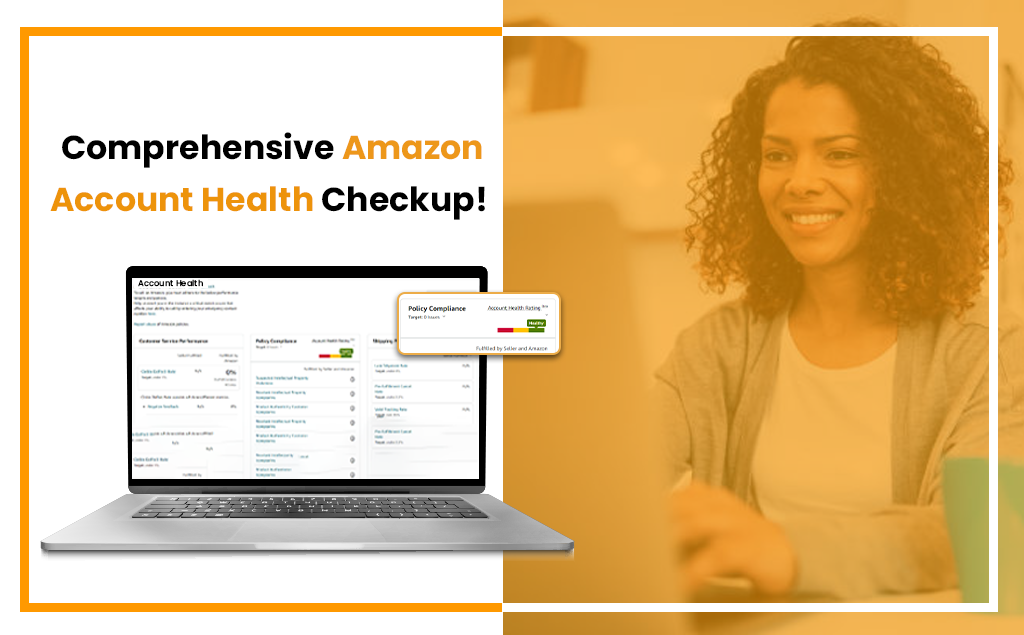
You may check the status of your Amazon account in Amazon Seller Central using the Amazon Account Health Rating (AHR) tool. It depends on how well you follow Amazon’s selling guidelines. It considers specific things like unsolved policy infractions on your account over a fixed time.

Currently, only professional sellers have access to this page. Amazon wants its vendors to keep their accounts in good standing by adhering to the requirements. Amazon made a few adjustments to how you may check the status of your account, and the retail behemoth promises that the policies will continue to be improved.

  • You have to sustain a ‘Good‘ amazon account health rating and deal with all policy violations within a specific time.
  • Amazon Seller Central might delete your account if your AHR is ‘Critical‘ or ‘At Risk.’

Which Account Health Metrics Need Attention on the Account Health Page?

Your Amazon Seller Central account now has an Account Health Page that lists the 7 key metrics you should pay attention to. Not that you should ignore other stats, but these are essential for preserving your ability to sell on Amazon. Also, as a little bonus, Amazon claims to have removed some metrics from the Account Health page, which are seller metrics for which

1.Order Defect Rate

The Order Defect Rate (ODR) evaluates your overall efficiency in exceeding consumers’ expectations over the previous 60 days, as promised by the A-to-Z guarantee. It covers an array of subjects, all of which must have an aggregate ODR of less than 1%. A problem exists with an order if:

  • Has negative feedback
  • A successful A-to-Z claim
  • Credit card chargeback


amazon account health rating

2. Cancellation Rate

Only seller-fulfilled orders are included in this metric, which tracks order cancellation rates across 7 days. For instance, it wouldn’t affect your cancellation rate if a consumer canceled a pending order (CR). This statistic for account health must be less than 2.5%.

3. Late Dispatch Rate

The Late Dispatch Rate (LDR), calculated over a 10 or 30-day period, is the proportion of total orders (as a percentage) for which the shipment confirmation was provided after the anticipated ship date. If your LDR is over 4%, you risk receiving a warning or being suspended.

amazon account health

4.Valid Tracking Rate

The Valid Tracking Rate (VTR), shown over 30 days, calculates the proportion of total orders for which it has provided a valid tracking number. Once more, this metric only applies to orders that the merchant fulfills. Maintain this statistic at or above 95%, and you should be fine.

5. On-Time Delivery Rate

The number of packages that arrive at their destinations by the estimated delivery date as a percentage of all orders is known as the On-Time Delivery Rate (OTDR). Keeping it at 97% is better because this metric only applies to seller-fulfilled orders.

6. Return Dissatisfaction Rate

Last but not least, this indicator looks at how happy a consumer is with the return process. The Return Dissatisfaction Rate (RDR) must be necessary for the Return Dissatisfaction Rate (RDR) to be around 10%, although it may increase if you:

  • Receive unfavorable feedback (Negative Return Feedback Rate),
  • Ignore a return request for more than 48 hours (Late Response Rate), or
  • Incorrectly reject a return request (Invalid Rejection Rate)
amazon seller

7.Invoice Defect Rate

Amazon unveiled the Invoice Defect Rate metric in June 2020. It intends to assist independent sellers in keeping an eye on the invoicing experience that Amazon Business clients receive when they need receipts or invoices for tax and accounting purposes.

What Exactly is the Amazon Invoice Defect Rate?

By the Amazon Business invoicing policy, the fraction of orders placed by Amazon Business customers for which you did not deliver a downloaded VAT invoice (or a receipt) within one business day following the shipping confirmation. Amazon advises sellers to keep their Invoice Defect Rate under 5%. As of this writing, nothing needs to be done if your Amazon Invoice Defect Rate is higher than this threshold.

What Happens if You Don't Meet the Amazon Account Health Metrics?

Amazon will ask you for a Plan of Action (POA) for improvement if you don’t meet the desired KPIs for Account Health within 48 hours. If Amazon accepts your POA, which shows that you comprehend the issue and your plan to fix it, Amazon won’t suspend your account in that case.

How May We Assist You?

Maintaining your Amazon account health should always come first, but not at the price of keeping up with other aspects of your business. Utilizing HRL Infotechs is hands-free and can significantly save your time. Once everything is set up, you may leave it running in the background and make any necessary future little adjustments. However, if you don’t use it, you’re losing out on something really fascinating. So, register immediately and start a journey towards becoming a top amazon seller.