Amazon has moved advertising closer to the actual shopping conversation. Sponsored Products Prompts and Sponsored Brands Prompts use AI to surface relevant product information around shopper questions and decision points. Amazon says the feature became generally available in the U.S. on March 25, 2026, and prompts can appear in shopping results and product detail pages. For Indian sellers, the key takeaway is simple: start improving the information Amazon’s AI can understand, but don’t assume every U.S. advertising feature is already available on Amazon.in.
If you’ve been treating your Amazon listing as a collection of keywords, this update is a good reason to change that approach. A shopper may ask whether a water purifier suits a family of four, whether a laptop is suitable for students, or whether a skincare product works for oily skin. Your listing needs to answer those questions clearly through titles, bullets, attributes, product information, reviews and supporting content. Amazon says its prompts use signals from product detail pages, Brand Stores and campaign data.
What Are Amazon AI Prompts and Why Do They Matter?
Amazon AI Prompts are AI-powered advertising enhancements that can present relevant product information during shopping interactions. They are designed to help shoppers move from a question or comparison to a more informed purchase decision.
This is different from a traditional keyword-triggered ad. Amazon determines which prompts and products are relevant using its own signals, while existing Sponsored Products and Sponsored Brands campaigns can become eligible automatically. Amazon also provides prompt-level reporting in the Ads Console and through its reporting system.
For sellers, this makes listing quality more closely connected with advertising quality. Your campaign can generate visibility, but the product information still needs to explain why the item fits the shopper’s requirement.
This is where Amazon Rufus ads become relevant. Amazon’s conversational shopping experience has evolved into Alexa for Shopping, but the underlying shift remains the same: shoppers can use natural questions rather than relying only on short search terms. Amazon’s current guidance describes prompts as conversational advertising that can help customers discover relevant product information.
How Should You Optimize Listings for Amazon AI Shopping?
To optimize listings for Amazon AI shopping, make your product information specific, consistent and useful for real buyer questions. Start with the highest-value ASINs rather than changing your entire catalogue at once.
Think about the questions a customer would ask before buying. If you sell a mixer grinder, for example, your listing should clearly communicate capacity, wattage, jar sizes, intended usage and relevant limitations. If you sell office chairs, explain weight capacity, adjustability, material, seat dimensions and suitable use cases.
This is also where how to optimize listings for Rufus AI becomes a practical exercise rather than a keyword trick. Amazon has not published a guaranteed formula such as a specific keyword density or content length that makes a product appear in AI recommendations. The safer approach is to make the product data complete enough for Amazon’s systems to understand what the product is, who it suits and how it differs from alternatives.
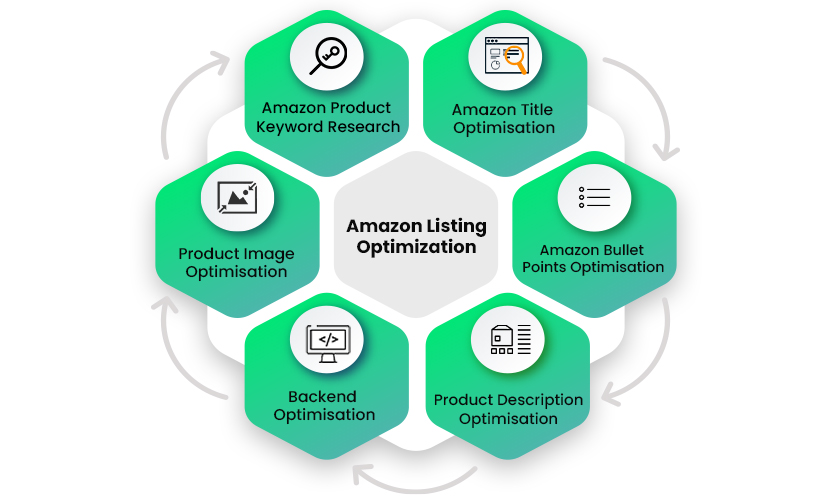
HRL Infotechs’ Amazon SEO and listing optimization services follow a similar foundation, covering keyword research, title enhancement, backend search terms, visual optimization and performance-based content improvements. The objective is not to stuff a listing with phrases. It is to make the listing relevant and understandable.
Which Parts of Your Amazon Listing Should You Change First?
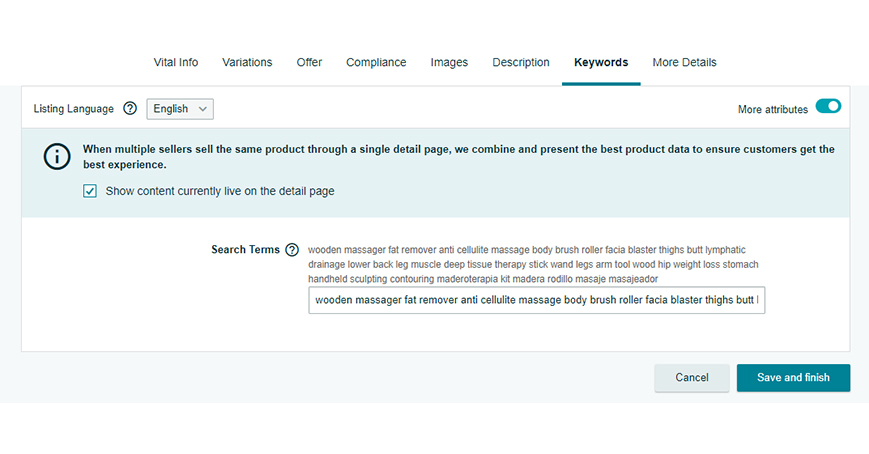
Start with the title, bullets, attributes and backend search terms because these areas provide structured information about the product. Then review your images and A+ Content to make sure the visual and written information tell the same story.
A useful sequence is:
- Identify your 10 to 20 highest-value ASINs.
- Collect common customer questions from reviews, Q&A and support interactions.
- Compare those questions against your existing product content.
- Add missing factual information where Amazon’s policies allow.
- Remove vague or contradictory claims.
- Review PPC search-term data after the content changes.
- Measure conversion, sales and advertising efficiency before making another major change.
One trade-off experienced sellers learn quickly is that more content isn’t automatically better. A listing packed with repetitive keywords can be harder for shoppers to understand. Clear information about compatibility, size, use case, materials and limitations is often more valuable than another repetition of the main keyword.
Your Rufus AI listing optimization strategy should therefore focus on information quality first. Keyword research still matters, but the keyword should support the buying question rather than replace the answer.
What Is the Amazon Rufus Prompts Report and How Can Sellers Use It?
The Amazon Rufus Prompts Report provides prompt-level performance information for eligible campaigns. Amazon says the report can include prompt text, associated ads, impressions, clicks, CTR, CPC, spend, sales, ACoS, ROAS and orders or units.
If the feature is available to your marketplace and account, don’t treat this report as another dashboard to download and forget. Read the actual prompt language. It can show you the kinds of questions Amazon is connecting with your products.
For example, if your prompts repeatedly revolve around “Does this product work for…” while your listing barely explains that use case, you’ve found a content gap. If shoppers interact with comparison-style prompts, review the bullets and A+ Content to make your product’s differentiators easier to understand.
This is one of the most useful applications of Amazon Rufus prompts report data. The report can become a feedback loop between advertising and listing optimization rather than simply another performance report.
Amazon’s documentation also says prompts can be viewed from the Ads Console through Campaign, Ad Group, Ads and the Prompts tab when applicable.
Does A+ Content Help With AI-Driven Shopping?
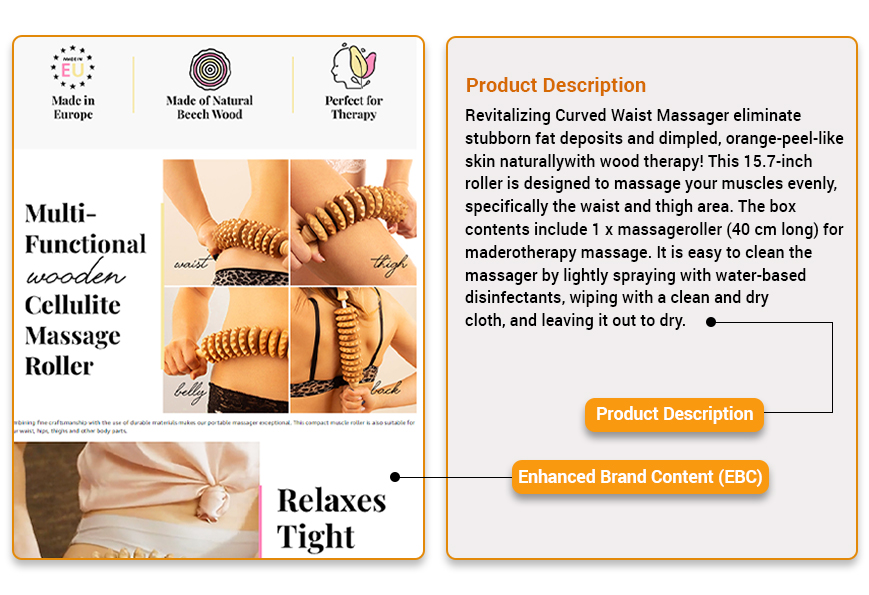
A+ Content can strengthen the information available on a product detail page, particularly when it explains product benefits, comparisons and use cases clearly. It should support the core listing rather than compensate for missing or weak product information.
For sellers investing in AI readiness Amazon listing work, A+ Content is useful for addressing questions that are difficult to explain in five short bullets. A comparison module, for example, can help shoppers understand the difference between two products in the same range.
HRL Infotechs provides Amazon A+ Content design services, including product content writing, lifestyle imagery, brand storytelling, keyword optimization and comparison charts. The important distinction is that A+ Content should reinforce the product’s actual value proposition rather than become a collection of decorative graphics.
You should also remember that AI shopping does not eliminate the basics. A weak product, poor reviews, inaccurate specifications or an uncompetitive offer cannot be fixed simply by adding more A+ modules.
How Does Amazon Answer Engine Optimization Differ From Traditional Amazon SEO?
Amazon answer engine optimization, or Amazon AEO, focuses on making product information easy for an AI system to interpret and use when responding to conversational shopping questions. Traditional Amazon SEO places greater emphasis on discoverability for relevant searches, while AEO adds context, clarity and question-based relevance.
The two approaches should work together. A customer may search “wireless earbuds” first and later ask an AI shopping assistant which option is best for long office calls. Your listing needs to be relevant to the broad search while also containing accurate information about microphone quality, battery life, comfort and intended use.
This is why Amazon answer engine optimization (AEO) should not become another excuse for keyword stuffing. Amazon’s own conversational advertising guidance emphasizes the importance of clear product messaging and organized brand content because these provide stronger signals for AI-powered experiences.
A practical example: we often see sellers add five or six generic benefit phrases to a listing while leaving basic specifications incomplete. That is the wrong priority. If the customer needs to know dimensions, compatibility or capacity to decide, that information should come first.
What Is Amazon Contextual Ad Placement Beta?
Amazon’s contextual ad placement development uses AI to place relevant advertising and product information around shopper intent rather than relying solely on a conventional search-results placement.
The important distinction is that advertisers do not manually write every prompt. Amazon generates and manages the prompt experience using its own systems and signals. Existing campaigns can be eligible without requiring a separate campaign structure.
This means Amazon contextual ad placement beta should not be approached like a new keyword campaign where you simply create hundreds of targets. The stronger opportunity is to make your existing campaign and product data more useful.
For Indian brands, there is another important limitation: Amazon’s current documentation identifies Sponsored Products Prompts and Sponsored Brands Prompts as available to U.S. Amazon advertisers. Therefore, don’t increase Amazon.in budgets simply because the feature is live elsewhere. Verify marketplace availability inside your account first.
How Can Indian Amazon Sellers Prepare Now?
Indian sellers should prepare by improving the underlying listing rather than trying to force access to a feature that may not yet be available on Amazon.in.
Start with your highest-revenue products. Review their titles, bullets, attributes, images, A+ Content, reviews and search-term performance. Then identify questions that a real shopper would ask before spending ₹1,000, ₹5,000 or ₹20,000 on the product.
Your amazon product listing and seo services for sellers strategy should connect those questions with measurable search and conversion data. HRL Infotechs already recommends aligning listing content with PPC search terms, conversion data and product performance rather than managing advertising separately from catalogue optimization.
For sellers running serious advertising budgets, Amazon Advertising Services can also be integrated with listing optimization. That matters because sending paid traffic to a page that fails to answer obvious buyer questions simply increases the cost of discovering the problem.
You can also review HRL Infotechs’ recent guide on Amazon’s Rufus and Alexa for Shopping merger to understand how conversational shopping is developing beyond the original Rufus experience.
What Should You Do Next?
Don’t rewrite 500 listings because Amazon introduced AI-powered prompts. Start small and measure carefully.
Audit your top 10 to 20 ASINs. Identify the questions shoppers ask repeatedly. Improve the missing information in your titles, bullets, attributes and supporting content. Then connect your listing changes with search-term, conversion and advertising data.
If you’re unsure whether your images are helping or hurting the buying journey, HRL Infotechs’ recent Amazon product image SEO guide provides a useful next step for auditing the visual side of the listing.
The goal isn’t to make your listing “AI-friendly” by adding artificial language. The goal is to make the product easier for both shoppers and Amazon’s systems to understand.
If your listings are generating traffic but failing to answer buyer questions, that’s the gap worth fixing first. HRL Infotechs can help you audit listing content, A+ Content and advertising together so your Amazon strategy is built around the actual shopping journey rather than one isolated feature.
FAQs
Q1. Are Amazon AI Prompts available to sellers in India?
Ans. Amazon’s current documentation lists Sponsored Products Prompts and Sponsored Brands Prompts as generally available in the U.S. It does not currently list India as an available marketplace on that announcement. Indian sellers should therefore verify availability directly inside their Amazon Ads account rather than assuming that a U.S. rollout automatically applies to Amazon.in.
Q2. Do I need a separate campaign for Amazon AI Prompts?
Ans. No. Amazon says eligible Sponsored Products and Sponsored Brands campaigns are automatically enrolled in the prompts experience. Sellers can review prompt performance through the Ads Console and reporting tools where the feature is available. You don’t need to create a completely separate campaign simply to participate.
Q3. How do I make my Amazon listing ready for AI shopping?
Ans. Make the listing factually complete and easy to interpret. Explain the primary use case, specifications, compatibility, size, materials, benefits and limitations. Keep the information consistent across the title, bullets, attributes, images and supporting content. Avoid writing unnatural sentences simply to include AI-related keywords.
Q4. Can Amazon Rufus AI increase my product sales?
Ans. AI shopping can influence product discovery and purchase decisions, but no seller should treat AI prompts as a guaranteed sales channel. Performance depends on relevance, product quality, offer competitiveness, conversion rate, reviews, inventory and other marketplace factors. Use available reporting to measure actual business results instead of assuming visibility will automatically produce sales.
Q5. Should I optimize my Amazon listing for Rufus or Alexa for Shopping?
Ans. Optimize for the underlying shopping behaviour rather than the product name. Amazon’s conversational shopping experience has evolved from Rufus toward Alexa for Shopping. The practical requirement remains similar: provide accurate product information that helps an AI system understand shopper intent, product suitability and meaningful differences between products.
Q6. Is Amazon AEO replacing Amazon SEO?
Ans. No. Amazon AEO and Amazon SEO should complement each other. SEO helps your product become discoverable for relevant searches, while AEO focuses more on whether your product information can clearly answer conversational questions. Strong listings need both discoverability and useful, structured product information.