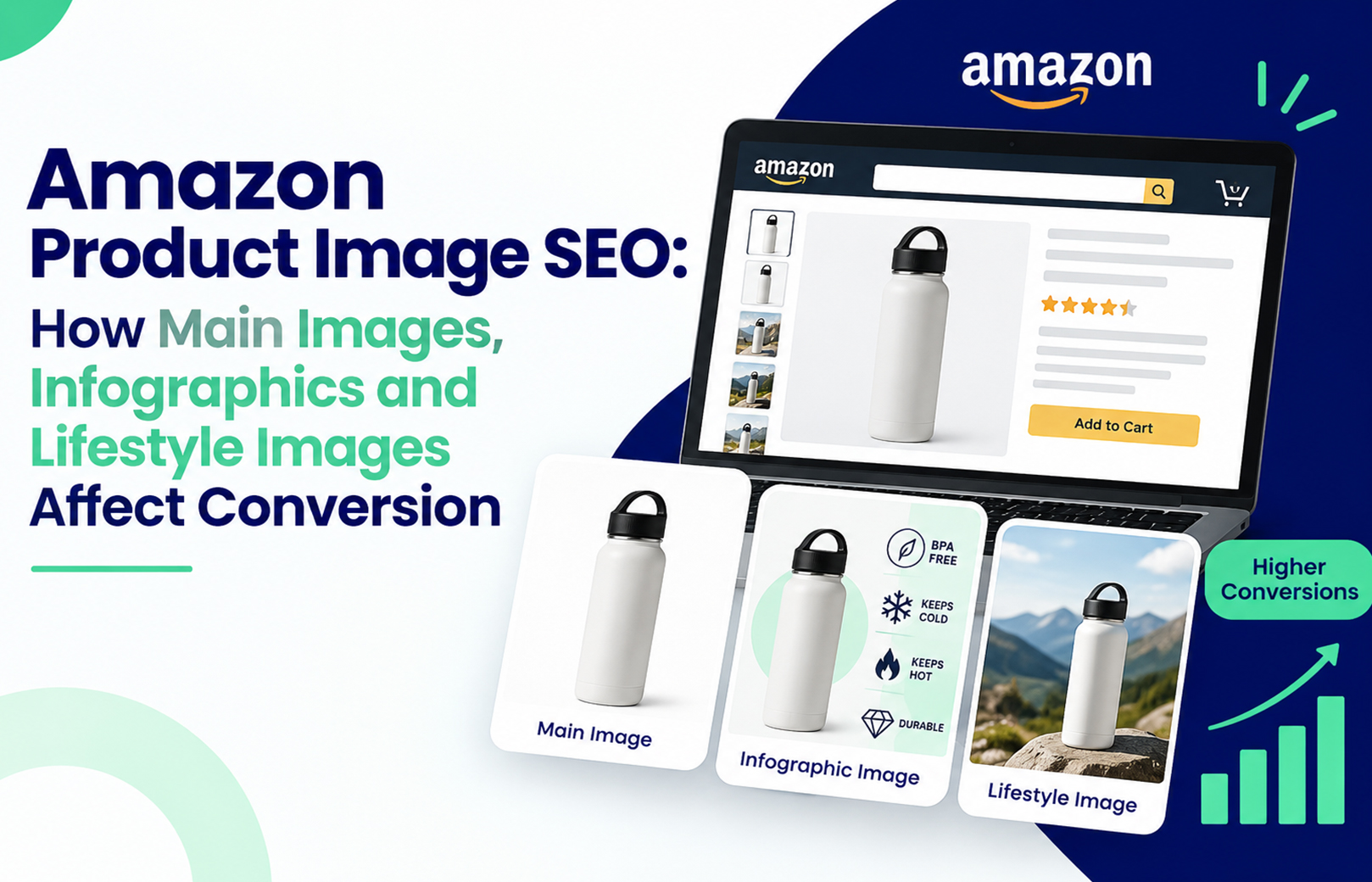
Amazon Product Image SEO is the practice of building a listing’s image set so it clears Amazon’s technical image requirements, stays legible at thumbnail size on a phone, and answers the buying objection before the shopper swipes away. Amazon does not index your pictures. It measures what your pictures make shoppers do, and those behavioural signals feed your organic rank. That is why two listings with identical keywords can sit ten positions apart.
Here is the mechanism, because it decides where your budget goes. Amazon’s relevance layer reads text fields only: title, bullets, backend search terms, attributes and A+ Content copy. Images influence ranking through click-through rate on the search results page and unit session percentage on the detail page. A shopper who clicks and buys teaches Amazon your listing is a strong answer for that query. A shopper who clicks and bounces means you paid for the click and taught the algorithm the opposite. Everything below is the sequence we use to fix that, in the order we run it.
Does Amazon actually rank product images?
No, not directly. There is no alt text field for gallery images in Seller Central, and Amazon’s search index reads titles, bullets, backend search terms, attributes and A+ Content copy. Images earn their SEO value indirectly by lifting CTR and conversion, which are the session signals that feed organic placement. If you are not sure which of those two is your real bottleneck, work through Amazon CTR vs conversion rate and which metric to fix first before touching a single file.
What are Amazon’s product image requirements?
Amazon publishes these in Seller Central under Help, Product Image Requirements. Break them and the listing gets suppressed, not demoted, which is a faster and more expensive problem.
| Element | Requirement |
|---|---|
| MAIN image background | Pure white, RGB 255-255-255 |
| Frame fill | Product occupies at least 85% of the frame |
| Zoom threshold | 1,000 px minimum on the longest side; 1,600 px recommended |
| Maximum dimension | 10,000 px on the longest side |
| Formats | JPEG, TIFF, PNG, GIF, with JPEG preferred |
| Colour mode | sRGB or CMYK |
| MAIN image restrictions | No text, logos, watermarks, borders, props or inset images |
| Slot names | MAIN, then PT01 to PT08, plus SWCH for variation swatches |
Two things about amazon image size that the requirement page will not tell you. Past roughly 3,000 px you gain no visible zoom quality, and you do add page weight on a 4G connection, which is still how most Indian shoppers browse. And square beats rectangular, because the search results grid crops to a square container and a wide file loses height it cannot afford.
Why does the main image decide your click-through rate?
Because it is the only asset competing on the results page, at roughly 180 px on a phone. Your title is truncated, your bullets are invisible, your A+ Content is three scrolls away. Frame fill is the single most common fix we make. Sellers hit 85% on paper by counting shadow and padding, then their thumbnail renders a small product in a big white box beside a competitor whose product touches the edge.
A worked example from a kitchenware catalogue we manage in Jaipur. One steel container ASIN held 4.1% conversion for five months with indexed keywords and stable bids. The main image was 1,200 px with the product filling roughly half the frame. We refilled to 88%, re-exported at 1,600 px square, and promoted the lifestyle shot from slot five to slot two. Conversion settled near 6% across the next three weeks with no change to title, bullets or price. Results vary by category, and this was a single ASIN, not a controlled test across a catalogue.
Two judgement calls worth stealing. If you sell a multipack, photographing all six units shrinks each one at thumbnail size, so shoot one unit and let the pack count live in the title, where the 75-character title limit forces you to prioritise anyway. And never change the main image in the same week you change the title. Search Query Performance will show you movement you cannot attribute to either change, and you will have burned three weeks of clean baseline.
Where should infographics sit in the image stack?
An infographic is a secondary image that overlays short callouts on a product photo to communicate a spec, benefit or dimension. Put it at PT01 or PT02, and make it answer the one objection that kills the sale rather than listing every feature you have.
The test we run on every infographic: shrink it to 25% and read it. If a callout is unreadable, it fails, because the strip thumbnails are what most shoppers actually see. Five or six words per callout, maximum. For a ₹2,499 water purifier, the callout that earns its space is filter life in litres, not a tagline about purity.
Do lifestyle images really improve conversion?
They do, when they answer a question a spec sheet cannot: will this fit my kitchen, my desk, my child’s hand. A lifestyle image shows the product in use, in a real environment, with a scale cue in shot. Across the home and kitchen catalogues we manage, promotion of a lifestyle image from slot five to slot two has moved conversion more reliably than adding a seventh image nobody scrolls to.
The sequencing rule we use is price-led. Above roughly ₹3,000, shoppers are comparing specs, so lead PT01 with the infographic and follow with lifestyle. Below that, shoppers are deciding on feel, so reverse it. Most mobile buyers swipe twice before deciding, which makes slot order more valuable than slot count.
How is this different from A+ Content imagery?
A+ Content sits below the fold and never appears in search results, so it cannot influence CTR at all. It influences conversion for shoppers who scroll, and unlike gallery images, its copy is indexed. Standard modules run to 970 px wide, a different export spec entirely, which is why resized gallery files look soft there. Rebuilding modules to spec is the core of our Amazon A+ Content design work, and comparison charts are usually the first module we fix because they break worst on mobile.
Your 30-day image fix sequence
- Pull your top 20 ASINs by sessions from Business Reports. Audit MAIN frame fill on each and fix anything under 85%.
- Re-export every gallery file at 1,600 to 2,000 px square, sRGB, JPEG, under about 500 KB.
- Reorder slots by price point using the rule above.
- Upload through Manage Images in Seller Central rather than a flat file, because flat file uploads can overwrite variation slots without warning.
- Change one variable per ASIN, then wait 14 to 21 days before reading anything.
- Compare unit session percentage before and after in Business Reports, not in your ad console, so organic sessions are included.
Be honest about what this cannot do. Images will not rescue a 3.4-star ASIN, a broken variation family, or a listing that is suppressed for a different reason, which is a separate diagnosis covered in our guide to why an active Amazon listing is not visible in search. They also will not fix rank if your title and backend terms do not match how buyers phrase the search, which is the job of Amazon SEO and listing optimization.
If you have just worked out that your image stack was built for a desktop shopper who no longer exists, that gap is common and cheap to close compared with what you are paying for the clicks it wastes. HRL Infotechs runs image spec audits for Indian sellers and global brands, usually as part of ongoing Amazon account management. Send three ASINs and we will tell you what we would change first, and in what order.
Frequently asked questions
Q1. What is the best Amazon image size for mobile shoppers in India?
Ans. Export square at 1,600 to 2,000 px on the longest side, sRGB JPEG, ideally under 500 KB. That clears the zoom threshold, fits the square search container without cropping, and loads acceptably on 4G. Files above 3,000 px add weight without visible gain, since Amazon compresses images before delivery.
Q2. Can I put text or a logo on my Amazon main image?
Ans. No. Amazon’s product image requirements prohibit text, logos, watermarks, borders and promotional badges on the MAIN image. The only exception is text physically printed on the product or its packaging. Violations usually trigger listing suppression rather than a warning, so audit before uploading rather than after.
Q3. How many images should an Amazon listing have?
Ans. Fill every slot your category allows, typically six images plus a video, but sequence beats volume. Most mobile shoppers view two or three before deciding. Put your strongest objection-handling asset at PT01 instead of saving it for a slot that gets almost no views.
Q4. How long do Amazon image changes take to show results?
Ans. Allow 14 to 21 days of comparable traffic. Business Reports refresh daily, but Search Query Performance lags by several days, so early readings mislead. Avoid testing during Great Indian Festival or Prime Day, when the traffic mix distorts your baseline enough to make the comparison meaningless.
Q5. Should local sellers pay for professional Amazon product photography?
Ans. In visually competitive categories, yes. A shoot covering 10 SKUs in India typically costs a fraction of one month’s ad spend for an established seller, though the figure varies by city and category and should be treated as illustrative. Compare it against wasted click spend, not against a design freelancer’s hourly rate.
Q6. Does changing images reset my Amazon ranking?
Ans. No. Image edits do not reset indexing or sales history. Rank can move afterwards because your conversion rate moved, which is the intended effect. The one real risk is a compliance error causing suppression, so verify the listing is still active in Seller Central the day after any upload.