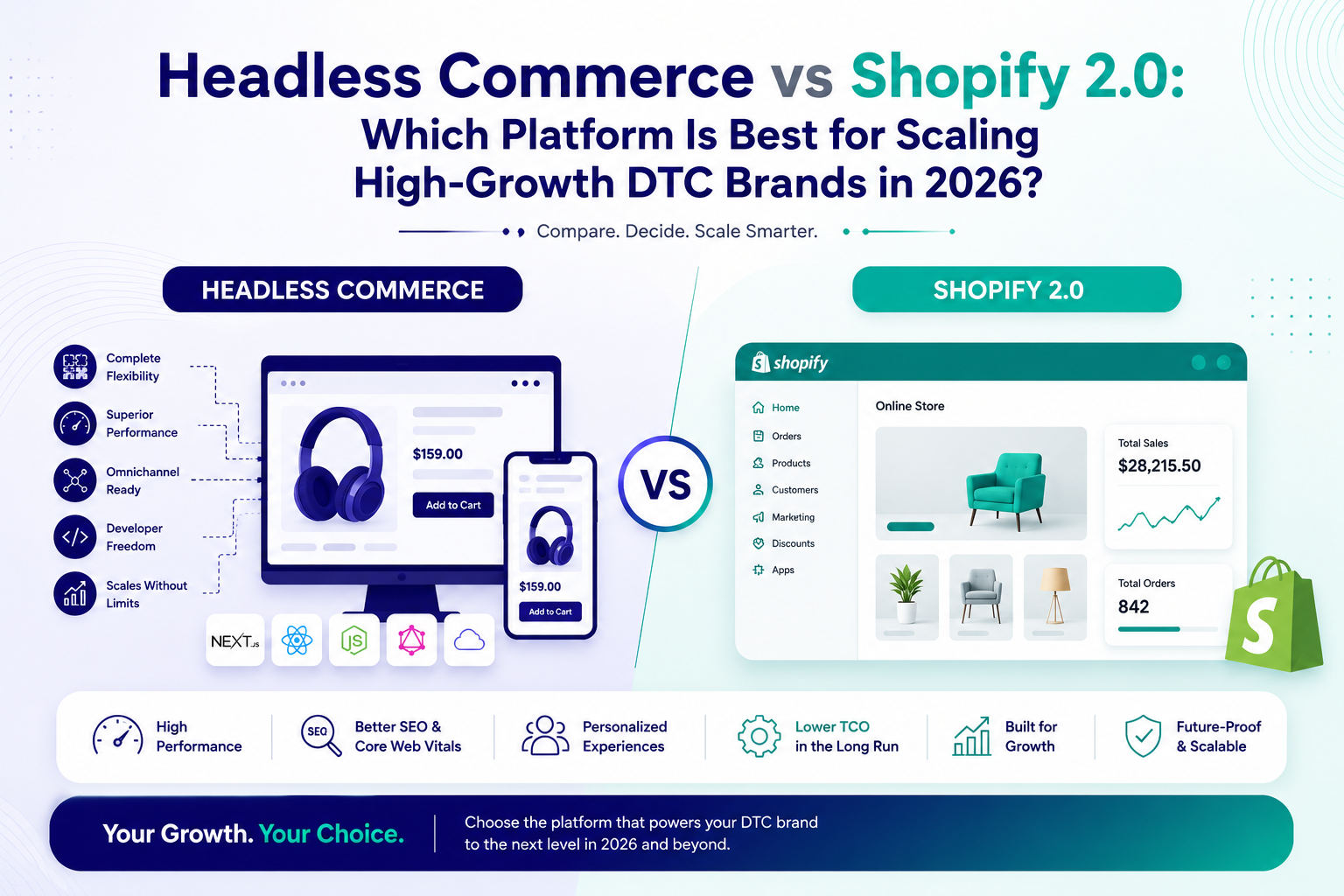
Headless Commerce vs Shopify 2.0: Which Platform Is Best for Scaling High-Growth DTC Brands in 2026?


Scaling a high-growth DTC brand in 2026 is not just about great products. It is about choosing the right ecommerce architecture that can handle traffic spikes, deliver fast experiences, and support advanced marketing. For many founders and CMOs, the big question is whether Shopify 2.0 is enough or if it is time to move to headless commerce.

This guide breaks down Shopify 2.0 vs headless commerce in practical terms, using real-world scenarios for growing brands. You will understand what headless commerce is, when to switch, and whether your Shopify store should go headless or stay on a well-optimized Shopify 2.0 stack.

Understanding Shopify 2.0 For Scaling DTC Brands

Shopify 2.0 is the upgraded version of Shopify’s online store framework, designed to give brands more flexibility, better performance, and improved customization. For many DTC brands in India and globally, Shopify 2.0 is often the first serious ecommerce platform for scaling brands beyond the early stage.

With Shopify 2.0, merchants get improved theme architecture, faster storefront rendering, and more control over sections and blocks. When combined with expert Shopify website development agency support, it can deliver fast ecommerce websites for conversions without needing a complex headless setup.

Key Features That Make Shopify 2.0 Attractive

Shopify 2.0 brings a more modular theme system, better metafields, and improved app integrations. These changes make it easier for marketers to launch landing pages, run campaigns, and test offers without relying heavily on developers for every small change.

For growing DTC brands, this means faster experimentation and better alignment between ecommerce marketing services and the storefront. Shopify performance optimization is also easier with built-in tools, CDN delivery, and a mature ecosystem of performance-focused apps.

When Shopify 2.0 Is Enough For Growing Brands

Many founders ask if Shopify 2.0 is enough for growing brands that are scaling aggressively. In most cases, Shopify 2.0 can comfortably support brands up to mid-market level, especially when the store is well optimized and uses high-quality themes and apps.

If your current challenges are related to basic speed issues, checkout friction, or limited merchandising, improving Shopify performance optimization, cleaning up apps, and working with a specialist agency often solves the problem without needing to go headless.

What Is Headless Commerce In Simple Terms

To decide between Shopify 2.0 vs headless commerce, you need a clear view of what headless actually means. Headless commerce separates the frontend experience from the backend platform, so your storefront is built using modern frameworks while Shopify or another engine manages products, orders, and payments.

In this model, the frontend communicates with the backend via APIs. This gives brands more control over design, performance, and omnichannel experiences. Headless ecommerce for high traffic stores is popular because it can deliver extremely fast, custom experiences tailored to specific audiences and markets.

Headless Commerce Advantages And Disadvantages

Headless commerce advantages and disadvantages must be weighed carefully before making a decision. On the positive side, headless allows pixel-perfect design, lightning-fast page loads, and deep personalization. It is ideal for enterprise ecommerce brands that need unique experiences across web, mobile, apps, and other channels.

However, the disadvantages include higher development costs, more complex maintenance, and greater dependency on engineering teams. For many DTC brands, the question is not just is headless commerce worth it, but whether the team has the capacity to manage a more technical stack over the long term.

Headless Commerce For Enterprise Ecommerce And High Traffic

Headless commerce for enterprise ecommerce shines when brands operate across multiple regions, languages, or storefronts. It allows centralized logic with localized experiences, which is difficult to achieve with a single traditional theme-based store. This is especially relevant for brands planning global expansion.

Headless ecommerce for high traffic stores also helps when performance requirements are extreme, such as flash sales, influencer drops, or large-scale campaigns. In these situations, a decoupled frontend can be tuned for speed and resilience, while the backend handles order processing reliably.

Shopify 2.0 Vs Headless Commerce: How To Decide

Choosing between Shopify 2.0 vs headless commerce should start with your business goals, not just technology trends. The dominant search intent around this topic is informational with a commercial angle, which means leaders want clarity before committing budgets to a new architecture.

Instead of asking only should my Shopify store go headless, it is better to map your current pain points, growth targets, and team capabilities. Then you can match those needs to what Shopify 2.0 or a headless setup can realistically deliver in the next 12 to 24 months.

When To Switch To Headless Commerce

There are clear signals that indicate when to switch to headless commerce. If your brand has hit the limits of Shopify 2.0 themes, needs highly custom user journeys, or is planning a multi-country rollout with complex content, headless may be a strong option.

You should also consider headless if your marketing team needs advanced experimentation that standard Shopify templates cannot support. In these cases, a modern frontend with API-driven content and product data can unlock new growth opportunities and higher conversion rates.

When To Double Down On Shopify 2.0 Instead

On the other hand, if your main issues are slow load times, cluttered apps, or poor UX, Shopify 2.0 is often still the right foundation. A focused Shopify performance optimization project can dramatically improve speed and conversions without a full rebuild.

For many Indian DTC brands, investing in a strong Shopify website development agency, better CRO, and integrated ecommerce marketing services delivers a higher ROI than moving to headless too early. This approach keeps your stack simpler while still supporting aggressive growth.

Practical Evaluation Checklist For DTC Founders

To make a confident decision, it helps to use a structured checklist. This reduces bias and keeps the conversation grounded in numbers, not hype. You can review this list with your internal team and external partners to align on the right path forward.

Consider the following factors before choosing Shopify 2.0 or headless commerce for your next phase of growth. Revisiting this checklist every 6 to 12 months also helps you decide if your current architecture is still serving your goals.

Key Questions To Ask Before Going Headless

Use these questions to clarify whether headless commerce is worth it for your specific situation and stage of growth. Honest answers will prevent overbuilding or underinvesting in your ecommerce platform.

  • Is my current Shopify 2.0 store truly maxed out, or can optimization still deliver gains
  • Do I have or plan to build an in-house or retained engineering team to manage a headless stack
  • Are my performance issues due to architecture or poor implementation and heavy apps
  • Do I need unique experiences across multiple regions, brands, or channels
  • Will a headless build directly support revenue, AOV, or LTV growth in the next 12 months

Which Path Is Best For Scaling In 2026

Looking ahead to 2026, the best ecommerce platform for scaling brands will be the one that balances flexibility, speed, and operational simplicity. For many DTC brands, a well-optimized Shopify 2.0 store, supported by strong partners, will remain a powerful and cost-effective choice.

Headless commerce will continue to grow among larger and more complex brands that need advanced personalization, global rollouts, or highly custom experiences. The key is to avoid rushing into headless just because it is a trend and instead align your technology roadmap with clear business outcomes.

Conclusion: Making A Confident Platform Decision

Deciding between Shopify 2.0 and headless commerce is ultimately a strategic choice, not just a technical one. If your brand is still unlocking growth through better UX, faster pages, and smarter campaigns, doubling down on Shopify 2.0 with expert support is often the smartest move.

When your brand reaches a stage where standard templates and apps limit innovation, exploring headless commerce for enterprise ecommerce can be the next logical step. Partnering with HRL Infotechs can help you evaluate both paths objectively, design a scalable architecture, and build a store that is ready for the demands of high-growth DTC in 2026.

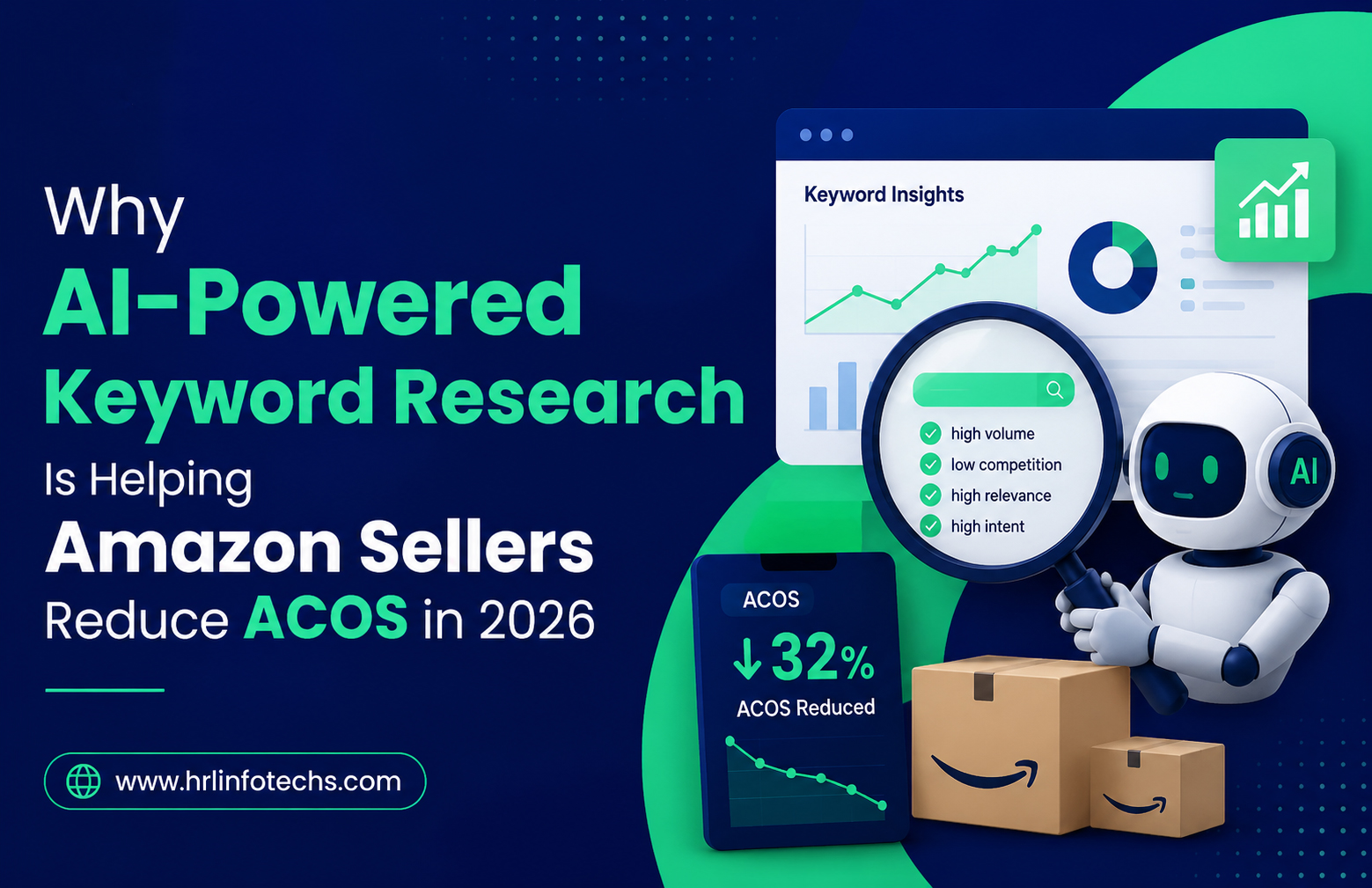
How AI-Powered Keyword Research Is Helping Amazon Sellers Reduce ACOS in 2026


Amazon advertising has become more competitive than ever in 2026. Rising CPCs, smarter competitors, and changing buyer behavior are forcing sellers to rethink how they manage PPC campaigns. Traditional keyword research methods are no longer enough for brands trying to scale profitably. This is where AI-powered keyword research for Amazon is creating a major shift.

Sellers are now using artificial intelligence to identify high-converting keywords, eliminate wasted ad spend, and improve campaign targeting faster than manual research ever allowed. Instead of spending hours analyzing spreadsheets and search term reports, AI tools are helping advertisers make real-time decisions based on customer intent and performance data.

Recent industry reports show that AI-driven PPC optimization helps sellers uncover hidden search trends, automate keyword clustering, and improve bidding accuracy for better advertising efficiency.

How AI-Powered Keyword Research Works for Amazon PPC

AI-powered keyword research for Amazon uses machine learning and automation to analyze millions of shopper search queries, competitor listings, and ad performance signals. These tools identify patterns that are difficult to detect manually, especially when managing large product catalogs or multiple campaigns.

Unlike traditional Amazon PPC keyword research, AI systems continuously monitor keyword performance and buyer intent. They can quickly identify which search terms generate conversions and which keywords are draining budget without producing sales. This allows sellers to focus only on profitable traffic sources.

Modern Amazon keyword research tools also evaluate seasonal demand trends, click-through rates, search intent, and competitor movements. Instead of relying on guesswork, sellers receive data-backed recommendations that improve campaign precision and help lower ACOS on Amazon.

Why Manual Keyword Research Is No Longer Effective

Manual keyword research may still work for small sellers with limited campaigns, but it becomes inefficient as advertising budgets grow. Managing hundreds of keywords manually often leads to delayed optimizations, irrelevant targeting, and wasted ad spend.

One of the biggest problems with traditional research methods is the inability to process large amounts of search term data quickly. Amazon shoppers constantly change their search behavior, and trends can shift within days. Sellers relying only on spreadsheets or basic reports often react too late.

AI tools for Amazon sellers solve this problem by automating keyword discovery and performance analysis. They instantly identify negative keywords, profitable long-tail terms, and emerging search opportunities. This level of automation helps improve Amazon advertising optimization while reducing unnecessary spending.

How AI Helps Reduce ACOS Amazon PPC Campaigns

Reducing advertising cost of sales requires more than simply lowering bids. Successful Amazon PPC optimization 2026 strategies focus on improving keyword relevance and conversion quality.

AI systems help sellers reduce ACOS Amazon PPC campaigns through:

Smarter Keyword Targeting

AI tools analyze customer intent instead of focusing only on search volume. This helps sellers target keywords with higher purchase probability rather than broad traffic terms that waste budget.

Automated Negative Keyword Detection

Many campaigns lose money because irrelevant search terms continue spending without conversions. AI identifies poor-performing keywords automatically and recommends exclusions to prevent wasted clicks.

Real-Time Bid Adjustments

Advanced Amazon PPC management platforms use AI to optimize bids based on performance trends, competition, and conversion likelihood. This improves ad efficiency without constant manual intervention.

Long-Tail Keyword Discovery

Long-tail keywords usually have lower competition and stronger buyer intent. AI-powered Amazon seller keyword research tools uncover these hidden opportunities faster than manual analysis.

Industry research in 2026 highlights that automated keyword optimization and negative keyword filtering significantly improve PPC profitability for growing sellers.

The Role of Search Term Analysis in Amazon Advertising Optimization

One of the most valuable benefits of AI is advanced search term analysis. Campaign keywords alone do not reveal how customers actually search on Amazon. Search term data provides deeper insight into buyer behavior and conversion intent.

AI platforms analyze thousands of search queries to identify patterns that human analysts often miss. For example, two search terms may appear different but reflect the same purchase intent. AI groups these related terms together to improve targeting efficiency.

This process helps sellers improve:

  • Sponsored Products campaigns
  • Sponsored Brands targeting
  • Product listing optimization
  • Backend keyword relevance
  • Negative keyword management

Better search term analysis also improves overall Amazon advertising optimization because campaigns become more aligned with real customer behavior instead of assumptions.

Best Practices for AI-Driven Amazon PPC Optimization 2026

Using AI alone is not enough. Sellers still need a structured strategy to maximize campaign performance.

Combine AI Insights With Manual Oversight

Automation works best when paired with human decision-making. Sellers should regularly review campaign goals, profit margins, and product performance alongside AI recommendations.

Focus on Conversion Data Instead of Traffic Volume

High search volume keywords do not always generate profitable sales. Prioritizing conversion-focused keywords helps improve ROAS and lower ACOS on Amazon over time.

Build Separate Campaign Structures

Separating branded, non-branded, and competitor campaigns allows AI systems to optimize performance more accurately. Structured campaigns produce cleaner data and better optimization opportunities.

Continuously Refresh Keywords

Buyer behavior changes frequently. AI-powered keyword research for Amazon should be an ongoing process rather than a one-time setup.

Why AI Keyword Research Is Becoming Essential for Amazon Sellers

The Amazon marketplace is becoming increasingly data-driven. Sellers who continue using outdated keyword research methods risk overspending on ineffective traffic while competitors gain better visibility through automation.

AI tools for Amazon sellers are helping businesses scale campaigns more efficiently by improving targeting accuracy, identifying profitable search trends, and reducing wasted spend. This creates a significant advantage in highly competitive categories where every advertising dollar matters.

More importantly, AI helps sellers make faster decisions. Instead of manually reviewing reports for hours, advertisers can quickly act on performance insights and focus on business growth strategies.

Conclusion

Amazon PPC is evolving rapidly, and successful sellers in 2026 are relying on smarter advertising strategies powered by artificial intelligence. AI-powered keyword research for Amazon is helping brands improve targeting precision, discover high-converting search terms, and eliminate wasted ad spend that increases ACOS.

As competition and CPC costs continue to rise, businesses that adopt advanced Amazon PPC optimization 2026 strategies will have a stronger advantage in scaling profitable campaigns. For sellers looking to improve campaign performance, lower ACOS on Amazon, and build a more data-driven advertising strategy, The HRL Infotechs can help deliver smarter Amazon PPC management solutions designed for long-term growth.

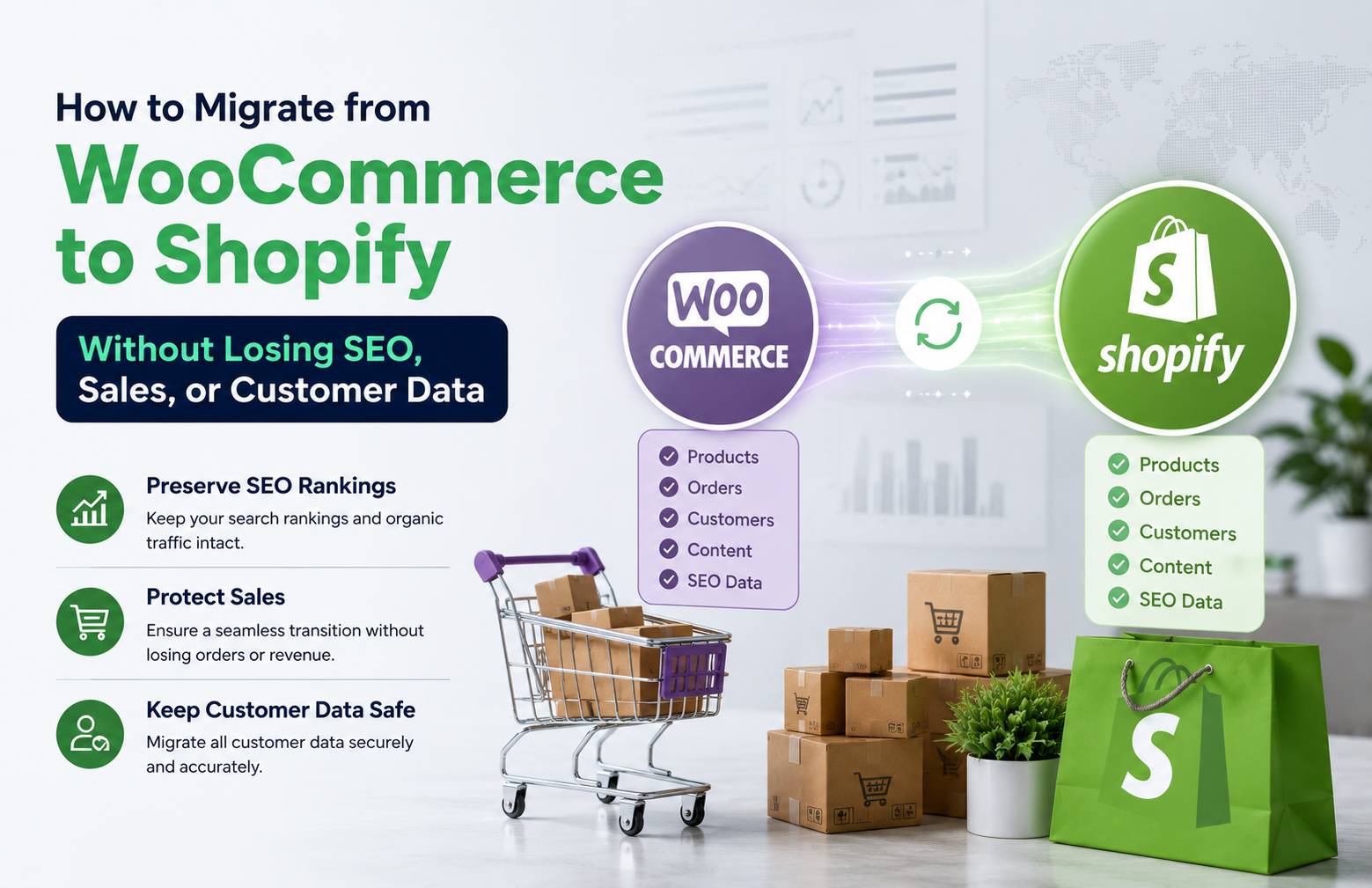
How to Migrate from WooCommerce to Shopify Without Losing SEO, Sales, or Customer Data


Migrating your online store from WooCommerce to Shopify can feel risky, especially when you rely on organic traffic and repeat customers. The good news is that with the right plan, a WooCommerce to Shopify migration can be smooth, secure, and profitable without sacrificing SEO, sales, or customer data.

This guide walks you step by step through how to migrate WooCommerce to Shopify the right way. You will learn how to protect your rankings, preserve order history, and keep your customers buying while you transition to a more scalable ecommerce platform.

Understanding When a WooCommerce to Shopify Migration Makes Sense

Before you move any data, it helps to understand why a WooCommerce to Shopify migration is worth the effort. Many store owners outgrow the flexibility of WordPress and want a more stable, hosted solution that reduces technical headaches and security worries.

Shopify offers a managed infrastructure, built-in payment options, and a large app ecosystem. When you migrate WooCommerce to Shopify, you are often looking for better performance, easier maintenance, and a platform that can handle growth without constant plugin updates and server tuning.

Key Benefits Of Moving From WooCommerce To Shopify

One of the biggest advantages of ecommerce platform migration is simplicity. Shopify centralizes hosting, security, backups, and updates, so your team can focus more on marketing and merchandising instead of technical troubleshooting.

Another benefit is scalability. As your traffic and product catalog grow, Shopify can typically handle spikes more reliably. This makes a WooCommerce to Shopify migration attractive for brands that run frequent campaigns, flash sales, or seasonal promotions.

Risks If You Migrate Without An SEO Strategy

Despite the benefits, a poorly planned WooCommerce to Shopify migration can damage your organic visibility. If URLs change without proper redirects, search engines may treat your Shopify store as a new site and drop your rankings temporarily or permanently.

There is also a risk of losing product metadata, structured data, and internal links. Without a clear WooCommerce to Shopify redirect plan, you might see 404 errors, lower crawl efficiency, and confused customers who land on broken pages instead of live products.

Pre-Migration SEO Audit And Planning

A successful WooCommerce to Shopify migration starts with a detailed SEO audit. This step helps you understand what is currently working so you can preserve it during the move. Skipping this stage often leads to traffic drops that could have been avoided.

Begin by documenting your top-performing URLs, categories, and blog posts. Identify which pages drive the most organic traffic and revenue. These are your priority assets and must be protected with precise WooCommerce to Shopify redirect mappings.

Creating A URL And Redirect Mapping Sheet

To avoid confusion later, build a spreadsheet that lists every important WooCommerce URL and its future Shopify equivalent. Include product pages, category archives, blog posts, and any landing pages used for campaigns or ads.

This mapping sheet becomes the backbone of your WooCommerce to Shopify redirect strategy. When the new store goes live, you will use it to implement 301 redirects so that search engines and users are automatically guided from old URLs to their new locations.

Backing Up Data Before Ecommerce Platform Migration

Before you export WooCommerce products to Shopify, take full backups of your WordPress database and files. This ensures you can restore your store if anything goes wrong during the migration process or testing phase.

Backups should include products, customers, orders, coupons, and media files. A careful ecommerce platform migration always keeps a safety net, so you never lose critical customer data or order history while experimenting with new configurations.

How To Export WooCommerce Products To Shopify

Once your plan is ready, you can start moving actual store data. The core of any WooCommerce to Shopify migration is transferring products, collections, and related content accurately. This is where many store owners rely on migration apps or professional services.

Shopify supports CSV imports and dedicated migration tools that connect directly to WooCommerce. Whichever method you choose, the goal is to export WooCommerce products to Shopify with correct titles, descriptions, prices, variants, and images.

Product, Category, And Media Migration Essentials

When you migrate WooCommerce to Shopify, pay close attention to product handles and collections. These influence your final URL structure and can affect SEO. Try to keep slugs similar to your old URLs when possible to simplify redirect mapping.

Also make sure that product images, galleries, and alt text transfer correctly. Image optimization is a ranking factor and a user experience signal. During ecommerce platform migration, this is a good time to compress large images and standardize naming conventions.

WooCommerce Order History Shopify Import

Preserving customer trust means keeping their purchase records intact. A proper WooCommerce order history Shopify import allows you to maintain accurate reporting, customer lifetime value calculations, and personalized marketing campaigns.

Many migration tools support importing past orders and customer accounts. After the WooCommerce order history Shopify import is complete, test a sample of accounts to confirm that addresses, order totals, and payment statuses match your original WooCommerce data.

Implementing WooCommerce To Shopify Redirects Without Losing SEO

With products and content in place, the next critical step is implementing your WooCommerce to Shopify redirect plan. This is where you protect your SEO equity and ensure that visitors from search engines land on relevant pages instead of dead ends.

Use 301 redirects for all important URLs listed in your mapping sheet. On Shopify, you can configure redirects in the admin panel or via bulk upload. Every old WooCommerce URL should point to the closest matching Shopify page, not just the homepage.

Technical SEO Checks After Migration

After your WooCommerce to Shopify migration goes live, run a full technical SEO audit. Crawl the new site to identify 404 errors, redirect chains, and missing metadata. Fixing these quickly helps search engines understand the new structure faster.

Also verify that canonical tags, XML sitemaps, and robots.txt are correctly configured. Submit updated sitemaps in Google Search Console and monitor indexing coverage. This post-launch phase is essential to stabilizing rankings and preventing long-term traffic loss.

Maintaining Sales And Customer Experience During Migration

Protecting SEO is only part of a successful WooCommerce to Shopify migration. You also need to maintain sales momentum and a seamless customer experience while the transition happens in the background.

Plan your migration timeline during a lower-traffic period if possible. Communicate transparently with customers about any brief maintenance windows. A clear message on your site and email updates can reduce confusion and support tickets.

Testing Checkout, Payments, And Integrations

Before fully switching traffic to Shopify, thoroughly test the checkout flow, payment gateways, shipping rules, and tax settings. A migration that looks perfect on the surface can still fail if customers cannot complete purchases smoothly.

Run test orders with different payment methods and shipping zones. Confirm that transactional emails, such as order confirmations and shipping notifications, are sent correctly. This testing phase ensures your WooCommerce to Shopify migration does not interrupt revenue.

When To Partner With A Shopify Website Development Agency

While small stores can sometimes handle a WooCommerce to Shopify migration on their own, larger or more complex sites often benefit from expert support. A specialized Shopify website development agency can manage both technical and strategic aspects.

These teams can customize themes, optimize performance, and handle advanced integrations such as ERP, CRM, and marketing automation tools. They can also fine tune your WooCommerce to Shopify redirect setup and on page SEO to match or outperform your previous results.

What To Look For In A Migration Partner

When evaluating agencies for ecommerce platform migration, ask about their previous WooCommerce to Shopify projects. Look for case studies that show stable or improved SEO, successful order history imports, and measurable revenue growth after launch.

Also consider their approach to communication and documentation. A reliable partner will provide clear timelines, risk assessments, and post launch support. This reduces stress and helps you stay focused on marketing and operations while experts handle the technical migration.

Conclusion: Turning Migration Into An Opportunity For Growth

A carefully planned WooCommerce to Shopify migration does not have to mean lost rankings, broken links, or frustrated customers. By auditing your current site, mapping URLs, exporting data accurately, and implementing precise redirects, you can protect your SEO while upgrading your ecommerce platform.

With the right strategy and, when needed, support from specialists like HRL Infotechs, your new Shopify store can load faster, convert better, and provide a stronger foundation for long term growth in the competitive Indian ecommerce market.