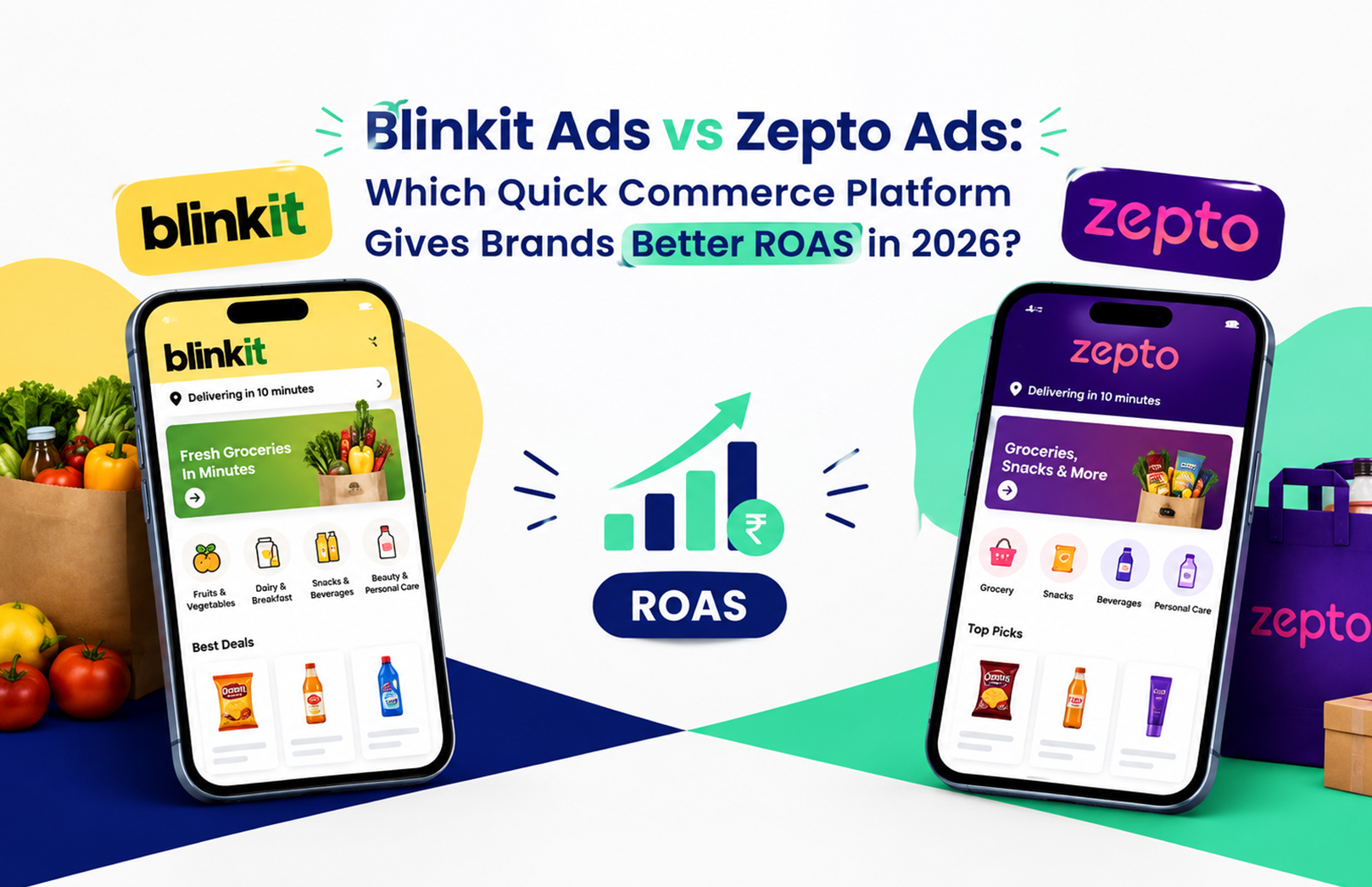
Blinkit Ads vs Zepto Ads: Which Quick Commerce Platform Gives Brands Better ROAS in 2026?


Your Blinkit dashboard says 4.2x ROAS this month. Your Zepto dashboard says 5.1x. Someone on the team suggests pulling budget off Blinkit and pouring it into Zepto, and on paper, that looks obvious. It usually isn’t. Before you move a single rupee, you need to know what each platform actually lets you control, what each ad format costs to run, and which one fits the stage your brand is at right now, not just which dashboard number is bigger this week.

That’s the decision HRL Infotechs works through with D2C and FMCG brands every time a new SKU goes live on quick commerce. This guide breaks down how Blinkit Ads and Zepto Ads work differently, what each format is built for, what a realistic budget looks like, and how to decide where your next rupee should go.

How Do Blinkit Ads Actually Work for Brands?

Blinkit runs advertising through Brand Central, a self-serve dashboard reached from the Ads tab in your Seller Hub. You pick an ad format, set a daily budget and bid, and the campaign goes live without waiting on an account manager. That control is the single biggest reason brands lean on Blinkit Ads first when testing a new category.

Brand Central offers eight formats, and not all of them deserve equal budget. Product Booster sits at the top of search results and category pages, and it’s the workhorse: a new brand should put the bulk of its early spend here because it catches shoppers who are already looking for something in your category. Prime Banner and Brand Spotlight build visibility higher up the funnel, Brand Store gives you a dedicated page within the app, and Recommendation Ads, Product Shelf, E-com Shelf, and Listing Spotlight each target a different moment in the browsing journey. Running all eight on day one spreads a small budget too thin to learn anything useful. Start narrow, see what converts, then widen.

How Does Zepto Advertising Differ From Blinkit’s Setup?

Zepto doesn’t offer the same dashboard-level control. Most sellers set up and manage campaigns through Zepto’s category or brand solutions teams rather than a self-serve portal, which means turnaround on bid changes or new creative can take a few days instead of minutes. If you’re used to Blinkit’s instant edits, this is the adjustment that trips people up first.

What Zepto gives up in speed, it makes up for in placement variety that’s harder to buy elsewhere. Search Takeover lets a brand claim the top result for a specific search term, which is a strong play during a launch week when you want category-defining visibility. Swap and Save targets shoppers at the cart stage, nudging them toward your product as a substitute or add-on right before checkout, a format that plays to impulse buying in a way Blinkit’s search-first formats don’t. If your category lives on impulse purchases, snacks, beverages, personal care, a well-placed Zepto Ads campaign can out-convert a straightforward search ad.

Blinkit Ads vs Zepto Ads: What Do They Actually Cost?

Neither platform publishes an official rate card, and figures quoted by different agencies vary enough that you should treat any number here as a planning range, not a guarantee.

  • Blinkit doesn’t enforce a fixed minimum. Brand Central lets you set a daily budget as low as a few hundred rupees to test, but most agencies find you need somewhere between ₹50,000 and ₹2-3 lakh a month before you’re seeing enough volume to make confident bidding decisions, especially in competitive categories like snacks or personal care.
  • Zepto typically asks for a larger upfront commitment, often bundling homepage banners, in-feed placements, and a brand store into a package, with agency-reported figures starting around ₹5-6 lakh. That’s a judgment call worth making early: a smaller D2C brand testing Zepto for the first time should go in knowing the entry cost is structurally higher than Blinkit’s.
  • Click costs on Product Booster typically fall between ₹2 and ₹15, depending on how contested your category is. Zepto’s search and swap formats tend to sit at the lower end of that range in less competitive categories, though that gap narrows fast once a few national brands start bidding on the same keywords.

Which Platform Gives Brands Better ROAS in 2026?

There isn’t a single winner. Blinkit tends to deliver steadier, more predictable ROAS because of its wider store footprint and the self-serve control that lets you cut a losing keyword the same day you spot it. Zepto tends to win on cheaper clicks and faster trial in the handful of dense metro markets where its dark store network is strongest.

What decides it for most brands we work with comes down to three questions:

  1. Does your demand sit mostly in metros, or does it stretch into tier 2 cities? Blinkit’s broader store network keeps ROAS more consistent outside the top six cities.
  2. Are you launching a new SKU or scaling a proven one? A first-order ROAS under 2x on a new product isn’t a failure signal on either platform. Judge launches on repeat purchase over four to six weeks, not week-one numbers.
  3. What’s your testing budget? If you’re working with under ₹1 lakh a month, Blinkit’s lower entry point and granular controls make it easier to learn fast without overcommitting.

One judgment call that catches newer sellers out: a strong ROAS number on either platform can mask a stock problem. If your product is out of stock at the dark stores closest to where your ads are serving, you’re paying for impressions that can never convert, and raising your bid only makes the math worse. Checking fill rate by pincode before touching a bid is a step worth building into your weekly routine, something we’ve written about in more detail in our guide to reducing out-of-stock penalties on Blinkit and Zepto ads.

How Should You Split Budget Between the Two?

A reasonable starting split for a brand selling nationally is 60-70% on Blinkit and 30-40% on Zepto, then rebalance every two weeks based on which platform is actually returning margin, not just which one shows the bigger ROAS figure. Tilt harder toward Zepto if your sales are concentrated in Mumbai, Bengaluru, or similarly dense metros, or if you’re pushing a new product and want the visibility that Search Takeover buys you during launch week.

The trade-off worth remembering: chasing the higher headline number without checking where your actual customers live is how brands end up overspending on a platform that simply doesn’t reach them. We’ve also found that discount-led campaigns underperform visibility-led ones once a brand has decent reviews in place, a pattern we cover in why visibility matters more than discounts in Zepto ads.

A Practical Starting Checklist

Before you commit a full month’s budget to either platform, run through this sequence:

  1. Pull SKU-level ad data from both dashboards and check fill rate at the pincode level, not just overall stock status.
  2. Put 80-90% of new Blinkit spend into Product Booster on your top two or three SKUs before touching the awareness formats.
  3. Confirm with your Zepto account contact which launch formats, like Search Takeover, are actually open to your brand and category.
  4. Set a review cadence of two weeks, not one, since Zepto’s account-led changes take longer to show results.
  5. Track repeat purchase rate for any new SKU for at least four weeks before calling a launch campaign a win or a loss.

If working through that list surfaces more questions than answers, especially around what your real margin looks like once commission and ad spend are both accounted for, that’s usually the sign to bring in a team that manages this daily rather than guessing with each platform’s dashboard numbers. HRL Infotechs runs this exact audit for brands across both platforms, and you can start with a free quick commerce ads audit to see where your current spend is actually working.

Frequently Asked Questions

Q1. Is Zepto Ads self-serve like Blinkit?
A1. Not fully. Blinkit runs campaigns through Brand Central, a self-serve dashboard where you control bids directly. Zepto advertising has typically gone through category or brand solutions teams, so changes can take a few days rather than minutes. Access terms shift, so confirm the current process with your Zepto contact before setting a testing timeline.

Q2. What is the minimum budget to start advertising on Blinkit?
A2. Blinkit doesn’t publish an official minimum, and Brand Central lets you start with a small daily budget. In practice, most brands need roughly ₹50,000 to ₹2-3 lakh a month to gather enough clicks per keyword to make confident bidding decisions, especially in competitive categories.

Q3. How does Blinkit Brand Central work?
A3. Brand Central is Blinkit’s self-serve advertising platform, reached from the Ads tab in your Seller Hub. It covers eight formats, including Product Booster for search and category placements and Brand Store for a dedicated brand page, and reports impressions, clicks, and ROAS in real time.

Q4. What is Zepto Search Takeover?
A4. Search Takeover is a Zepto ad format that lets a brand claim the top result for a chosen search term, giving it category-defining visibility during that search. It’s commonly used during product launches or sale events when a brand wants to dominate a specific keyword rather than compete for it via standard bidding.

Q5. Should a new product launch on Blinkit or Zepto first?
A5. It depends on where your buyers are concentrated. Brands with strong metro demand often see faster trial on Zepto, helped by formats like Search Takeover. Brands with national or tier 2 reach usually get more consistent results from Blinkit’s wider store network. Many brands launch on both and weight spend by city performance.

Q6. Why might ROAS drop even when bids haven’t changed?
A6. Stock availability is the most common cause. Ads only serve where inventory is physically present at the dark store, so patchy stock wastes impressions and drags down conversion even with an unchanged bid. Checking fill rate pincode by pincode, before adjusting any bid, usually resolves this faster than a bidding fix would.

Amazon Great Indian Festival 2026 Seller Guide: How to Increase Sales, Visibility & ROI During the Festive Season


It’s October 7. Your best-selling listing is priced at ₹1,499, you have 42 units in stock, and the ad campaign behind it hasn’t been touched since August. That’s how most festive sales get lost, before they start. To increase sales, visibility and ROI during the Amazon Great Indian Festival 2026, lock your listings, inventory and ad structure before October 8, put extra budget only behind campaigns that already convert, and check account health daily while the sale runs. Amazon India says the sale starts October 8 and hasn’t announced an end date.

The competition is heavier than last year. Amazon’s seller base has passed 20 lakh, with more than 3 lakh joining in the past year, and Amazon promises same-day delivery on over a million products. Diwali falls on November 8 and Flipkart’s Big Billion Days starts October 9, so demand will build over weeks. A festive sale strategy is simply the set of decisions on listings, stock and ad spend you make before traffic arrives, so you aren’t making them at 11 PM on day one.

What should you finish before October 8?

Finish listing content, inventory placement and ad structure, in that order. A sale amplifies whatever already exists, so a weak title or thin stock gets exposed faster than on any normal Tuesday.

Listings and search terms

Amazon listing optimisation means matching your title, bullets, images and backend search terms to what festive shoppers actually type. Think “gift for parents under 2000” or “Diwali combo pack,” not just your category name. Pull your search term report, add the phrases already converting, and make sure your backend field doesn’t repeat words from the title. If you’d rather hand this off, a team offering Amazon SEO and listing optimization can run the keyword pass across your catalogue in days.

One judgement call to make early: freeze the titles of your best-ranking listings a few days before the sale. A late rewrite can shuffle how a listing is indexed, and you don’t want that experiment running at peak traffic. Test new keywords on second-tier listings instead.

Inventory and delivery promise

Shoppers filter for fast delivery, so a listing that can’t ship quickly loses clicks before price even matters. If you use FBA, confirm stock is received and available, not just shipped, since receiving can lag when volumes spike. Plan stock for your best week of the last quarter, then add a buffer for your top three SKUs only.

Stock-outs hurt twice. You lose the sales, and you lose the ranking momentum your ad spend paid for.

How should you split your ad budget during the Great Indian Festival?

Put most of the extra budget behind campaigns that already convert, and keep discovery spend small. Cost per click typically climbs during big sale events, so raising every bid on day one mostly means paying more for the same clicks.

Sponsored Products stays the workhorse. Protect your branded and top exact-match terms, then scale the ones whose ACoS (advertising cost of sale, meaning ad spend divided by ad-attributed sales) sits below your break-even margin. Sponsored Brands makes sense when you have three or more related products and a storefront worth landing on. If you don’t have time to rebuild campaigns, an agency running Amazon advertising services can restructure them before the sale rather than during it.

Here’s the trade-off beginners miss. Say a campaign shows a 12% ACoS on ₹50,000 of monthly ad sales (illustrative figures). It looks great, but doubling its budget rarely doubles sales, because you’ve probably already captured the shoppers actively searching that term. Watch TACoS instead, which is ad spend against total sales, not just ad-attributed ones. If TACoS rises while total sales stay flat, you’re buying orders you’d have received anyway.

How should you price and bundle for the sale?

Price to protect margin, not to match the lowest offer you can find. Undercutting a rival by ₹50 rarely wins the Buy Box on its own, because Amazon also weighs delivery speed and account performance. Work out a floor price for each SKU first: product cost, referral fee, fulfilment fee, GST and ad cost per order. Anything sold below that floor is a donation.

Bundles are the safer lever. A ₹999 combo built from two slow-moving items and one bestseller lifts order value, clears older stock and gives shoppers a gift-ready pack, which is the kind of listing Diwali searches tend to reward. Keep the bundle to items you can pack and ship without delay.

Does Amazon’s AI shopping layer change how you write listings?

Yes, in one way: it favours listings that answer questions clearly. Amazon’s shopping assistants and contextual prompts tend to draw from your bullets, description and Q&A, so vague marketing copy gives them little to use.

State size, material, compatible models, warranty and box contents in plain sentences. We’ve written up how to optimise listings for Amazon’s new AI prompts feature, but the short version is to write as if you’re answering a shopper’s question over the phone.

What can go wrong while the sale is live?

Account health issues, stock-outs and Buy Box losses cause most of the damage in sale week. All three are quiet, so check them at fixed times, say 10 AM, 3 PM and 9 PM.

The Buy Box is the featured offer most shoppers buy from, and it goes to the seller with the best mix of price, fulfilment and account performance. A reseller undercutting you, or a cancellation rate ticking up, can cost you it within hours. Screenshot the Buy Box status of your top ten ASINs each morning so a drop gets noticed while it’s still fixable.

Give one person ownership of this. Small teams often split it across three people and nobody looks. A dedicated Amazon account management partner can cover health monitoring, case logs and FBA reimbursement claims, which leaves you free to make stock and pricing calls.

Illustrative example: a home-decor brand runs 8 SKUs on roughly ₹80,000 a month in ad spend. Before a festive sale it pauses ads on the weakest three, moves that budget to two SKUs under 15% ACoS, and adds a ₹999 combo listing. The combo’s higher order value keeps TACoS steady while sales on the focus SKUs climb. The numbers are made up, but the pattern of fewer SKUs, more budget and a bundle to lift order value is what tends to hold.

How do reviews and ratings affect festive conversion?

They decide the click after your ad wins it. A 4.4-star listing with 800 reviews will often beat a 4.6 with 12, because shoppers read volume as proof. Check your top SKUs for recurring complaints, such as packaging or a wrong size chart, and fix the cause before ad spend sends more traffic to them.

We explain the mechanics in our note on why Amazon reviews and ratings matter more with AI shopping assistants. Skip any review-manipulation shortcuts. Amazon enforces against them, and a suspension mid-sale is the costliest outcome available.

What should you do after the sale ends?

Review within 48 hours, while the numbers are fresh. Export the ad and business reports, then mark which SKUs held their rank after the traffic dropped and which slid back. Those two groups need different treatment, because one deserves continued budget and the other probably got its sales from discounting alone.

Keep watching returns for two weeks as well. Festive orders bring gift purchases and size mismatches, and returns can quietly erase a good sales week. Log the reasons and fix the listing copy that caused them, so the next campaign starts from a cleaner baseline.

A 10-day action plan before the sale starts

Work in this order so each step supports the next. If you have fewer days left, do steps 1, 3 and 6 first.

  1. Days 1 and 2: Audit your top 20 SKUs for stock, price, title and image gaps.
  2. Days 3 and 4: Update listing content and backend search terms, then freeze the titles of your best rankers.
  3. Days 5 and 6: Confirm FBA stock is received and ship a buffer for your top SKUs.
  4. Days 7 and 8: Restructure ads by pausing weak terms, capping budgets and adding festive keywords.
  5. Day 9: Check the Deals section in Seller Central for open promotions, coupons and combo options you qualify for.
  6. Day 10: Assign owners, set your three daily check times, and record baseline ranks, Buy Box status and TACoS.

If reading this showed you gaps in two or three of these areas, that’s normal at this stage, and a quick outside look beats guessing. HRL Infotechs offers a free marketplace audit that shows where your listings, ads and account setup stand while there’s still time to fix them.

FAQs

When does Amazon Great Indian Festival 2026 start?

Amazon India has announced October 8, 2026 as the start date, a day before Flipkart’s Big Billion Days. No end date had been announced at the time of writing, so check Amazon India’s announcements and Seller Central notices for updates.

Should I join every deal type in the sale?

No. Join only where your margin survives the discount, Amazon fees and ad cost combined. Work out your break-even price per SKU first. A deal that lifts units but leaves no profit just moves cash around and can strain inventory.

How much should I raise my Amazon ad budget for the festive season?

There’s no universal figure. A sensible starting point is raising budgets by 20 to 30% on campaigns already under your break-even ACoS, then reviewing daily. Leave underperforming campaigns alone until you see how the sale’s traffic behaves.

Is FBA better than self-ship during the Great Indian Festival?

If you can’t dispatch the same day, FBA is usually safer because it carries the delivery promise shoppers filter for. Self-ship can work for slow-moving or bulky items. Whichever you pick, confirm stock and dispatch capacity before October 8.

What is a good ACoS during a sale?

Your break-even ACoS equals your profit margin before ad spend. A 30% margin means 30% is break-even. ACoS often runs higher in sale weeks, so judge it alongside TACoS and total sales rather than in isolation.

Can I edit my listings while the sale is running?

You can, but be careful. Avoid title changes on your top-ranking listings, since edits can affect indexing and take time to reflect. Small fixes to images, bullets or A+ content are safer, and any change should be checked the same day.

Before Big Billion Days 2026: 8 Things Flipkart Sellers Should Fix Now  


The biggest mistake you can make before Big Billion Days 2026 is waiting for the sale to begin before fixing your Flipkart store. A Flipkart seller should audit product listings, inventory, pricing, seller performance, advertising campaigns, images, and fulfilment readiness before increasing promotional activity. Flipkart has announced early access for Big Billion Days 2026 from October 8, with the main sale beginning October 9, giving sellers a limited window to prepare.

A sale event can bring a sudden increase in shopper attention, but traffic alone doesn’t guarantee orders. If your listing has weak images, unclear information, insufficient stock, poor pricing, or inefficient ads, more traffic can simply mean more wasted clicks. After working with marketplace sellers, one pattern becomes clear: the brands that prepare early usually spend the sale period optimizing performance rather than fixing basic catalogue problems.

What Should a Flipkart Seller Fix Before Big Billion Days 2026?

A Flipkart seller should first identify the products most likely to benefit from increased festive demand, then fix the factors that can prevent those products from converting. Prioritize your catalogue, inventory, pricing, advertising, seller metrics, and fulfilment before scaling promotional activity.

You don’t need to rebuild your entire catalogue. Start with the SKUs that already have search demand, reasonable conversion history, competitive pricing, and enough stock to support additional orders.

PriorityWhat to checkWhy it matters
1Product listingsImproves relevance and buyer understanding
2InventoryPrevents avoidable stockouts
3PricingKeeps offers competitive
4ImagesSupports clicks and product understanding
5Seller performanceProtects customer experience
6AdvertisingHelps capture relevant demand
7FulfilmentReduces operational bottlenecks
8AnalyticsHelps identify what needs adjustment

1. Are Your Flipkart Product Listings Actually Sale-Ready?

Your product listing is the first place to start. Check titles, descriptions, specifications, images, categories, attributes, and search terms before putting additional advertising budget behind the SKU.

A common mistake is optimizing only the title. Your main image, product information, pricing, ratings, availability, and category placement all influence what happens after a shopper finds the product.

HRL Infotechs’ Flipkart SEO and listing optimization services focus on catalogue structure, keyword research, titles, descriptions, images, and product discoverability. That makes listing optimization one of the most logical pre-Big Billion Days checks for sellers whose products already have demand.

Which Products Should You Optimize First?

Start with products that already receive impressions, clicks, or orders. These SKUs have existing marketplace data that can tell you where the biggest opportunity may be.

For example, if a product receives plenty of impressions but very few clicks, review its main image, title, pricing, and offer presentation before immediately increasing bids. If clicks are healthy but orders are weak, investigate the product page and offer instead.

That distinction matters. More impressions won’t fix a conversion problem.

2. Do You Have Enough Inventory for Big Billion Days?

Inventory should be planned before the sale, not after orders begin arriving. Estimate expected demand using recent sales velocity, historical seasonal patterns, current stock, supplier lead time, and the additional demand you expect from advertising.

HRL Infotechs’ inventory forecasting guide for marketplace sellers explains practical methods such as calculating daily sales velocity, accounting for lead time, maintaining safety stock, and setting reorder points.

Suppose a SKU currently sells 20 units a day and your replenishment lead time is 30 days. Your minimum planning requirement isn’t simply 600 units. You also need to consider safety stock and whether BBD advertising could materially increase demand.

Here’s the trade-off many new sellers miss: overstocking can lock up cash, but understocking can leave you unable to capitalize on demand. Your forecast should therefore be SKU-specific rather than based on one blanket percentage increase.

3. Is Your Pricing Competitive Without Destroying Your Margin?

Big Billion Days attracts price-sensitive shoppers, but the lowest price isn’t automatically the right strategy. Calculate your contribution margin before deciding how aggressively you can discount.

Review your selling price, marketplace fees, shipping or fulfilment costs, promotional discounts, advertising spend, returns, and applicable taxes. Then decide which SKUs can support deeper offers and which need a smaller discount.

Don’t copy a competitor’s price blindly. Their cost structure, inventory position, brand strength, and advertising economics may be completely different from yours.

A better approach is to create a price floor for each priority SKU before the event. This gives your team a clear boundary for promotional decisions instead of encouraging last-minute discounting.

4. Are Your Product Images Strong Enough to Compete?

Your product images have to answer buyer questions quickly. Review the primary image first, then check whether secondary images clearly communicate dimensions, features, use cases, inclusions, and important specifications.

For a festive sale, shoppers may compare several similar products within minutes. If your listing requires them to read a long description to understand what they are buying, you are creating unnecessary friction.

Look at your highest-traffic SKUs and ask three questions:

  1. Can the product be understood from the primary image?
  2. Do the secondary images explain important features?
  3. Does the listing answer the questions buyers commonly ask?

If the answer to any of these is no, fix the creative before the traffic spike.

5. Is Your Flipkart Seller Account Ready for Higher Order Volume?

Your seller operations need to be ready for more than just sales. Check order processing, inventory updates, dispatch capacity, returns handling, customer communication, and fulfilment workflows before the event.

This is especially important if you are scaling advertising at the same time. More clicks can create more orders, and more orders can expose operational weaknesses very quickly.

HRL Infotechs provides Flipkart account management services covering marketplace operations and ongoing account support. For sellers managing a large catalogue, structured account management can help keep operational tasks from becoming a bottleneck during peak periods.

The practical lesson is simple: don’t scale demand faster than your operation can handle it.

6. Are You Increasing Flipkart Ads Too Early?

Advertising should amplify products that are already reasonably prepared. It shouldn’t be used to hide weak listings, uncompetitive pricing, or poor conversion.

Review your existing campaigns before adding more budget. Identify products and search terms generating useful traffic, then separate them from campaigns producing clicks without meaningful outcomes.

HRL Infotechs’ Flipkart advertising services are built around campaign management and performance-focused advertising. The company’s existing Flipkart advertising guide also recommends looking at impressions, clicks, conversions, orders, pricing gaps, listing weaknesses, and competition rather than making decisions from assumptions alone.

One useful rule from practical campaign management is this: fix the product page before forcing more traffic into it. If the conversion experience isn’t ready, increasing ad spend can simply increase your cost per sale.

7. Have You Checked Your Seller Performance and Customer Experience?

A sale event puts pressure on the entire customer journey. Review cancellation rates, dispatch performance, returns, customer complaints, product information accuracy, and other seller-performance indicators that matter to your account.

Don’t wait until order volume increases to discover that your team can’t handle the workload.

Also review product-level customer feedback. If buyers repeatedly mention the same missing specification, packaging problem, sizing confusion, or product mismatch, address the root cause before the sale.

These aren’t glamorous optimizations, but they often matter more than another round of keyword edits.

8. Are You Tracking the Right Numbers During Big Billion Days?

Your final preparation step is measurement. Decide in advance which metrics you’ll monitor so you can distinguish a real improvement from a temporary traffic spike.

At minimum, track:

  • Impressions
  • Clicks
  • Click-through rate
  • Orders
  • Conversion rate
  • Advertising spend
  • ROAS or relevant advertising efficiency metric
  • Average selling price
  • Stock levels
  • Returns and cancellations

Don’t judge every SKU using the same benchmark. A high-margin product may justify a different advertising efficiency target than a low-margin volume product.

The useful comparison is not simply “Did sales increase?” Ask “Did sales increase efficiently, and can we fulfil the demand profitably?”

What Should a Flipkart Seller Do in the Final Week?

The final week should be about verification, not major experimentation. Confirm your priority SKUs, stock availability, pricing, listing accuracy, advertising settings, fulfilment capacity, and reporting before the event begins.

Use this sequence:

Step 1: Select your priority SKUs.
Step 2: Audit titles, images, descriptions, attributes, and categories.
Step 3: Confirm stock and supplier lead times.
Step 4: Set acceptable pricing and margin floors.
Step 5: Review existing advertising performance.
Step 6: Fix operational and seller-performance issues.
Step 7: Set daily monitoring responsibilities.
Step 8: Increase activity gradually and evaluate performance using actual data.

Avoid making several major changes simultaneously just before the sale. If you change pricing, listing content, advertising structure, and product selection on the same day, it becomes harder to identify what actually affected performance.

How Can HRL Infotechs Help Flipkart Sellers Before Big Billion Days?

HRL Infotechs works across Flipkart SEO and listing optimization, advertising, account management, and A+ content, which are directly relevant to the preparation process described above.

If your store has traffic but weak conversion, start with the catalogue. If the catalogue is strong but visibility is limited, investigate advertising and search optimization. If sales are growing but operations are becoming difficult to manage, account management and inventory planning deserve attention.

You don’t need every service at once. The useful approach is to identify the bottleneck first, then apply the service that addresses it.

For sellers preparing for Big Billion Days 2026, the goal shouldn’t be to make your store look busy before the sale. It should be to make sure your products, inventory, advertising, pricing, and operations can handle the demand you are trying to create.

FAQs About Big Billion Days 2026 for Flipkart Sellers

When is Big Billion Days 2026 starting?

Flipkart has announced that Big Billion Days 2026 will offer early access from October 8, 2026, with the main sale beginning October 9, 2026. Sellers should therefore complete major listing, inventory, pricing, advertising, and operational checks before the early-access period.

How can a Flipkart seller prepare for Big Billion Days 2026?

Start by identifying priority SKUs and auditing their listings, pricing, inventory, images, seller performance, and advertising. Then confirm fulfilment capacity and establish the metrics you’ll monitor during the event. Preparation should focus on removing conversion and operational bottlenecks before increasing traffic.

Should Flipkart sellers increase ad spend before Big Billion Days?

Increasing ad spend can make sense for products that already have strong listings, competitive offers, sufficient inventory, and acceptable conversion performance. Increasing spend on an underperforming product before fixing the underlying problem can lead to inefficient traffic and higher acquisition costs.

What should a Flipkart seller check in a product listing?

Check the title, product description, specifications, attributes, category, primary image, secondary images, pricing, availability, and relevant search terms. The goal is to make the product easy to discover and easy to understand. Start with high-priority SKUs rather than trying to rebuild the entire catalogue immediately.

How much inventory should sellers keep for Big Billion Days?

There is no universal inventory number because demand varies by product, category, sales velocity, advertising, lead time, and historical seasonality. Calculate expected daily demand, account for replenishment lead time, and maintain appropriate safety stock rather than applying the same increase to every SKU.

Is Flipkart seller registration required to participate as a seller?

Yes. Businesses that want to sell through Flipkart need to complete the platform’s seller onboarding and registration requirements. New sellers should complete registration and catalogue setup well before a major sale event rather than trying to establish their account immediately before peak demand.

Final Takeaway

Big Billion Days 2026 gives Flipkart sellers an opportunity to capture increased festive shopping demand, but the sale itself won’t fix an unprepared store. Your best preparation is practical: fix priority listings, secure inventory, establish profitable pricing, improve product images, review seller performance, prepare fulfilment, and only then scale advertising.

Flipkart’s official announcement confirms that early access begins October 8, so the preparation window is already defined.

If your team isn’t sure which part of the store is holding back growth, an audit is a sensible first step. HRL Infotechs can assess your Flipkart catalogue, advertising, and marketplace performance and help you prioritize the fixes that matter before the sale.

Don’t wait for Big Billion Days traffic to reveal problems you could have fixed beforehand.

Amazon Reviews & Ratings in the Age of AI Shopping Assistants: Why They Matter More in 2026


A seller in Ahmedabad recently told us something that should worry every Amazon brand owner in India. She asked Alexa for Shopping to find her a “budget air fryer for a family of four,” and her own product, ranked page one for years on keyword search, didn’t show up. A competitor two positions below her on regular search did. The difference wasn’t price or Prime eligibility. It was 340 more reviews and a 4.6-star rating against her 4.1.

That’s the shift nobody warned sellers about clearly enough. Amazon reviews and ratings in 2026 aren’t just a trust signal shoppers glance at before clicking “buy now.” They’re now raw material that Amazon’s AI shopping assistant reads, weighs, and uses to decide which product to recommend in a conversation the seller never sees happening. If your review profile is thin, inconsistent, or old, you’re invisible to a growing share of Amazon traffic, no matter how well your listing is optimised for keyword search.

Why Do Amazon Reviews and Ratings Matter More in 2026?

Reviews now do double duty. They still influence a shopper’s manual decision on the search results page, and they also feed the language model behind Alexa for Shopping when it compares products and explains why one fits a shopper’s stated need. A listing with a strong star rating but thin review content gives the assistant less to work with than a listing with fewer stars but detailed, specific customer language.

This isn’t a small tweak. Amazon renamed Rufus to Alexa for Shopping in May 2026, merging Rufus’s product knowledge with Alexa+’s personalisation, and the combined assistant now handles comparisons, personalised guides, and cart-building on the shopper’s behalf. We covered the mechanics of this shift in our breakdown of what the Rufus and Alexa for Shopping merger means for sellers, and the short version is this: Amazon has said its assistant draws on the product catalogue, customer reviews, and community Q&A to answer shopper questions. Reviews aren’t background noise anymore. They’re an input.

How Does Amazon’s AI Shopping Assistant Actually Use Your Reviews?

Alexa for Shopping pulls language, not just numbers, from your review section. It reads what customers say about fit, durability, ease of use, and disappointment, then uses that language to answer a shopper’s specific question, such as whether a mixer grinder is loud enough to bother a light sleeper in the next room.

Star Rating Alone Doesn’t Carry the Weight It Used To

A 4.8-star rating built on twelve reviews tells the assistant almost nothing useful. A 4.3-star rating built on 600 reviews, with recurring mentions of specific use cases, gives it far more to work with, even though the number looks worse on the page. This is a genuine trade-off sellers get wrong constantly: chasing a marginally higher star average by suppressing or contesting borderline reviews often costs you the review volume and specificity that actually drives AI recommendations.

Traditional Amazon SEO hasn’t disappeared in this shift, it’s just working alongside a second system now. If your titles, bullets, and backend terms aren’t solid, no amount of great reviews will get you found in the first place. That foundation is exactly what our Amazon SEO and listing optimisation services are built around, pairing keyword-led content with the kind of product clarity that both shoppers and AI systems can parse.

What’s the Fastest Way to Improve Amazon Product Ranking with Reviews?

The two ranking layers don’t weigh reviews the same way, and mixing them up wastes effort. On manual search ranking, star rating acts mostly as a filter shoppers apply themselves, while review count works as an indirect trust signal Amazon’s algorithm nudges slightly in your favour. Alexa for Shopping works differently. It barely registers star rating on its own, leans more heavily on review count as a reliability marker, and, most importantly, directly parses the actual text of your reviews for context. Recency matters too, a listing with reviews clustered in the last 90 days signals current, accurate product information to the assistant, while a rating built on three-year-old feedback signals the opposite.

Fixing a Thin Review Profile Without Breaking Amazon’s Terms

Amazon’s Request a Review button, sent through Seller Central within 5 to 30 days of delivery, remains the only fully compliant way to solicit reviews at scale. Incentivised reviews, review swaps, and third-party review groups still violate Amazon’s community guidelines and can trigger account suspension faster than almost any other policy breach. We’ve seen sellers rebuild a suppressed listing in three weeks and lose it again in three days because someone on the team ran a review incentive in a Facebook group out of habit.

Negative reviews deserve a different instinct than most sellers have. Responding publicly and professionally, and using the feedback to fix a genuine product issue, does more for long-term rating recovery than trying to get reviews removed. Amazon does remove reviews that violate guidelines, but contesting every 2-star review as policy abuse rarely works and wastes time better spent on the product itself. Review and reputation work like this sits inside our broader Amazon account management services, where feedback monitoring runs alongside catalogue and account health work rather than as a one-off fix.

Images and Reviews Reinforce Each Other

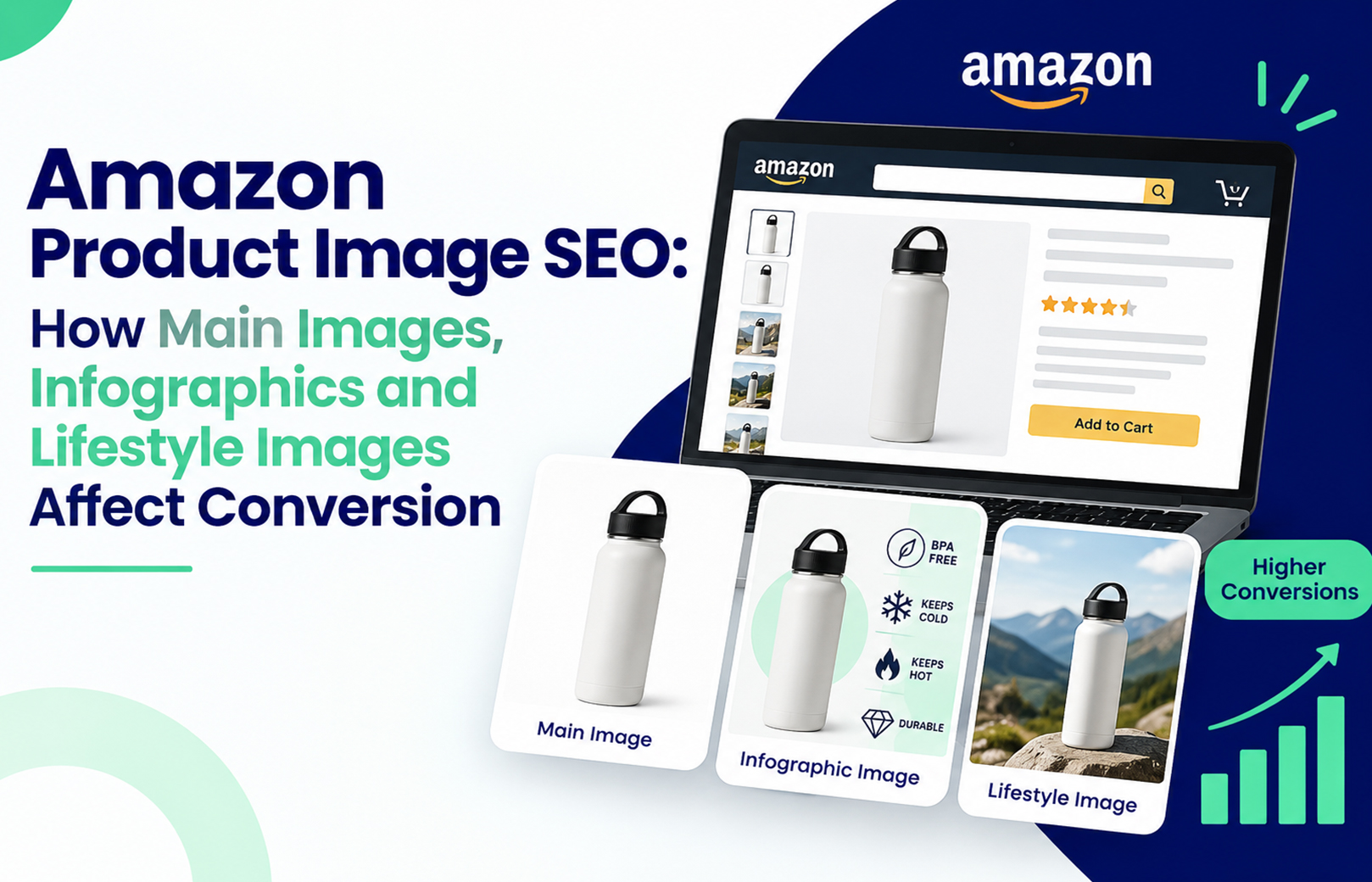
A worked example from a home appliance seller we support: a mixer grinder listing sat at 4.0 stars for four months with a flat conversion rate. The main image was fine, but nothing in the gallery addressed the single complaint showing up repeatedly in reviews, motor noise. Adding an infographic slide that stated the decibel range directly cut new one-star reviews mentioning noise by more than half over the following six weeks. This is one ASIN, not a controlled study, so treat the pattern as illustrative rather than a guarantee. It shows the point clearly though. Your image stack should answer the objections your reviews are already surfacing, a connection we go deeper on in our guide to Amazon product image SEO and conversion.

For listings with a history of quality complaints, A+ Content below the fold is where you rebuild trust before the next review cycle. Comparison charts and detailed spec modules give hesitant shoppers, and the AI systems reading them, the missing context. That’s the core of our Amazon A+ Content design work, and it pairs directly with review strategy rather than sitting apart from it.

Your 2026 Review and Ratings Action Sequence

  1. Pull your top 20 ASINs by session count and sort by star rating and review volume, lowest first.
  2. Turn on Request a Review for every eligible order inside the compliant 5 to 30 day window.
  3. Read your last 90 days of reviews and Q&A for recurring complaints, not just star counts.
  4. Fix one product or listing issue per recurring complaint, then update images and bullets to reflect it.
  5. Respond to negative reviews within 48 hours, professionally and without arguing.
  6. Recheck rating and review volume after 30 days, comparing against Business Reports conversion data, not gut feel.

If your catalogue’s review problem is bigger than a few ASINs, that’s usually a sign the gap sits across account health, not just individual listings, and it’s worth a proper audit before the next AI-driven shopping season. Our team at HRL Infotechs works with Indian sellers on exactly this, connecting review strategy to the listing and advertising work that makes it count.

Frequently Asked Questions

Do Amazon reviews affect Alexa for Shopping recommendations directly?

Yes. Amazon has stated its AI assistant draws on customer reviews, along with the product catalogue and community Q&A, to answer shopper questions and compare products. Review count and the specific language inside reviews appear to carry more weight in this context than star rating alone, though Amazon hasn’t published an exact ranking formula.

How many reviews does an Amazon product need to rank well in 2026?

There’s no official minimum, but listings with under 20 reviews typically struggle against category competitors with hundreds. For most mid-competition categories in India, 50 to 100 reviews with a rating above 4.2 stars is a reasonable early target before expecting consistent organic and AI-assisted visibility.

Can I ask customers for reviews on Amazon without violating policy?

Yes, through Seller Central’s Request a Review button, available between 5 and 30 days after delivery. This is Amazon’s only fully compliant solicitation method. Incentivised reviews, discount-for-review offers, and third-party review exchange groups violate Amazon’s community guidelines and risk account suspension.

Does Amazon’s Vine programme still work for building reviews in 2026?

Amazon Vine remains active for eligible brand-registered sellers and generates genuine, verified reviews from Vine Voices. It works best on new launches with limited review history rather than as an ongoing strategy, since enrolment is capped per ASIN and doesn’t scale indefinitely.

How do negative reviews affect AI shopping assistant recommendations?

Negative reviews aren’t automatically disqualifying if they’re outnumbered by detailed positive ones addressing the same use case. A pattern of unresolved complaints about the same issue, however, signals genuine product problems that both shoppers and AI systems will weigh against you. Responding and fixing the underlying issue matters more than review count alone.

Does Amazon Brand Registry help with review and rating management?

Brand Registry gives sellers access to tools like Vine, A+ Content, and stronger reporting against counterfeit or manipulated reviews on your listings, which indirectly protects rating integrity. It doesn’t generate reviews directly, but it removes some of the friction and risk around managing them at scale.

Amazon FBA vs Flipkart Fulfilment: Which Costs Less for Indian Sellers in 2026?


A seller selling a ₹999 kitchen product can look profitable on both Amazon and Flipkart until the first settlement arrives. Referral or commission fees are only one part of the calculation. Fulfilment, closing or fixed fees, shipping, storage, GST, returns and advertising can change the actual contribution per order.

So, which costs less in 2026? There isn’t one platform that is cheaper for every Indian seller. Amazon FBA can make sense for fast-moving, compact products where delivery speed and operational convenience matter. Flipkart Fulfilment (FBF) can be attractive where its fee structure and category economics leave more room after fulfilment. The only reliable answer comes from comparing the same SKU, selling price, weight, dimensions and expected return rate on both platforms.

What should you compare before choosing FBA or FBF?

Start with net fulfilment cost per delivered order, not the headline marketplace fee. Your comparison should include marketplace commission or referral fee, fulfilment or shipping charges, fixed or closing fees, storage, GST on applicable fees, returns and advertising.

Amazon’s current seller pricing separates referral fees, closing fees, weight-handling fees and other applicable charges. Amazon also states that its FBA fulfilment fee depends on product weight, dimensions and shipping distance.

Flipkart’s seller rate card similarly separates commission and fixed fees, while FBF handles storage, packing, shipping and delivery through the fulfilment network. Flipkart says its published standard rate card can change and sellers should check Seller Hub for the applicable rates to their account.

For a deeper look at how fulfilment choices affect the wider Amazon cost structure, HRL Infotechs also covers the practical differences between FBA, FBM and 3PL in its guide to Amazon fulfilment options in 2026.

How does Amazon FBA cost work in India in 2026?

Amazon FBA means Amazon stores your inventory, picks and packs orders, ships them and handles customer service and returns. The cost therefore includes more than the basic FBA handling charge.

Amazon’s current FBA information lists a standard-size pick-and-pack fee of ₹11 per unit and storage at ₹33 per cubic foot per month, alongside weight-handling charges that vary by shipment distance and weight. Amazon applies 18% GST to the applicable fee calculation.

The weight-handling component matters more than many new sellers expect. A compact 300-gram product and a bulky product with the same selling price can have very different economics because shipping and storage are affected by physical dimensions and weight.

Amazon’s fee structure also changed during 2026. From September 7, 2026, Amazon says closing fees increased by ₹1 for products priced up to ₹500 and by ₹3 for products above ₹500 across Fulfilment Centre, Easy Ship and Seller Flex channels.

That makes an old Amazon FBA fee calculator result unreliable if you simply copy figures from an older blog post or spreadsheet. Check the live Amazon rate card before finalising your selling price.

For sellers already dealing with reconciliation, reimbursements and account-level operational work, Amazon account management services can fit naturally into this stage because fulfilment costs need to be reviewed alongside inventory, returns and account performance.

What are Flipkart fulfilment fees and FBF costs?

Fulfilment by Flipkart, or FBF, is Flipkart’s platform-managed fulfilment option. Flipkart states that FBF covers storage, packing and shipping, with Flipkart handling customer returns and customer service as part of the fulfilment process.

Flipkart’s published standard rate card currently shows fixed fees for FBF of ₹14 for orders priced up to ₹500, ₹30 for ₹501–₹1,000 and ₹50 above ₹1,000. The corresponding published NFBF fixed fees are ₹16, ₹30 and ₹55. These are only one part of the seller’s total cost, not the complete FBF cost.

This distinction is easy to miss. A lower fixed fee does not automatically mean a lower fulfilment cost. Commission, shipping, returns, storage and applicable taxes still need to be included before comparing FBF with FBA.

Flipkart also describes FBF as providing warehouse storage, packaging, faster delivery and a FAssured badge, subject to the platform’s conditions.

Amazon FBA vs Flipkart FBF: which one costs less?

For a like-for-like SKU, neither FBA nor FBF is universally cheaper. The result changes with category, selling price, package size, weight, order destination, inventory turnover and return behaviour.

A useful comparison should look like this:

  1. Start with the actual selling price, not MRP.
  2. Subtract marketplace commission or referral fee.
  3. Add fulfilment, shipping and fixed or closing charges.
  4. Add storage cost based on realistic inventory days.
  5. Estimate returns and reverse-logistics impact.
  6. Add advertising cost per order.
  7. Apply applicable GST and other deductions.
  8. Compare the final contribution per delivered order.

This is where many seller comparisons go wrong. They compare Amazon’s FBA charge with Flipkart’s fixed fee and stop there.

The better question is: “After every predictable marketplace cost, how much money remains from one delivered order?”

Which products usually need a different fulfilment calculation?

Small, lightweight and fast-moving products are often easier to model under FBA because storage consumption stays relatively controlled while fulfilment handles the operational workload. High-volume SKUs can also make platform fulfilment more attractive because you aren’t manually processing every order.

Large, slow-moving or low-margin products require more caution. Storage can become meaningful when stock sits for months, and a low selling price leaves less room to absorb fulfilment and return costs.

One practical judgement call from marketplace work is to avoid moving the entire catalogue into FBA or FBF at once. Test the economics on your top-selling SKUs first. A product that sells 500 units a month deserves a different fulfilment decision from one that sells 20 units.

Another common mistake is calculating storage using average monthly sales but ignoring the inventory sitting between replenishment cycles. Your real working-capital requirement can be considerably higher than the simple “units sold × unit cost” calculation suggests.

HRL Infotechs’ Amazon seller profit calculation guide for India also recommends accounting for selling fees, COGS, GST, advertising, returns, storage and operational expenses rather than judging profitability from revenue alone.

Does FBF make more sense than FBA for low-priced products?

Low-priced products need especially tight fulfilment economics because a ₹10–₹20 difference in cost can represent a large percentage of the selling price.

Amazon introduced major fee changes in 2026, including expanded zero-referral-fee coverage for eligible products priced up to ₹1,000 across many categories. Amazon also reduced certain Easy Ship fees for products under ₹300. These benefits don’t mean every low-priced product will be cheaper through FBA because the applicable fulfilment and other charges still depend on the product and fulfilment channel.

Flipkart’s current rate card also shows fixed-fee differences by selling-price band, but commission and fulfilment-related charges still need to be calculated for the individual SKU.

For a ₹299 product, therefore, don’t ask which platform has the lower percentage. Ask how many rupees remain after every deduction.

How do advertising costs change the fulfilment comparison?

Fulfilment cost cannot be viewed separately from sales generation. A platform may leave you with a slightly higher contribution per order but require more paid traffic to generate those orders.

Amazon and Flipkart both provide advertising options, but campaign economics depend heavily on category, competition, conversion rate and listing quality. HRL Infotechs provides Flipkart advertising services covering campaign management, bid adjustments and performance reporting, which becomes relevant when fulfilment savings are being evaluated alongside paid acquisition.

The same principle applies on Amazon. If a cheaper fulfilment setup produces weaker conversion because your delivery proposition or listing is less competitive, the apparent saving may disappear in the advertising account.

That is why experienced sellers measure contribution after advertising, not just marketplace fees.

That is why experienced sellers measure contribution after advertising, not just marketplace fees.

What should Indian sellers do before switching fulfilment?

Take one representative SKU and build two complete cost calculations. Use the same selling price, product cost, packed weight, dimensions, monthly units, average inventory and estimated return rate.

Then check the current Amazon and Flipkart seller dashboards for the exact charges applicable to that product. Public rate cards are useful for planning, but account-specific charges and program eligibility can differ.

Next, run the calculation again for your top five SKUs. If the same platform wins across most of them, you have a stronger operational case. If the results are mixed, don’t force a single fulfilment model across the catalogue.

For Amazon sellers, also check reimbursement, storage and inventory-age issues separately. For Flipkart sellers, monitor the actual settlement deductions rather than relying only on the published standard rate card.

If listing quality is affecting conversion, fulfilment isn’t the only lever. HRL Infotechs’ Amazon SEO and listing optimisation services and Flipkart SEO and listing optimisation services are relevant when the next problem is not fulfilment cost but getting profitable traffic to the product.

A practical 2026 action plan for sellers

Step 1: Pick your five highest-volume SKUs.

Step 2: Record selling price, packed weight, dimensions, monthly sales and average inventory.

Step 3: Pull the current Amazon and Flipkart fee information from the respective seller dashboards.

Step 4: Calculate contribution per delivered order after fulfilment, marketplace fees, returns and advertising.

Step 5: Test the winning fulfilment model on selected SKUs before moving the whole catalogue.

Step 6: Review the numbers monthly because fee cards, promotions, shipping costs and product mix can change.

The goal isn’t to find the platform with the cheapest headline fee. It’s to find the fulfilment setup that leaves enough contribution after the complete cost of getting one order delivered and retained by the customer.

If your calculations show that fulfilment isn’t the only margin problem, HRL Infotechs can review the wider marketplace setup across Amazon and Flipkart. The company’s approach combines marketplace marketing, account management, listing optimisation and performance analysis rather than treating fulfilment as an isolated expense.

FAQs

Is Amazon FBA cheaper than Flipkart FBF in India?

Not consistently. Amazon FBA and Flipkart FBF use different fee structures, and the final cost depends on category, selling price, weight, dimensions, storage, shipping distance, returns and other deductions. Compare the complete per-order contribution for the same SKU rather than comparing one fulfilment fee.

How can I calculate Amazon FBA fees accurately in 2026?

Use Amazon India’s current fee and profitability tools or Seller Central rate information, then enter the actual product category, selling price, dimensions and weight. Include referral, closing, fulfilment, storage and applicable taxes. Amazon’s published FBA charges are subject to updates, so older calculators may produce outdated results.

What are Flipkart fulfilment fees?

Flipkart fulfilment fees are charges associated with using Fulfilment by Flipkart, where Flipkart manages storage, packing and shipping. The complete seller cost can also include commission, fixed fees, applicable shipping or service charges and taxes. Flipkart advises sellers to check their Seller Hub because standard published rates can change.

Is FBF better for low-priced products?

It can be worth evaluating for low-priced products, but there is no universal threshold at which FBF becomes cheaper. At lower selling prices, even small fixed or fulfilment charges can materially affect margin. Calculate the final rupee contribution after all marketplace deductions and returns before choosing the fulfilment method.

Should I use FBA or FBF for slow-moving inventory?

Slow-moving inventory needs extra caution under any marketplace fulfilment programme because storage ties up cash and can reduce margin over time. Start with faster-moving SKUs and monitor inventory ageing. For slow sellers, compare platform storage costs against your own warehouse or a suitable third-party logistics option.

Can marketplace advertising change which platform is more profitable?

Yes. A fulfilment model with a lower logistics cost can still produce a weaker business result if the product requires substantially more advertising to generate each order. Compare contribution after advertising, not only fulfilment fees. Conversion rate, organic visibility, competition and category demand all influence the final economics.

Amazon AI Prompts Went Live: How to Optimize Listings for Amazon’s New Contextual Ad Feature


Amazon has moved advertising closer to the actual shopping conversation. Sponsored Products Prompts and Sponsored Brands Prompts use AI to surface relevant product information around shopper questions and decision points. Amazon says the feature became generally available in the U.S. on March 25, 2026, and prompts can appear in shopping results and product detail pages. For Indian sellers, the key takeaway is simple: start improving the information Amazon’s AI can understand, but don’t assume every U.S. advertising feature is already available on Amazon.in.

If you’ve been treating your Amazon listing as a collection of keywords, this update is a good reason to change that approach. A shopper may ask whether a water purifier suits a family of four, whether a laptop is suitable for students, or whether a skincare product works for oily skin. Your listing needs to answer those questions clearly through titles, bullets, attributes, product information, reviews and supporting content. Amazon says its prompts use signals from product detail pages, Brand Stores and campaign data.

What Are Amazon AI Prompts and Why Do They Matter?

Amazon AI Prompts are AI-powered advertising enhancements that can present relevant product information during shopping interactions. They are designed to help shoppers move from a question or comparison to a more informed purchase decision.

This is different from a traditional keyword-triggered ad. Amazon determines which prompts and products are relevant using its own signals, while existing Sponsored Products and Sponsored Brands campaigns can become eligible automatically. Amazon also provides prompt-level reporting in the Ads Console and through its reporting system.

For sellers, this makes listing quality more closely connected with advertising quality. Your campaign can generate visibility, but the product information still needs to explain why the item fits the shopper’s requirement.

This is where Amazon Rufus ads become relevant. Amazon’s conversational shopping experience has evolved into Alexa for Shopping, but the underlying shift remains the same: shoppers can use natural questions rather than relying only on short search terms. Amazon’s current guidance describes prompts as conversational advertising that can help customers discover relevant product information.

How Should You Optimize Listings for Amazon AI Shopping?

To optimize listings for Amazon AI shopping, make your product information specific, consistent and useful for real buyer questions. Start with the highest-value ASINs rather than changing your entire catalogue at once.

Think about the questions a customer would ask before buying. If you sell a mixer grinder, for example, your listing should clearly communicate capacity, wattage, jar sizes, intended usage and relevant limitations. If you sell office chairs, explain weight capacity, adjustability, material, seat dimensions and suitable use cases.

This is also where how to optimize listings for Rufus AI becomes a practical exercise rather than a keyword trick. Amazon has not published a guaranteed formula such as a specific keyword density or content length that makes a product appear in AI recommendations. The safer approach is to make the product data complete enough for Amazon’s systems to understand what the product is, who it suits and how it differs from alternatives.

HRL Infotechs’ Amazon SEO and listing optimization services follow a similar foundation, covering keyword research, title enhancement, backend search terms, visual optimization and performance-based content improvements. The objective is not to stuff a listing with phrases. It is to make the listing relevant and understandable.

Which Parts of Your Amazon Listing Should You Change First?

Start with the title, bullets, attributes and backend search terms because these areas provide structured information about the product. Then review your images and A+ Content to make sure the visual and written information tell the same story.

A useful sequence is:

  1. Identify your 10 to 20 highest-value ASINs.
  2. Collect common customer questions from reviews, Q&A and support interactions.
  3. Compare those questions against your existing product content.
  4. Add missing factual information where Amazon’s policies allow.
  5. Remove vague or contradictory claims.
  6. Review PPC search-term data after the content changes.
  7. Measure conversion, sales and advertising efficiency before making another major change.

One trade-off experienced sellers learn quickly is that more content isn’t automatically better. A listing packed with repetitive keywords can be harder for shoppers to understand. Clear information about compatibility, size, use case, materials and limitations is often more valuable than another repetition of the main keyword.

Your Rufus AI listing optimization strategy should therefore focus on information quality first. Keyword research still matters, but the keyword should support the buying question rather than replace the answer.

What Is the Amazon Rufus Prompts Report and How Can Sellers Use It?

The Amazon Rufus Prompts Report provides prompt-level performance information for eligible campaigns. Amazon says the report can include prompt text, associated ads, impressions, clicks, CTR, CPC, spend, sales, ACoS, ROAS and orders or units.

If the feature is available to your marketplace and account, don’t treat this report as another dashboard to download and forget. Read the actual prompt language. It can show you the kinds of questions Amazon is connecting with your products.

For example, if your prompts repeatedly revolve around “Does this product work for…” while your listing barely explains that use case, you’ve found a content gap. If shoppers interact with comparison-style prompts, review the bullets and A+ Content to make your product’s differentiators easier to understand.

This is one of the most useful applications of Amazon Rufus prompts report data. The report can become a feedback loop between advertising and listing optimization rather than simply another performance report.

Amazon’s documentation also says prompts can be viewed from the Ads Console through Campaign, Ad Group, Ads and the Prompts tab when applicable.

Does A+ Content Help With AI-Driven Shopping?

A+ Content can strengthen the information available on a product detail page, particularly when it explains product benefits, comparisons and use cases clearly. It should support the core listing rather than compensate for missing or weak product information.

For sellers investing in AI readiness Amazon listing work, A+ Content is useful for addressing questions that are difficult to explain in five short bullets. A comparison module, for example, can help shoppers understand the difference between two products in the same range.

HRL Infotechs provides Amazon A+ Content design services, including product content writing, lifestyle imagery, brand storytelling, keyword optimization and comparison charts. The important distinction is that A+ Content should reinforce the product’s actual value proposition rather than become a collection of decorative graphics.

You should also remember that AI shopping does not eliminate the basics. A weak product, poor reviews, inaccurate specifications or an uncompetitive offer cannot be fixed simply by adding more A+ modules.

How Does Amazon Answer Engine Optimization Differ From Traditional Amazon SEO?

Amazon answer engine optimization, or Amazon AEO, focuses on making product information easy for an AI system to interpret and use when responding to conversational shopping questions. Traditional Amazon SEO places greater emphasis on discoverability for relevant searches, while AEO adds context, clarity and question-based relevance.

The two approaches should work together. A customer may search “wireless earbuds” first and later ask an AI shopping assistant which option is best for long office calls. Your listing needs to be relevant to the broad search while also containing accurate information about microphone quality, battery life, comfort and intended use.

This is why Amazon answer engine optimization (AEO) should not become another excuse for keyword stuffing. Amazon’s own conversational advertising guidance emphasizes the importance of clear product messaging and organized brand content because these provide stronger signals for AI-powered experiences.

A practical example: we often see sellers add five or six generic benefit phrases to a listing while leaving basic specifications incomplete. That is the wrong priority. If the customer needs to know dimensions, compatibility or capacity to decide, that information should come first.

What Is Amazon Contextual Ad Placement Beta?

Amazon’s contextual ad placement development uses AI to place relevant advertising and product information around shopper intent rather than relying solely on a conventional search-results placement.

The important distinction is that advertisers do not manually write every prompt. Amazon generates and manages the prompt experience using its own systems and signals. Existing campaigns can be eligible without requiring a separate campaign structure.

This means Amazon contextual ad placement beta should not be approached like a new keyword campaign where you simply create hundreds of targets. The stronger opportunity is to make your existing campaign and product data more useful.

For Indian brands, there is another important limitation: Amazon’s current documentation identifies Sponsored Products Prompts and Sponsored Brands Prompts as available to U.S. Amazon advertisers. Therefore, don’t increase Amazon.in budgets simply because the feature is live elsewhere. Verify marketplace availability inside your account first.

How Can Indian Amazon Sellers Prepare Now?

Indian sellers should prepare by improving the underlying listing rather than trying to force access to a feature that may not yet be available on Amazon.in.

Start with your highest-revenue products. Review their titles, bullets, attributes, images, A+ Content, reviews and search-term performance. Then identify questions that a real shopper would ask before spending ₹1,000, ₹5,000 or ₹20,000 on the product.

Your amazon product listing and seo services for sellers strategy should connect those questions with measurable search and conversion data. HRL Infotechs already recommends aligning listing content with PPC search terms, conversion data and product performance rather than managing advertising separately from catalogue optimization.

For sellers running serious advertising budgets, Amazon Advertising Services can also be integrated with listing optimization. That matters because sending paid traffic to a page that fails to answer obvious buyer questions simply increases the cost of discovering the problem.

You can also review HRL Infotechs’ recent guide on Amazon’s Rufus and Alexa for Shopping merger to understand how conversational shopping is developing beyond the original Rufus experience.

What Should You Do Next?

Don’t rewrite 500 listings because Amazon introduced AI-powered prompts. Start small and measure carefully.

Audit your top 10 to 20 ASINs. Identify the questions shoppers ask repeatedly. Improve the missing information in your titles, bullets, attributes and supporting content. Then connect your listing changes with search-term, conversion and advertising data.

If you’re unsure whether your images are helping or hurting the buying journey, HRL Infotechs’ recent Amazon product image SEO guide provides a useful next step for auditing the visual side of the listing.

The goal isn’t to make your listing “AI-friendly” by adding artificial language. The goal is to make the product easier for both shoppers and Amazon’s systems to understand.

If your listings are generating traffic but failing to answer buyer questions, that’s the gap worth fixing first. HRL Infotechs can help you audit listing content, A+ Content and advertising together so your Amazon strategy is built around the actual shopping journey rather than one isolated feature.

FAQs

Q1. Are Amazon AI Prompts available to sellers in India?

Ans. Amazon’s current documentation lists Sponsored Products Prompts and Sponsored Brands Prompts as generally available in the U.S. It does not currently list India as an available marketplace on that announcement. Indian sellers should therefore verify availability directly inside their Amazon Ads account rather than assuming that a U.S. rollout automatically applies to Amazon.in.

Q2. Do I need a separate campaign for Amazon AI Prompts?

Ans. No. Amazon says eligible Sponsored Products and Sponsored Brands campaigns are automatically enrolled in the prompts experience. Sellers can review prompt performance through the Ads Console and reporting tools where the feature is available. You don’t need to create a completely separate campaign simply to participate.

Q3. How do I make my Amazon listing ready for AI shopping?

Ans. Make the listing factually complete and easy to interpret. Explain the primary use case, specifications, compatibility, size, materials, benefits and limitations. Keep the information consistent across the title, bullets, attributes, images and supporting content. Avoid writing unnatural sentences simply to include AI-related keywords.

Q4. Can Amazon Rufus AI increase my product sales?

Ans. AI shopping can influence product discovery and purchase decisions, but no seller should treat AI prompts as a guaranteed sales channel. Performance depends on relevance, product quality, offer competitiveness, conversion rate, reviews, inventory and other marketplace factors. Use available reporting to measure actual business results instead of assuming visibility will automatically produce sales.

Q5. Should I optimize my Amazon listing for Rufus or Alexa for Shopping?

Ans. Optimize for the underlying shopping behaviour rather than the product name. Amazon’s conversational shopping experience has evolved from Rufus toward Alexa for Shopping. The practical requirement remains similar: provide accurate product information that helps an AI system understand shopper intent, product suitability and meaningful differences between products.

Q6. Is Amazon AEO replacing Amazon SEO?

Ans. No. Amazon AEO and Amazon SEO should complement each other. SEO helps your product become discoverable for relevant searches, while AEO focuses more on whether your product information can clearly answer conversational questions. Strong listings need both discoverability and useful, structured product information.

Amazon’s Rufus + Alexa for Shopping Merger: What “Agentic Shopping” Means for Sellers


If you sell on Amazon, you may have noticed that product discovery is becoming less about typing two or three keywords and more about asking a complete question. A shopper might ask for “a protein powder for a beginner who wants low sugar and doesn’t like whey” instead of searching only for “protein powder.” Amazon’s 2026 shift from Rufus to Alexa for Shopping is designed for exactly this behaviour.

Amazon Rufus + Alexa for Shopping means Amazon is moving toward agentic shopping, where AI can understand a shopper’s intent, compare products, personalize recommendations, track prices, build carts, and take certain shopping actions. For sellers, this means your Amazon listing needs to communicate product relevance clearly to both traditional search systems and AI shopping assistants.

What happened to Amazon Rufus in 2026?

Amazon renamed Rufus as Alexa for Shopping on May 13, 2026, bringing Rufus’s product knowledge together with Alexa+’s personalization and conversational capabilities. The experience is now available across Amazon’s shopping interfaces, with features including product comparisons, personalized shopping guides, price history, deal discovery, cart building, and routine purchasing actions.

This distinction matters for sellers because you don’t need to throw away everything you’ve done for Amazon Rufus. The practical lesson is to build on your existing Amazon SEO and listing work rather than treating the update as an entirely new ranking system. Amazon itself has not published a simple “Alexa for Shopping ranking formula,” so sellers should avoid claims that a specific keyword density or formatting trick guarantees AI recommendations.

That is also why understanding the impact of Amazon Rufus AI on sellers in India is still useful, even though Amazon now uses the Alexa for Shopping name. The underlying shift toward conversational product discovery remains highly relevant.

What is agentic shopping on Amazon?

Agentic shopping means an AI assistant can move beyond answering a product question and help execute parts of the shopping journey on the customer’s behalf. Instead of simply returning search results, the assistant can understand preferences, compare options, monitor prices, find deals, build carts, and support purchases or repeat orders.

For example, imagine a customer needs a mixer grinder under ₹5,000 for a small Indian kitchen. A traditional search might return hundreds of products. An agentic shopping experience can interpret the budget, intended use, preferences and constraints, then narrow the options and explain why particular products fit.

That changes the seller’s challenge. Your product doesn’t only need to contain the right keyword. It needs enough accurate information for an AI shopping assistant to understand what the product is, who it is for, what problem it solves, and where it fits better than alternatives.

How does Amazon’s AI shopping assistant affect product listings?

Amazon’s AI shopping assistant makes listing quality more important because conversational discovery depends on context. Your title, bullet points, product description, attributes, reviews, images and other product information collectively help communicate that context.

A common mistake is to respond by stuffing more keywords into the listing. That is the wrong trade-off. You still need relevant Amazon SEO keywords, but the copy should explain the product naturally.

For example, instead of repeatedly inserting “wireless earbuds,” a stronger listing might explain that the earbuds offer active noise cancellation, are suitable for commuting, support long listening sessions and have a particular battery life. These details give an AI system more useful product context.

This is where Amazon product listing and SEO optimization becomes more than traditional keyword placement. HRL Infotechs’ service specifically covers keyword research, title optimization, image optimization, backend keywords and listing improvements, which are relevant foundations for AI-assisted product discovery.

What should Amazon sellers change in their listings for agentic shopping?

The best approach is to make your product information more complete, specific and buyer-focused. You should not rewrite every listing simply because Amazon changed the assistant’s name.

Start with these five areas:

  1. Clarify the product’s primary use case. Explain who should use it and what problem it solves.
  2. Make specifications unambiguous. Include dimensions, capacity, compatibility, materials, ingredients or other relevant attributes.
  3. Answer purchase objections. Address questions around durability, maintenance, compatibility, usage and limitations.
  4. Use natural buyer language. Include relevant conversational phrases without forcing exact-match keywords.
  5. Keep every product attribute consistent. Conflicting information across titles, bullets, descriptions and structured fields can create uncertainty.

The trade-off many sellers miss is that more content is not automatically better. A 2,000-word description filled with repetitive claims can be less useful than a concise listing that clearly explains five important buying decisions.

Can Amazon PPC still matter with agentic shopping?

Yes. Agentic shopping does not make Amazon advertising irrelevant. It changes how you should think about the relationship between paid visibility, organic relevance and conversion.

Amazon Ads says its advertising can help shoppers discover brands within agentic shopping experiences, including Sponsored Products and Sponsored Brands prompts associated with Alexa for Shopping.

For sellers, this means PPC should not operate separately from listing optimization. If an ad generates traffic but the product page does not clearly answer the buyer’s needs, you have paid for a visit without fixing the conversion problem.

A stronger workflow is:

Search-term data → listing improvement → PPC testing → conversion analysis → content refinement.

That approach is especially useful for D2C brands because the same product positioning can influence Amazon search, AI-assisted discovery and customer conversion.

If your advertising campaigns need the same level of attention, Amazon Advertising Services can fit naturally into this workflow by connecting campaign performance with broader marketplace growth rather than treating PPC as an isolated activity.

Why reviews and product information matter more now

AI shopping systems need evidence to understand whether a product fits a shopper’s situation. Customer reviews can provide real-world language about product performance, use cases and limitations.

Amazon says Rufus uses information including Amazon’s product catalogue, customer reviews, community Q&As and information from across the web to support its AI shopping experience.

That creates an important practical lesson: don’t manufacture language for AI. Make the underlying customer experience strong enough that real buyers naturally describe useful product outcomes.

A seller of a kitchen appliance, for example, benefits more from genuine reviews explaining capacity, ease of cleaning or performance than from hundreds of generic reviews saying “good product.”

This is also why sellers should regularly review customer questions and negative feedback. They often reveal the exact information your product page is failing to communicate.

What does the Amazon Rufus 2026 update mean for Indian sellers?

For Indian sellers, the biggest opportunity is not chasing a new “Rufus keyword.” It is improving how clearly your catalogue communicates product intent.

Amazon launched Rufus in India as an AI shopping assistant available through the Amazon Shopping app and desktop experience. The 2026 Alexa for Shopping development now takes the concept further through personalization and agentic shopping capabilities, although availability and specific functionality can vary by market.

For an Indian private-label brand selling internationally, this distinction matters. You may optimize an Amazon.in listing for Indian buyers while also selling into the US, UK or other marketplaces. Customer language, pricing, product expectations and availability can differ, so simply translating the same listing is rarely enough.

Your product data needs to remain accurate in every marketplace where you sell.

How should sellers prepare for agentic shopping in 2026?

The practical preparation is straightforward, but it needs to be done systematically.

First, audit your top-selling SKUs. Look for vague titles, incomplete bullets, missing attributes, weak use-case explanations and conflicting product information.

Next, examine customer questions and reviews. Turn repeated questions into useful listing information where Amazon policies allow it.

Then review your keyword strategy. Keep high-value search terms, but connect them to intent rather than repeating them mechanically. This supports both traditional Amazon SEO and conversational discovery.

Finally, measure business outcomes rather than trying to guess an invisible AI score. Watch organic sales, conversion rate, advertising efficiency, search-term performance and product-level profitability.

For a broader foundation, Amazon keyword research in 2026 can help connect traditional keyword research with the intent-focused approach required for AI-assisted shopping.

What should you do next?

If you’re an Amazon seller, don’t rebuild your entire catalogue overnight. Start with your top 10 to 20 revenue-generating ASINs and audit them for conversational relevance.

Check whether each listing clearly answers:

  • Who is this product for?
  • What problem does it solve?
  • What are its important limitations?
  • Which use cases does it suit?
  • What specifications could affect the purchase decision?
  • Are the title, bullets, attributes and images telling the same story?

Then connect those improvements with your PPC and sales data. This gives you a measurable process instead of trying to reverse-engineer Amazon’s proprietary AI.

The brands most prepared for agentic shopping on Amazon will not necessarily be the ones that publish the most content. They will be the ones that make their product information easiest to understand, verify and match to a real shopper’s need.

If your listings, PPC campaigns and marketplace strategy are not aligned with this shift, an experienced Amazon marketing agency can help you audit the gaps and prioritize the changes that are most likely to affect visibility and conversion.

FAQs

Q1. Is Amazon Rufus still available in 2026?

Ans. The Rufus name was retired as a standalone shopping experience on May 13, 2026, when Amazon introduced Alexa for Shopping. Sellers may still see “Rufus” used in older articles and searches because the technology and previous optimization discussions remain relevant. Amazon now positions Alexa for Shopping as the unified AI shopping experience.

Q2. What is Alexa for Shopping on Amazon?

Ans. Alexa for Shopping is Amazon’s personalized AI shopping assistant that combines shopping knowledge with customer context. It can answer product questions, compare products, create shopping guides, show price history, find deals and support actions such as cart building and routine purchases.

Q3. Does agentic shopping replace Amazon SEO?

Ans. No. Traditional Amazon SEO still matters because products need relevant, accurate and discoverable information. Agentic shopping adds another layer where AI interprets shopper intent and product context. Sellers should therefore combine keyword optimization with complete product information, strong conversion signals and clear use-case communication.

Q4. How can I optimize an Amazon listing for AI shopping?

Ans. Start with accurate titles, structured attributes, clear bullet points, detailed product information, useful images and natural language around genuine use cases. Avoid keyword stuffing. Amazon has not published a definitive Alexa for Shopping ranking formula, so sellers should focus on information quality rather than chasing unsupported “AI ranking hacks.”

Q5. Does Amazon PPC still matter with Alexa for Shopping?

Ans. Yes. Amazon Ads continues to position advertising as part of AI-assisted discovery, including Sponsored Products and Sponsored Brands within relevant shopping experiences. PPC should work alongside listing optimization because advertising can create visibility, while the product page must provide enough information and value to convert the shopper.

Q6. Is Alexa for Shopping available to Indian Amazon sellers?

Ans. Amazon launched Rufus for customers in India, but the rollout and specific Alexa for Shopping capabilities can vary by marketplace and customer experience. Indian sellers should therefore avoid assuming that every US feature is immediately available on Amazon.in. Monitor Amazon’s marketplace-specific announcements before changing strategy based on US-only functionality.

Ready to adapt your Amazon catalogue for AI-assisted discovery? Review your highest-value ASINs first, identify the information gaps, and then align listing optimization, Amazon SEO and PPC around actual buyer intent. HRL Infotechs can help brands build that process without abandoning the Amazon fundamentals that still drive sales.

Amazon Product Image SEO: How Main Images, Infographics and Lifestyle Images Affect Conversion


Amazon Product Image SEO is the practice of building a listing’s image set so it clears Amazon’s technical image requirements, stays legible at thumbnail size on a phone, and answers the buying objection before the shopper swipes away. Amazon does not index your pictures. It measures what your pictures make shoppers do, and those behavioural signals feed your organic rank. That is why two listings with identical keywords can sit ten positions apart.

Here is the mechanism, because it decides where your budget goes. Amazon’s relevance layer reads text fields only: title, bullets, backend search terms, attributes and A+ Content copy. Images influence ranking through click-through rate on the search results page and unit session percentage on the detail page. A shopper who clicks and buys teaches Amazon your listing is a strong answer for that query. A shopper who clicks and bounces means you paid for the click and taught the algorithm the opposite. Everything below is the sequence we use to fix that, in the order we run it.

Does Amazon actually rank product images?

No, not directly. There is no alt text field for gallery images in Seller Central, and Amazon’s search index reads titles, bullets, backend search terms, attributes and A+ Content copy. Images earn their SEO value indirectly by lifting CTR and conversion, which are the session signals that feed organic placement. If you are not sure which of those two is your real bottleneck, work through Amazon CTR vs conversion rate and which metric to fix first before touching a single file.

What are Amazon’s product image requirements?

Amazon publishes these in Seller Central under Help, Product Image Requirements. Break them and the listing gets suppressed, not demoted, which is a faster and more expensive problem.

ElementRequirement
MAIN image backgroundPure white, RGB 255-255-255
Frame fillProduct occupies at least 85% of the frame
Zoom threshold1,000 px minimum on the longest side; 1,600 px recommended
Maximum dimension10,000 px on the longest side
FormatsJPEG, TIFF, PNG, GIF, with JPEG preferred
Colour modesRGB or CMYK
MAIN image restrictionsNo text, logos, watermarks, borders, props or inset images
Slot namesMAIN, then PT01 to PT08, plus SWCH for variation swatches

Two things about amazon image size that the requirement page will not tell you. Past roughly 3,000 px you gain no visible zoom quality, and you do add page weight on a 4G connection, which is still how most Indian shoppers browse. And square beats rectangular, because the search results grid crops to a square container and a wide file loses height it cannot afford.

Why does the main image decide your click-through rate?

Because it is the only asset competing on the results page, at roughly 180 px on a phone. Your title is truncated, your bullets are invisible, your A+ Content is three scrolls away. Frame fill is the single most common fix we make. Sellers hit 85% on paper by counting shadow and padding, then their thumbnail renders a small product in a big white box beside a competitor whose product touches the edge.

A worked example from a kitchenware catalogue we manage in Jaipur. One steel container ASIN held 4.1% conversion for five months with indexed keywords and stable bids. The main image was 1,200 px with the product filling roughly half the frame. We refilled to 88%, re-exported at 1,600 px square, and promoted the lifestyle shot from slot five to slot two. Conversion settled near 6% across the next three weeks with no change to title, bullets or price. Results vary by category, and this was a single ASIN, not a controlled test across a catalogue.

Two judgement calls worth stealing. If you sell a multipack, photographing all six units shrinks each one at thumbnail size, so shoot one unit and let the pack count live in the title, where the 75-character title limit forces you to prioritise anyway. And never change the main image in the same week you change the title. Search Query Performance will show you movement you cannot attribute to either change, and you will have burned three weeks of clean baseline.

Where should infographics sit in the image stack?

An infographic is a secondary image that overlays short callouts on a product photo to communicate a spec, benefit or dimension. Put it at PT01 or PT02, and make it answer the one objection that kills the sale rather than listing every feature you have.

The test we run on every infographic: shrink it to 25% and read it. If a callout is unreadable, it fails, because the strip thumbnails are what most shoppers actually see. Five or six words per callout, maximum. For a ₹2,499 water purifier, the callout that earns its space is filter life in litres, not a tagline about purity.

Do lifestyle images really improve conversion?

They do, when they answer a question a spec sheet cannot: will this fit my kitchen, my desk, my child’s hand. A lifestyle image shows the product in use, in a real environment, with a scale cue in shot. Across the home and kitchen catalogues we manage, promotion of a lifestyle image from slot five to slot two has moved conversion more reliably than adding a seventh image nobody scrolls to.

The sequencing rule we use is price-led. Above roughly ₹3,000, shoppers are comparing specs, so lead PT01 with the infographic and follow with lifestyle. Below that, shoppers are deciding on feel, so reverse it. Most mobile buyers swipe twice before deciding, which makes slot order more valuable than slot count.

How is this different from A+ Content imagery?

A+ Content sits below the fold and never appears in search results, so it cannot influence CTR at all. It influences conversion for shoppers who scroll, and unlike gallery images, its copy is indexed. Standard modules run to 970 px wide, a different export spec entirely, which is why resized gallery files look soft there. Rebuilding modules to spec is the core of our Amazon A+ Content design work, and comparison charts are usually the first module we fix because they break worst on mobile.

Your 30-day image fix sequence

  1. Pull your top 20 ASINs by sessions from Business Reports. Audit MAIN frame fill on each and fix anything under 85%.
  2. Re-export every gallery file at 1,600 to 2,000 px square, sRGB, JPEG, under about 500 KB.
  3. Reorder slots by price point using the rule above.
  4. Upload through Manage Images in Seller Central rather than a flat file, because flat file uploads can overwrite variation slots without warning.
  5. Change one variable per ASIN, then wait 14 to 21 days before reading anything.
  6. Compare unit session percentage before and after in Business Reports, not in your ad console, so organic sessions are included.

Be honest about what this cannot do. Images will not rescue a 3.4-star ASIN, a broken variation family, or a listing that is suppressed for a different reason, which is a separate diagnosis covered in our guide to why an active Amazon listing is not visible in search. They also will not fix rank if your title and backend terms do not match how buyers phrase the search, which is the job of Amazon SEO and listing optimization.

If you have just worked out that your image stack was built for a desktop shopper who no longer exists, that gap is common and cheap to close compared with what you are paying for the clicks it wastes. HRL Infotechs runs image spec audits for Indian sellers and global brands, usually as part of ongoing Amazon account management. Send three ASINs and we will tell you what we would change first, and in what order.

Frequently asked questions

Q1. What is the best Amazon image size for mobile shoppers in India?

Ans. Export square at 1,600 to 2,000 px on the longest side, sRGB JPEG, ideally under 500 KB. That clears the zoom threshold, fits the square search container without cropping, and loads acceptably on 4G. Files above 3,000 px add weight without visible gain, since Amazon compresses images before delivery.

Q2. Can I put text or a logo on my Amazon main image?

Ans. No. Amazon’s product image requirements prohibit text, logos, watermarks, borders and promotional badges on the MAIN image. The only exception is text physically printed on the product or its packaging. Violations usually trigger listing suppression rather than a warning, so audit before uploading rather than after.

Q3. How many images should an Amazon listing have?

Ans. Fill every slot your category allows, typically six images plus a video, but sequence beats volume. Most mobile shoppers view two or three before deciding. Put your strongest objection-handling asset at PT01 instead of saving it for a slot that gets almost no views.

Q4. How long do Amazon image changes take to show results?

Ans. Allow 14 to 21 days of comparable traffic. Business Reports refresh daily, but Search Query Performance lags by several days, so early readings mislead. Avoid testing during Great Indian Festival or Prime Day, when the traffic mix distorts your baseline enough to make the comparison meaningless.

Q5. Should local sellers pay for professional Amazon product photography?

Ans. In visually competitive categories, yes. A shoot covering 10 SKUs in India typically costs a fraction of one month’s ad spend for an established seller, though the figure varies by city and category and should be treated as illustrative. Compare it against wasted click spend, not against a design freelancer’s hourly rate.

Q6. Does changing images reset my Amazon ranking?

Ans. No. Image edits do not reset indexing or sales history. Rank can move afterwards because your conversion rate moved, which is the intended effect. The one real risk is a compliance error causing suppression, so verify the listing is still active in Seller Central the day after any upload.

Amazon Product Launch Strategy: How to Build Organic Ranking Before Scaling PPC


A new Amazon product goes live. The listing looks polished, the inventory is ready, and the seller is eager to start advertising. Within a few days, the PPC dashboard shows clicks, but organic visibility is barely moving. The seller responds by increasing bids. That usually creates a more expensive problem, not a better launch.

A stronger Amazon product launch strategy starts before serious ad scaling. First, make the product detail page relevant to the searches you want to win, make the offer competitive enough to convert, and establish a clean keyword and measurement baseline. Then use PPC to accelerate discovery, collect useful search-term data, and build sales momentum. The goal isn’t to avoid Amazon PPC. It’s to make every paid click work harder while your organic ranking develops.

What Should You Do Before Launching Amazon PPC?

Before increasing Amazon PPC spend, make sure the product listing can convert the traffic you’re about to buy. Your title, images, bullet points, product description, pricing, inventory, relevant search terms, and overall offer should be ready before you attempt to scale advertising.

Amazon itself recommends auditing product detail pages before launching Sponsored Products and using relevant search terms that reflect how shoppers search for the product.

For a new product, your first priority should be relevance and conversion readiness, not ranking for every possible keyword.

Build the Amazon Listing Around Buyer Search Intent

Amazon product listing optimization means structuring the product detail page so shoppers can discover the product and understand why it fits their needs. Amazon describes the product detail page as the place where customers see product information such as the name, images, description, and offer details.

Start with three keyword groups:

  • Primary category keywords
  • High-intent long-tail keywords
  • Product-specific attributes and use cases

Don’t stuff every keyword into the title. A title that reads unnaturally can reduce shopper confidence even if it contains more search terms.

This is where a proper Amazon SEO launch differs from simply uploading a listing. Your keyword research should determine the search language, while the listing should turn that language into useful product information.

For brands that need this foundation built systematically, HRL Infotechs’ Amazon SEO and Listing Optimization Services cover keyword research, title optimization, bullet points, backend search terms, visual optimization, and ongoing performance analysis.

How Do You Build Organic Ranking Before Scaling PPC?

Build organic ranking by combining strong listing relevance with genuine sales and conversion activity, then use PPC selectively to accelerate visibility for the most commercially important searches. Organic ranking should be treated as an outcome of relevance, shopper response, and sustained performance rather than something that can be guaranteed through advertising alone.

This is one of the most important judgement calls in a new Amazon launch: don’t try to rank for your broadest keyword first.

If your new product is a premium stainless-steel lunch box, for example, competing immediately for an extremely broad term such as “lunch box” may consume substantial budget while attracting shoppers with very different requirements.

A more sensible launch sequence might start with specific searches such as:

  • stainless steel lunch box for office
  • leakproof lunch box for adults
  • insulated stainless steel lunch container
  • lunch box for working professionals

Once you identify which terms generate qualified clicks and conversions, you can gradually expand your targeting.

HRL Infotechs has previously covered this principle in its guide to Amazon keyword research and ranking strategy, which explains why keyword selection should be based on buyer intent rather than search volume alone.

When Should You Start Amazon PPC for a New Product?

You should start Amazon PPC once the product is buyable, the detail page is properly optimized, inventory is available, and the offer is capable of converting. The mistake is not starting PPC early. The mistake is scaling PPC aggressively before you know whether the listing can convert paid traffic.

Amazon Sponsored Products are CPC ads that promote individual product listings and can target keywords or products. Amazon states that advertisers control bids and budgets and can use campaign reporting to optimize performance.

That makes PPC useful during a launch, but your first campaigns should be treated as controlled discovery.

Start with:

  1. High-intent exact keywords
  2. Relevant phrase and discovery targeting
  3. Carefully selected product targets
  4. Brand terms where appropriate
  5. Controlled budgets
  6. Search-term analysis

Don’t interpret the first few days of impressions as proof that a campaign is working. Look for qualified traffic, clicks, conversions, search-term relevance, and movement in the product’s organic visibility.

How Should You Structure Amazon PPC During a Product Launch?

A new-product Amazon PPC launch should separate discovery from proven demand. Keep high-intent keywords, exploratory targeting, and product targeting sufficiently organized that you can identify what is actually producing useful traffic and sales.

Sponsored Products can use keyword or product targeting, and Amazon recommends monitoring campaign performance and adjusting budgets and keywords as campaigns develop.

A practical launch structure can include:

Exact campaign: Your strongest high-intent keywords.

Phrase campaign: Closely related variations and search discovery.

Auto campaign: Controlled discovery of search terms you may not have identified manually.

Product targeting: Relevant competitor or complementary product detail pages.

The important part isn’t creating the maximum number of campaigns. It’s maintaining enough separation to make decisions.

We’ve seen sellers create dozens of campaigns for a single new ASIN, then struggle to understand where the money is going. A smaller, cleaner structure often gives you better visibility into what deserves more budget.

Which Metrics Should You Track During the First 30 Days?

During the first 30 days, track impressions, clicks, CTR, conversion rate, advertising cost of sales, sales, search-term performance, and organic keyword movement. No single metric should determine whether you scale or reduce spend.

A useful launch review asks four questions:

  1. Are relevant shoppers seeing the product?
  2. Are they clicking?
  3. Are they converting after clicking?
  4. Are important keywords showing organic movement?

Amazon’s advertising system provides campaign reporting that lets advertisers evaluate performance and adjust targeting, bids, and budgets.

Don’t chase ACoS in isolation. A new product can have a higher initial ACoS while you’re gathering data and establishing demand. On the other hand, a campaign with excellent ACoS but almost no sales volume may not be contributing meaningfully to growth.

The better metric depends on your launch objective.

Should You Increase PPC Budget When Organic Ranking Improves?

Increase PPC when the data shows that additional spend can generate profitable or strategically valuable sales without overwhelming your margins. Improving organic ranking is a positive signal, but it isn’t automatically a reason to double the advertising budget.

This is where Amazon launch strategy becomes different from a simple PPC strategy.

Suppose your product begins ranking organically for several long-tail terms after four weeks. You may decide to maintain paid coverage on those valuable terms while redirecting incremental budget toward terms where organic visibility is still weak.

Amazon’s current new-product advertising guidance specifically recommends using advertising to promote new products and adjusting budgets and keywords as the product moves through its lifecycle.

The objective is to make paid and organic visibility reinforce each other, not to make PPC permanently responsible for every sale.

How Does Amazon Account Management Affect a New Product Launch?

Amazon account management keeps the operational side of a launch from undermining the marketing strategy. Inventory, account health, listing issues, pricing, catalog changes, advertising performance, and ongoing marketplace tasks all need attention while the product is gaining traction.

A ranking strategy cannot compensate for operational problems. If your product goes out of stock, the listing develops a compliance issue, or important catalog information is incorrect, your advertising plan can quickly become irrelevant.

This is why Amazon account management becomes particularly useful when you’re launching multiple ASINs or managing Amazon alongside other marketplaces. HRL Infotechs provides Amazon Account Management Services that cover ongoing marketplace operations and performance monitoring as part of its broader ecommerce management approach.

What Should You Do in the First 30 Days of an Amazon Product Launch?

Use the first 30 days to establish relevance, gather search data, identify conversion problems, and progressively shift budget toward proven opportunities. Don’t treat the launch as one fixed campaign that runs unchanged for a month.

A practical sequence is:

Days 1–7:
Check listing indexing, impressions, CTR, search-term relevance, price competitiveness, inventory, and initial conversion signals.

Days 8–14:
Review search-term data, identify irrelevant traffic, add negative targeting where appropriate, and refine bids.

Days 15–21:
Separate proven converting terms from discovery terms and evaluate organic keyword movement.

Days 22–30:
Increase investment in proven opportunities, reduce inefficient targeting, and identify the next set of keywords worth testing.

HRL Infotechs has also examined why Amazon PPC campaigns waste budget during the first 30 days, including problems such as weak campaign structures, broad targeting, and poorly controlled bids.

When Should You Scale Amazon Advertising?

Scale Amazon advertising after you have evidence that the listing, offer, targeting, and conversion process can support additional traffic. Scaling should follow validated performance, not simply the passage of time.

Amazon provides several advertising options beyond Sponsored Products, including Sponsored Brands and other formats. Its new-product advertising guidance recommends combining targeting approaches and using different campaign types according to launch objectives.

For most sellers, however, the first scaling decision shouldn’t be “Which new ad format should I launch?”

It should be:

Which search terms, products, audiences, and placements have already demonstrated commercial value?

Then increase investment there.

If managing bids, search terms, campaign structures, listing optimization, and performance reporting is taking more time than your team can realistically give it, Amazon Advertising Services from HRL Infotechs can fit naturally into the next stage of the workflow.

What Is the Right Amazon Product Launch Strategy?

The right Amazon product launch strategy is a staged process: optimize the listing, establish keyword relevance, make the offer conversion-ready, launch controlled PPC, analyze search-term and conversion data, improve the listing, and only then scale the campaigns that demonstrate value.

You don’t need to choose between Amazon SEO and Amazon PPC. You need to sequence them correctly.

PPC can create the initial traffic and provide valuable performance data. SEO and listing optimization create the foundation for sustainable organic discovery. Account management keeps operational issues from disrupting the process.

For a new product, that combination is usually more sensible than simply increasing the daily ad budget and hoping Amazon ranking follows.

If you’re preparing a new ASIN and aren’t sure whether your listing, keyword strategy, or PPC structure is ready for launch, HRL Infotechs can review the gaps and help you build the launch sequence before you commit more advertising budget.

Frequently Asked Questions

How long does it take for a new Amazon product to rank organically?

There is no fixed Amazon ranking timeline for a new product. Initial indexing and ranking movement can happen relatively quickly, but meaningful organic visibility depends on relevance, competition, conversion performance, sales activity, and other marketplace factors. Treat the first several weeks as a measurement period rather than expecting a guaranteed ranking date.

Should I run Amazon PPC immediately after launching a new product?

You can start PPC after the product is buyable and the listing is properly prepared. Starting advertising early can help generate visibility and collect useful search-term data. However, aggressive scaling before validating the listing’s conversion performance can waste budget. Start with controlled targeting, measure the results, and scale based on evidence.

Can Amazon PPC improve organic ranking?

PPC and organic ranking are separate mechanisms, so advertising should not be treated as a guaranteed way to buy an organic position. PPC can generate product detail page traffic and sales, while successful customer interactions may contribute to the broader performance picture. The practical goal is to use PPC to support product discovery while building sustainable organic demand.

What keywords should I target for a new Amazon product launch?

Start with relevant, high-intent keywords that closely describe the product, its features, use case, and buyer need. Include specific long-tail terms before aggressively targeting broad, highly competitive keywords. Search-term performance from early campaigns can then help you identify which queries deserve greater attention in your Amazon SEO launch.

How much should I spend on Amazon PPC for a new product?

There is no universal launch budget because CPCs, category competition, margins, conversion rates, and sales targets differ significantly. Set a test budget that your business can afford to learn from, then evaluate spend against clicks, conversions, sales, ACoS, and organic movement. Increase budget only when the underlying economics support it.

Should I optimize my Amazon listing before starting PPC?

Yes. Listing optimization should happen before serious PPC scaling because your ads send shoppers to the product detail page. If the title, images, bullets, pricing, product information, or overall offer are weak, additional traffic may simply expose those problems faster. Amazon also recommends auditing product detail pages before launching Sponsored Products.

Amazon CTR vs Conversion Rate: Which Metric Should Sellers Optimize First?


Your Amazon listing is getting 50,000 impressions but only 250 clicks. Or perhaps your ads are generating hundreds of clicks every week, but orders remain disappointing. These are two very different problems, and treating them the same can waste your advertising budget.

So, should you optimize Amazon CTR or conversion rate first? Start with the metric showing the bigger funnel problem. If impressions are high but clicks are weak, prioritize Amazon CTR. If clicks are healthy but purchases are weak, prioritize conversion rate. Once both are performing reasonably well, move your attention to CPC, ACoS, ROAS, TACoS and profit. Amazon Ads itself positions CTR as a consideration-stage metric and conversion rate as a purchase-stage metric.

What Should Amazon Sellers Optimize First: CTR or Conversion Rate?

Optimize CTR first when your product is visible but shoppers aren’t clicking. Optimize conversion rate first when shoppers are clicking but not buying. This simple diagnostic prevents sellers from increasing ad spend before fixing the actual bottleneck.

Think about your Amazon funnel as:

Impressions → Clicks → Product Page → Purchase → Revenue → Profit

If the first transition is weak, improving the product page won’t immediately solve the traffic problem. If the second transition is weak, buying more traffic can simply increase wasted spend.

For example, consider an illustrative Amazon seller receiving 100,000 impressions, a 0.4% CTR and a 10% conversion rate. That produces approximately 400 clicks and 40 orders. If the seller improves CTR to 0.8% while maintaining the same conversion rate, the same impression volume could produce around 80 orders.

But there is a catch.

If the new clicks are less relevant and conversion falls from 10% to 4%, the seller would generate only about 32 orders. A higher CTR can therefore produce fewer sales if the additional traffic is poor quality.

That is one of the biggest mistakes sellers make when optimizing Amazon advertising metrics: treating an improving percentage as automatically meaning better business performance.

What Is Amazon Click-Through Rate and Why Does It Matter?

Amazon click-through rate, or CTR, is the percentage of ad impressions that result in clicks. Amazon Ads calculates CTR as clicks divided by impressions, multiplied by 100.

CTR tells you whether your ad is attracting attention from shoppers who see it. It does not tell you whether those shoppers will purchase.

For sellers, a weak Amazon listing CTR can point to several issues:

  • Your product is appearing for irrelevant searches.
  • Your main image isn’t competitive in the search results.
  • Your title doesn’t communicate the product clearly.
  • Your price looks uncompetitive.
  • A competitor has stronger ratings, reviews or offers.
  • Your ad placement is reaching shoppers with weaker intent.
  • Your keyword targeting is too broad.

This is why you shouldn’t immediately increase bids when CTR is poor.

If your product appears beside five stronger offers and shoppers repeatedly ignore yours, paying more to obtain that placement doesn’t necessarily solve the problem.

Amazon Ads recommends reviewing CTR alongside campaign goals and other KPIs rather than using it in isolation.

For sellers managing multiple campaigns, the more useful question is not simply “What is my Amazon CTR?” but:

“Which keywords, placements and products are generating impressions without earning enough qualified clicks?”

That distinction makes CTR actionable.

What Is Amazon Conversion Rate?

Amazon conversion rate measures how effectively shoppers who reach your product experience complete the desired action, such as making a purchase. Amazon Ads notes that conversion rate depends on how the conversion is defined and measured, so sellers should always understand which report and denominator they’re using.

For an Amazon seller, conversion performance is affected by much more than advertising.

Your product page has to answer the shopper’s questions quickly:

Is this the right product?
Is it worth the price?
Can I trust the seller?
Will it solve my problem?
Can I get it when I need it?

A seller can have excellent PPC targeting and still experience poor conversion because the product detail page doesn’t close the sale.

Common conversion blockers include:

  • Weak or unclear product images
  • Poor review rating or insufficient reviews
  • Uncompetitive pricing
  • Confusing variations
  • Weak bullet points
  • Missing product benefits
  • Poor A+ Content
  • Weak offer or delivery proposition
  • Traffic that doesn’t match the product’s actual use case

Amazon itself recommends relevant product content and product detail page optimisation as part of improving conversion performance.

This is where Amazon product listing and SEO optimization becomes part of the advertising strategy, rather than a separate SEO exercise. HRL Infotechs aligns listing content, keywords and conversion elements so paid traffic lands on a product page designed to continue the buying journey.

How Do Amazon CTR and Conversion Rate Work Together?

CTR measures how effectively you turn visibility into traffic. Conversion rate measures how effectively you turn that traffic into customers. You need both because improving only one part of the funnel can produce misleading results.

Consider three seller situations:

High impressions, low CTR

Your product is being seen but isn’t earning enough attention.

Priority: Investigate search relevance, main image, title, offer, placement and competitive positioning.

Do not assume that higher bids are the answer.

Healthy CTR, low conversion

Shoppers are interested enough to click, but something on the product page or offer is stopping them from buying.

Priority: Audit the listing, pricing, reviews, images, A+ Content, variations and traffic quality.

Increasing the campaign budget before fixing the listing can make the problem more expensive.

Healthy CTR, healthy conversion

Now you have a stronger foundation for scaling.

Priority: Evaluate CPC, ACoS, ROAS, TACoS, contribution margin, search-term performance and incremental sales.

This is where the seller’s goal changes from “Can I get more traffic?” to “Can I acquire more profitable customers?”

How Can Sellers Diagnose a Low Amazon CTR?

Start with the search results, not the advertising dashboard. Look at what a shopper actually sees when your product appears beside competing products.

Search your primary keywords manually and compare your listing against the products receiving the most attention.

Look at:

  • Main image
  • Product title
  • Price
  • Discount or coupon
  • Star rating
  • Review volume
  • Prime or delivery proposition
  • Product differentiation
  • Brand familiarity

One practical lesson from Amazon listing work is that sellers often try to solve a creative problem with a bidding solution.

If your product has a poor main image, increasing the bid may help you win more impressions, but it doesn’t necessarily make shoppers want to click.

HRL Infotechs’ analysis of Amazon product images and their impact on clicks and conversions makes this distinction particularly relevant. Your main image competes for attention before the shopper reads most of your listing copy.

You should also segment CTR instead of looking at one account-wide number.

Compare:

Brand vs non-brand → Exact vs phrase/broad → Search terms → Placements → Products → Time periods

A 2% CTR on branded searches doesn’t mean your generic keyword campaigns are equally strong.

How Can Sellers Fix a Low Amazon Conversion Rate?

Start by determining whether the problem is the product page or the traffic reaching it. A low conversion rate caused by irrelevant traffic requires campaign optimisation. A low conversion rate caused by a weak listing requires product-page optimisation.

This distinction matters because the wrong fix can make your account worse.

Suppose you’re selling a premium protein powder and your campaign receives clicks for searches related to cheap protein supplements. Your listing might be excellent, yet conversion remains poor because the shopper’s price expectation is wrong.

In that case, rewriting the listing may have limited impact.

But if shoppers are searching for your exact product type, clicking your ad and then choosing competitors, investigate:

  • Price positioning
  • Main image
  • Benefits
  • Product specifications
  • Reviews
  • A+ Content
  • Coupons
  • Delivery
  • Competitor offers
  • Product differentiation

A useful rule is:

Poor traffic quality = fix targeting.
Good traffic + poor purchase rate = fix the offer or listing.

Don’t automatically reduce price. That’s another trade-off experienced sellers learn quickly. A discount can increase conversion while reducing contribution margin. If your product can win through better positioning, stronger content or more relevant traffic, discounting may be the wrong first move.

Should Sellers Increase Amazon PPC Bids When CTR Is Low?

Not necessarily. Increasing a bid can help your ad compete for placements, but it does not directly fix weak shopper appeal or irrelevant targeting. First determine why CTR is low.

Amazon’s Sponsored Products guidance recommends monitoring impressions, clicks, sales and CPC and using search-term, targeting, advertised-product and placement reports to understand performance.

A better workflow is:

  1. Check whether the search term is relevant.
  2. Compare CTR with similar keywords in the account.
  3. Review the placement.
  4. Inspect the product’s search-result appearance.
  5. Check competitor pricing and offers.
  6. Improve the listing or targeting where necessary.
  7. Adjust the bid only after the underlying issue is understood.

This is the difference between bid management and genuine Amazon advertising optimisation.

If you need account-level support, Amazon PPC management and advertising services can connect search-term analysis, bid optimisation, campaign structure and conversion data rather than treating each metric separately. HRL Infotechs specifically positions PPC management around qualified traffic, search-term analysis, conversion data and advertising efficiency.

What Amazon PPC Metrics Should Sellers Check After CTR and Conversion?

CTR and conversion rate tell you where the funnel is leaking, but they don’t tell you whether the resulting sales are profitable. Once the funnel is functioning, sellers should connect these metrics to CPC, ACoS, ROAS, TACoS and ultimately contribution margin.

Amazon defines ACoS as ad spend divided by attributed sales and ROAS as ad sales divided by ad spend.

For example, an illustrative campaign might show:

CTR improving → clicks increasing → conversion stable → CPC rising → ACoS worsening

That isn’t necessarily a successful optimisation.

You may have improved the front of the funnel while making customer acquisition more expensive.

This is why HRL Infotechs’ recent Amazon ACoS vs TACoS analysis recommends looking beyond a single advertising metric and connecting advertising performance with overall sales.

For sellers, the final question should always be:

“Did this change create more profitable incremental sales?”

Not:

“Did this percentage go up?”

How Should Amazon Sellers Optimize CTR and Conversion Rate Together?

Use a staged optimisation process rather than changing everything simultaneously. This makes it easier to identify what actually improved performance and prevents sellers from wasting budget on symptoms instead of causes.

Step 1: Diagnose visibility

Check impressions and search-term relevance.

If impressions are low, investigate indexing, keyword coverage, bids, budget and eligibility before worrying about CTR.

Step 2: Diagnose the click

If impressions are healthy but CTR is weak, compare your search-result presentation against competitors.

Prioritise the main image, title clarity, relevance, price and offer.

Step 3: Diagnose the purchase

If clicks are healthy but orders aren’t following, audit the product detail page and traffic quality.

Don’t assume the advertising campaign is automatically responsible.

Step 4: Diagnose economics

Once traffic and conversion are reasonably healthy, review CPC, ACoS, ROAS, TACoS and contribution margin.

A campaign generating more orders isn’t automatically better if every incremental order reduces profitability.

Step 5: Scale only what has evidence

Amazon Ads recommends regularly reviewing campaign performance and using reporting to identify optimisation opportunities.

For sellers, that means scaling keywords, products and placements that have demonstrated commercially useful performance instead of increasing the entire campaign budget simply because sales are rising.

What Should Indian Amazon Sellers Do This Week?

Don’t start by changing every campaign. Start with the products and search terms where the performance problem is easiest to identify.

Use this sequence:

  1. Select your top 10 products by advertising spend.
  2. Pull impressions, clicks, CTR, CPC, orders, sales and ACoS.
  3. Identify products with high impressions and weak CTR.
  4. Identify products with strong CTR but weak conversion.
  5. Review their search terms and placements.
  6. Manually inspect the product detail pages.
  7. Compare price, reviews, images and offers against leading competitors.
  8. Make one meaningful change at a time.
  9. Give the account enough data to establish a pattern.
  10. Recheck sales and profitability, not just CTR or conversion rate.

This is particularly useful during Indian shopping peaks, when promotions, competitor discounts and demand changes can distort short-term performance.

Don’t compare a major sale event directly with a normal trading week and assume the difference is caused by your optimisation.

So, Which Metric Should Amazon Sellers Optimize First?

Optimize Amazon CTR first when your biggest problem is getting qualified shoppers to click. Optimize conversion rate first when qualified shoppers are already reaching your product page but aren’t purchasing. Neither metric should be treated as the final goal. The real objective is profitable Amazon sales.

The strongest Amazon sellers don’t ask, “Should I improve CTR or conversion rate?”

They ask:

“Where is my funnel losing the most commercially valuable shoppers?”

That question leads to better decisions about PPC, listing optimisation, bids, keywords, pricing and budget allocation.

If your Amazon account has strong impressions but weak CTR, or strong clicks but disappointing sales, the next step is not necessarily more advertising spend. It is identifying whether the problem sits in targeting, search-result presentation, product-page conversion or campaign economics.

HRL Infotechs brings Amazon advertising and listing optimisation together so sellers can diagnose those gaps across the funnel rather than optimise isolated dashboard metrics. If you’re unsure whether your current bottleneck is traffic, conversion or advertising efficiency, request an Amazon performance review and use the data to decide where the next optimisation should happen.

FAQs About Amazon CTR vs Conversion Rate

Q1. Is Amazon CTR or conversion rate more important for sellers?

Ans. Neither is universally more important. CTR matters most when your products receive impressions but insufficient clicks. Conversion rate matters more when shoppers click but don’t purchase. Sellers should identify the weakest stage first, then evaluate CPC, ACoS, ROAS, TACoS and profitability.

Q2. What causes a low Amazon listing CTR?

Ans. Low Amazon listing CTR can result from weak search relevance, an uncompetitive main image, unclear titles, pricing, poor ratings, weak offers or stronger competing products. Review CTR at the keyword and placement level rather than relying on an account-wide average.

Q3. Why is my Amazon CTR high but sales are low?

Ans. High CTR with low sales often indicates a traffic-quality or product-page problem. Check whether shoppers are searching for the exact product you sell, then review price, reviews, images, benefits, variations and delivery. More clicks won’t necessarily help if the additional traffic has weak purchase intent.

Q4. Should I increase my Amazon PPC bids to get more clicks?

Ans. Not automatically. Higher bids can help win more auctions and placements, but they don’t fix irrelevant targeting or weak product presentation. Before increasing bids, identify whether the problem is low visibility, poor CTR, expensive CPC or weak conversion. Then make the change that addresses the actual bottleneck.

Q5. What is a good Amazon CTR for Sponsored Products?

Ans. There isn’t one universal CTR target that applies to every seller. CTR varies by category, keyword intent, placement, competition and campaign type. Amazon has introduced benchmark resources that give advertisers more category-level context, making peer comparison more useful than relying on a generic CTR percentage.

Q6. How can I improve Amazon conversion rate without lowering my price?

Ans. Start with relevance and the product experience. Make sure your ads target shoppers who genuinely need the product, then improve images, product benefits, titles, bullet points, A+ Content, reviews and offer clarity. If qualified traffic is already strong, these improvements can be more sustainable than using discounts as the default conversion lever.