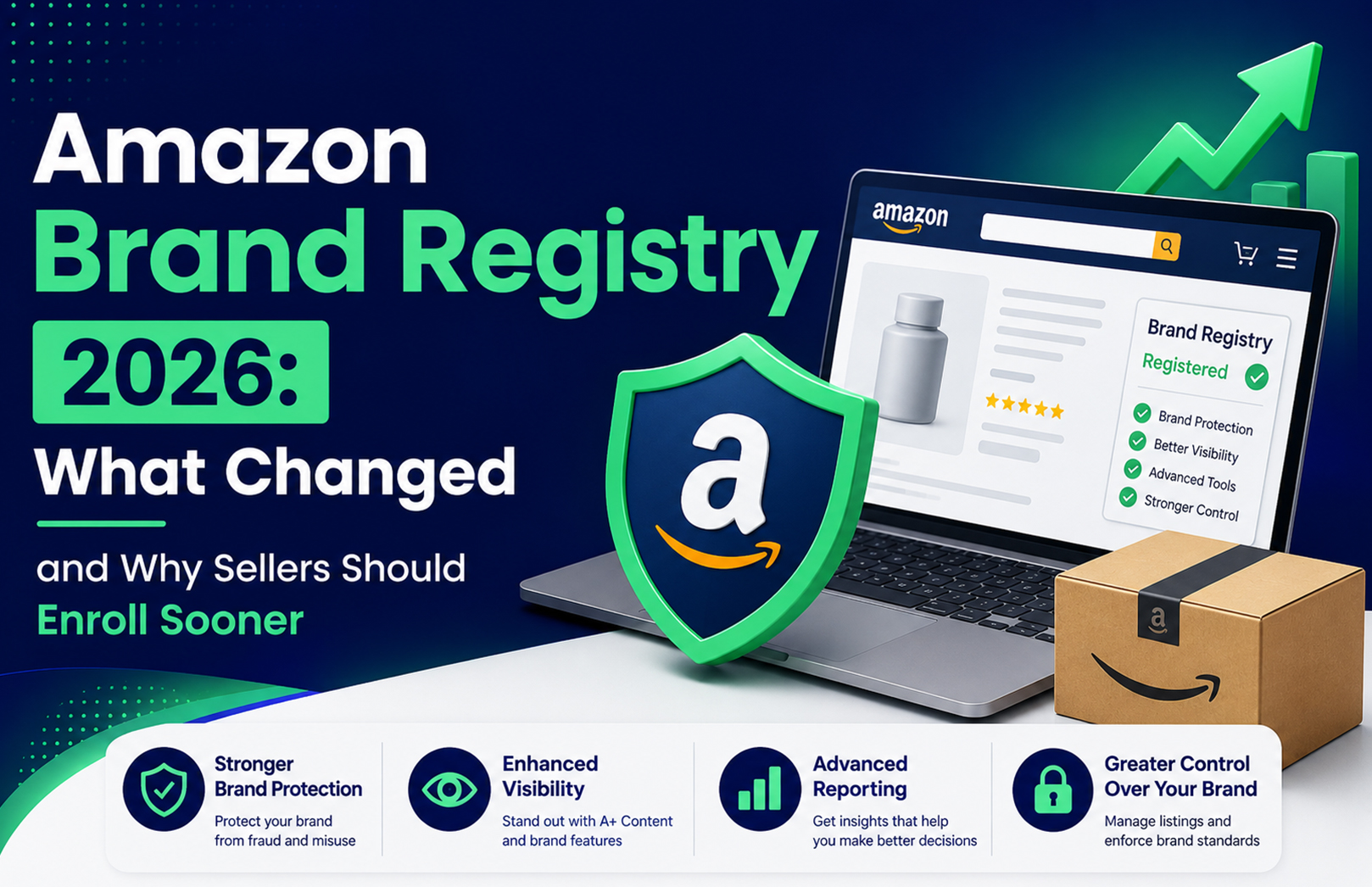
Amazon Brand Registry 2026: What Changed and Why Sellers Should Enroll Sooner


Amazon quietly rewrote the economics of Brand Registry in 2026. For years, enrolling was framed as nice to have: useful for brand protection and A+ Content, but not something that touched a seller’s day-to-day fulfillment operations in any direct way. That changed on March 31, 2026, when Amazon ended stickerless commingled inventory and tied manufacturer-barcode eligibility directly to Brand Registry status. If you sell through FBA and you are not enrolled, you are now paying for that decision in labeling costs and time, whether you have noticed it yet or not.

This article breaks down exactly what changed, what it means if you are still unregistered, and why the smart move for most sellers, especially in India, where trademark processing takes months rather than weeks, is to start the process now instead of waiting for the next deadline to force the issue. For the actual step-by-step application walkthrough, our Amazon Brand Registry enrollment guide covers that in detail, so this piece focuses specifically on the “why now.”

What Actually Changed in Amazon Brand Registry for 2026

The March 31, 2026 barcode and commingling change

Amazon has always allowed two ways to track FBA inventory: a seller’s own manufacturer barcode (UPC, EAN, or ISBN) or Amazon’s own FNSKU sticker. Under the older stickerless commingled inventory system, sellers using standard manufacturer barcodes often did not need to apply extra labels at all. Amazon pooled identical products from multiple sellers together and fulfilled each order from whichever unit happened to be closest to the buyer.

As of March 31, 2026, that pooling practice ended completely. Amazon now splits sellers into two distinct tracks based on Brand Registry status:

  • Brand-registered sellers with the Brand Representative role can continue using their manufacturer barcodes without applying any FNSKU stickers, and Amazon tracks their inventory virtually instead.
  • Resellers and sellers who are not enrolled in Brand Registry must now apply an Amazon FNSKU label to every single unit sent to a fulfillment center, even on products that already carry a perfectly valid manufacturer barcode.

Amazon announced this change directly through its official Seller Central forums account, and it has since been confirmed and explained in detail by multiple independent seller-tools publishers. For a business shipping any meaningful FBA volume, this is a real new line item: extra labeling equipment, extra prep time on every unit, and a higher chance of “unexpected item received” issues at fulfillment centers if a label is missing, misaligned, or unreadable.

Why Amazon made this change

Amazon’s own explanation, shared through its Seller Central announcement, is that most sellers today already keep inventory levels close enough to customers that fast delivery no longer depends on commingling identical units across sellers. In other words, the operational reason commingling existed in the first place has largely gone away, which gave Amazon room to tighten the system around brand ownership instead. The practical effect is that Amazon is using barcode eligibility as a lever to push more sellers toward verified brand status, since Brand Registry gives Amazon a clearer, more accountable picture of who is actually selling what.

What happens if you are not brand-registered

Practically speaking, an unregistered seller now has to build barcode printing and label application into every single shipment workflow, on every unit, indefinitely, for as long as they keep selling through FBA without enrolling. That is a fixed operational cost that scales directly with sales volume: the more you sell, the more this change costs you in time, materials, and warehouse labor. It also raises the odds of listing and inventory errors during a busy shipping season, since manual labeling at scale is exactly where mistakes tend to creep in.

To make the comparison concrete:

Brand-registered sellerUnregistered reseller
Barcode usedManufacturer barcode (UPC/EAN/ISBN), no extra stickerAmazon FNSKU sticker required on every unit
Labeling workflowUnchanged from before March 2026New step added to every shipment
Sponsored Brands / Sponsored Display adsAvailableNot available
A+ Content and Brand StoreAvailableNot available
Counterfeit/hijack removal toolsProject Zero, Transparency availableLimited to standard reporting channels

Smaller updates worth knowing

A few other 2026 shifts are worth flagging, even though they are less dramatic than the barcode change on their own.

IP Accelerator is no longer a reliable shortcut. For years, Amazon’s IP Accelerator program, a network of vetted law firms, was pitched as the fast lane to a pending trademark that Brand Registry would accept. Recent guidance from seller-tools publishers indicates it is not consistently faster than filing directly with your own trademark counsel anymore, and in some cases it costs more. It remains a valid option, just not automatically the best one, so it is worth comparing both routes before committing.

Multi-marketplace enrollment has become somewhat simpler, though sources genuinely differ on the exact mechanics. Some describe a single account that you extend by adding valid trademarks per country after initial approval, while others still describe enrollment as fundamentally tied to where your trademark is legally valid. The safest approach is to check the current country-specific requirements directly inside your own Brand Registry portal rather than assuming coverage automatically extends to a new marketplace.

Is Amazon Brand Registry Still “Optional”? Not Really, Anymore

Technically, yes, you can still list and sell products on Amazon without Brand Registry, through standard catalog authorization. But calling it “optional” undersells what is actually true in 2026. Without enrollment, you cannot run Sponsored Brands ads, you cannot build A+ Content or a Brand Store, you have limited tools to remove counterfeit or hijacked listings, and now you are also on the more expensive labeling track for every FBA shipment you send. Brand Registry has moved from being a nice growth feature to something much closer to table stakes for anyone building a real, defensible brand on Amazon rather than simply moving inventory through the platform.

Common Myths About Amazon Brand Registry in 2026

“I don’t need it because I’m not a private label brand.” Even resellers and authorized distributors feel the effects of the March 2026 change, since the new FNSKU labeling requirement applies regardless of whether you manufacture the product yourself.

“Brand Registry guarantees my listings can’t be hijacked.” It significantly strengthens your position and gives you faster, more direct tools to act, but it is not an absolute guarantee. It shifts the balance of power toward the brand owner rather than eliminating risk entirely.

“I need a fully registered trademark before I can even start.” As covered below, a pending application from a supported IP office, including India’s Trade Marks Registry, is enough to begin enrollment in most cases.

“IP Accelerator is always the fastest route to a pending trademark.” This used to be closer to true. As of 2026, filing directly with your own trademark counsel is often just as fast, and sometimes faster and cheaper.

Why Sellers Should Enroll Sooner Rather Than Later

The timeline problem: trademarks do not move as fast as Amazon’s deadlines

Here is the part most guides skip entirely: Brand Registry requires a trademark, and trademarks are slow by nature. In the United States, full registration typically takes 8 to 14 months. In India, full registration through the Trade Marks Registry generally takes 12 to 18 months. Amazon does accept a pending application from a supported IP office, which shortens the practical wait considerably, but “pending” still means you have actually filed, and filing takes preparation: choosing the correct class, confirming your brand name is genuinely available, and getting your documentation in proper order before you submit anything.

If a seller waits until the next policy deadline is already public knowledge before starting that process, they are starting a months-long clock at the worst possible time, right when everyone else is trying to do the same thing at once. Sellers who file now are simply better positioned for whatever Amazon changes next, because the lag in this whole process sits on the trademark office’s side, not Amazon’s, and that part cannot be rushed later no matter how much budget you throw at it.

What Indian sellers specifically need to know

For Indian sellers, the path runs through the IP India portal: filing Form TM-A under the correct NICE class for your product category, with government fees of roughly ₹4,500 per class for individuals, MSMEs, and DPIIT-recognized startups, or ₹9,000 per class for companies and LLPs. Amazon accepts a pending Indian trademark application for Brand Registry enrollment, meaning you do not have to wait for the final registration certificate, but you do need the application actually filed and the application number in hand before you can start.

Given the 12 to 18 month full-registration timeline, the practical takeaway is simple: the filing itself is the real bottleneck, not the Brand Registry enrollment step, which typically takes only a few business days once your information is submitted and verified. Sellers who treat trademark filing as a “someday” task tend to be the ones scrambling when the next Amazon policy shift lands, since there is no way to compress a government filing timeline on short notice.

The cost of waiting, in practical terms

Put together, delaying Brand Registry now means continuing to pay in labeling time and materials under the new barcode rules, staying locked out of Sponsored Brands, A+ Content, and Store features that competitors are already using to convert better, and starting a multi-month trademark clock later than you could have started it. None of these costs feel dramatic on their own in any single week, but they compound steadily the longer a growing brand goes without enrollment, and the compounding effect is exactly what makes “I’ll get to it eventually” the most expensive option on the table.

What You Get Once You Are Enrolled

Once approved, Brand Registry unlocks a set of tools that most competitive sellers now treat as standard rather than optional. That includes A+ Content on product listings, access to Sponsored Brands and Sponsored Display ad formats, a dedicated Brand Store, Brand Analytics search-term data that unregistered sellers simply cannot see, and Amazon’s brand-protection suite, Project Zero and Transparency, for removing counterfeit or hijacked listings directly rather than waiting on Amazon’s standard reporting queue.

Amazon’s own 2024 Brand Protection Report noted that its automated systems blocked the large majority of suspected infringing listings proactively, before brands even had to report them themselves, which is a meaningful part of the value case that goes beyond just the advertising and content tools most guides focus on.

For the exact eligibility checklist and a full walkthrough of the application form itself, see our detailed Amazon Brand Registry enrollment guide. This article intentionally does not repeat those step-by-step mechanics.

Brand Registry vs. Selling Without It: A Side-by-Side Look

CapabilityWith Brand RegistryWithout Brand Registry
FBA labeling (post March 2026)Manufacturer barcode, no extra stickerFNSKU sticker required on every unit
Advertising formatsSponsored Products, Brands, DisplaySponsored Products only
Listing contentA+ Content availableStandard listing only
Brand StoreAvailableNot available
Counterfeit/hijack toolsProject Zero, TransparencyStandard infringement reporting only
Search-term dataBrand Analytics availableNot available
Cost to enrollFree (trademark filing has its own cost)N/A

How to Get Ahead of the 2026 Changes

The practical order of operations for a seller who is not enrolled yet looks like this: confirm your brand name is genuinely protectable and search for existing conflicts, file your trademark application (through the IP India portal for Indian sellers, or the relevant national office elsewhere), gather clean product and packaging photos that clearly show your brand name, and start the Brand Registry enrollment as soon as your application number is issued. You do not need to wait for full registration to begin.

If your labeling, account health, or advertising setup already feels like more than your team can manage alongside this shift, working with an Amazon account management team can shorten the runway considerably, since enrollment, listing optimization, and the operational changes around it tend to land on a seller’s plate at the same time, right when attention is already stretched thin.

Frequently Asked Questions

Q1. Is Amazon Brand Registry mandatory now?

Ans: Not strictly. You can still list and sell on Amazon without it. But since March 2026, unregistered sellers using FBA must label every unit with an Amazon FNSKU sticker, and they still cannot access A+ Content, Sponsored Brands, or Amazon’s brand-protection tools. In practice, it has become close to essential for any brand serious about long-term growth on the platform.

Q2. What was the main Amazon Brand Registry change in 2026?

Ans: On March 31, 2026, Amazon ended stickerless commingled FBA inventory. Brand-registered sellers with the Brand Representative role can keep using manufacturer barcodes without extra labels, while sellers not enrolled in Brand Registry must now apply Amazon’s own FNSKU barcode to every FBA unit they send in.

Q3. How long does it take to get Amazon Brand Registry approval in India?

Ans: Enrollment itself is fast, typically a few business days once your trademark information is submitted and verified. The real timeline driver is the trademark itself: full registration through IP India runs 12 to 18 months, though Amazon does accept a pending application, so you can enroll well before final certification is issued.

Q4. Do I need a fully registered trademark to enroll in Brand Registry?

Ans: No. Amazon accepts a pending trademark application from a supported IP office, including India’s Trade Marks Registry, as long as you have the application number in hand. This lets sellers start using Brand Registry tools well before full registration is complete, which is important given how long full registration takes.

Q5. What are the main benefits of Amazon Brand Registry?

Ans: Enrolled brands get access to A+ Content, Sponsored Brands and Sponsored Display ads, a branded Amazon Store, Brand Analytics search data, and brand-protection tools like Project Zero and Transparency for removing counterfeit or hijacked listings without waiting on standard reporting queues.

Q6. Should I use Amazon’s IP Accelerator to speed up enrollment?

Ans: It depends on your situation. IP Accelerator connects sellers to vetted law firms for a pending trademark that Amazon will accept, but recent guidance suggests it is not consistently faster or cheaper than filing directly with your own trademark counsel anymore. It is worth comparing both routes with real quotes before committing to either one.
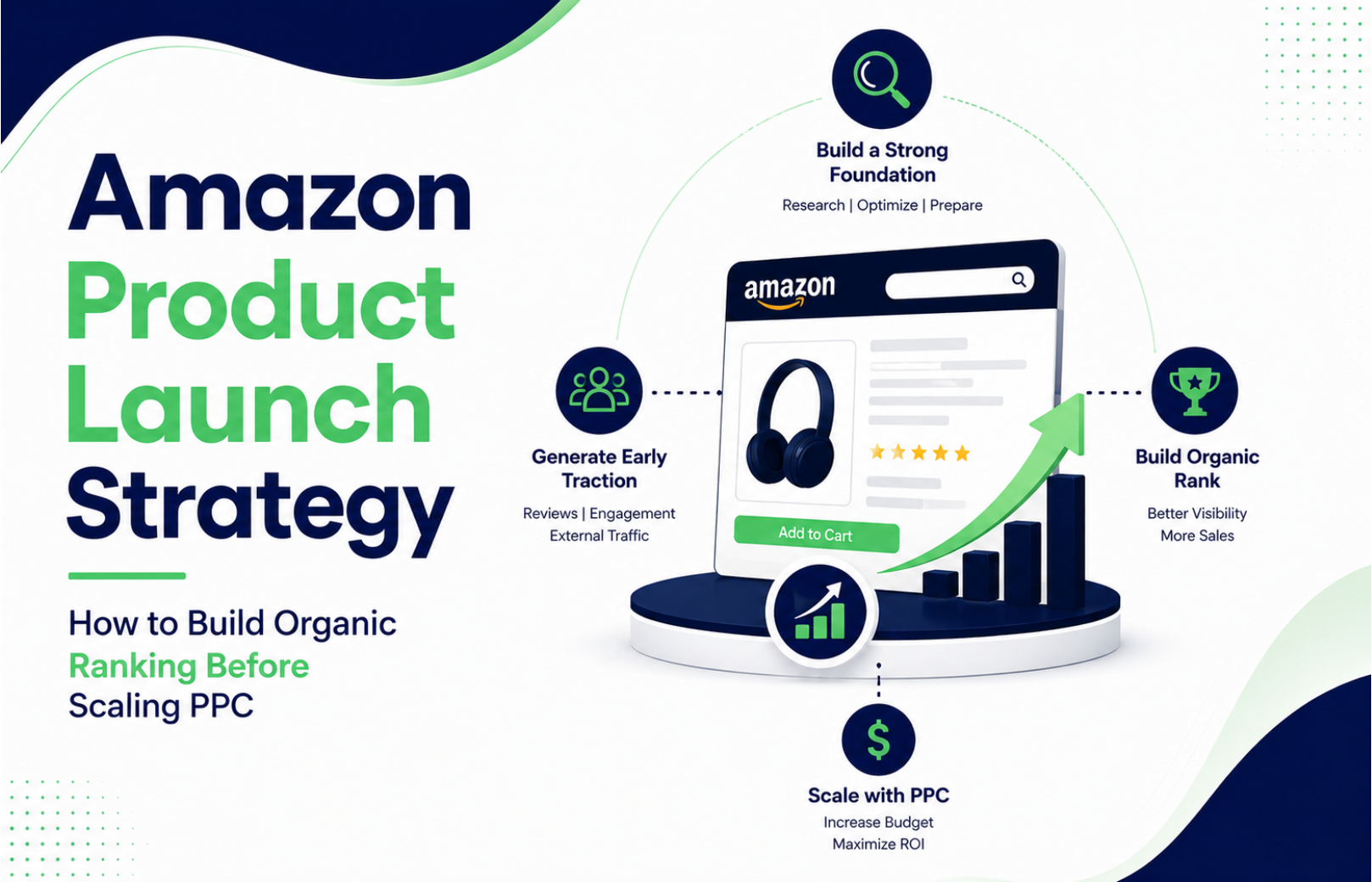
Amazon Product Launch Strategy: How to Build Organic Ranking Before Scaling PPC


A new Amazon product goes live. The listing looks polished, the inventory is ready, and the seller is eager to start advertising. Within a few days, the PPC dashboard shows clicks, but organic visibility is barely moving. The seller responds by increasing bids. That usually creates a more expensive problem, not a better launch.

A stronger Amazon product launch strategy starts before serious ad scaling. First, make the product detail page relevant to the searches you want to win, make the offer competitive enough to convert, and establish a clean keyword and measurement baseline. Then use PPC to accelerate discovery, collect useful search-term data, and build sales momentum. The goal isn’t to avoid Amazon PPC. It’s to make every paid click work harder while your organic ranking develops.

What Should You Do Before Launching Amazon PPC?

Before increasing Amazon PPC spend, make sure the product listing can convert the traffic you’re about to buy. Your title, images, bullet points, product description, pricing, inventory, relevant search terms, and overall offer should be ready before you attempt to scale advertising.

Amazon itself recommends auditing product detail pages before launching Sponsored Products and using relevant search terms that reflect how shoppers search for the product.

For a new product, your first priority should be relevance and conversion readiness, not ranking for every possible keyword.

Build the Amazon Listing Around Buyer Search Intent

Amazon product listing optimization means structuring the product detail page so shoppers can discover the product and understand why it fits their needs. Amazon describes the product detail page as the place where customers see product information such as the name, images, description, and offer details.

Start with three keyword groups:

  • Primary category keywords
  • High-intent long-tail keywords
  • Product-specific attributes and use cases

Don’t stuff every keyword into the title. A title that reads unnaturally can reduce shopper confidence even if it contains more search terms.

This is where a proper Amazon SEO launch differs from simply uploading a listing. Your keyword research should determine the search language, while the listing should turn that language into useful product information.

For brands that need this foundation built systematically, HRL Infotechs’ Amazon SEO and Listing Optimization Services cover keyword research, title optimization, bullet points, backend search terms, visual optimization, and ongoing performance analysis.

How Do You Build Organic Ranking Before Scaling PPC?

Build organic ranking by combining strong listing relevance with genuine sales and conversion activity, then use PPC selectively to accelerate visibility for the most commercially important searches. Organic ranking should be treated as an outcome of relevance, shopper response, and sustained performance rather than something that can be guaranteed through advertising alone.

This is one of the most important judgement calls in a new Amazon launch: don’t try to rank for your broadest keyword first.

If your new product is a premium stainless-steel lunch box, for example, competing immediately for an extremely broad term such as “lunch box” may consume substantial budget while attracting shoppers with very different requirements.

A more sensible launch sequence might start with specific searches such as:

  • stainless steel lunch box for office
  • leakproof lunch box for adults
  • insulated stainless steel lunch container
  • lunch box for working professionals

Once you identify which terms generate qualified clicks and conversions, you can gradually expand your targeting.

HRL Infotechs has previously covered this principle in its guide to Amazon keyword research and ranking strategy, which explains why keyword selection should be based on buyer intent rather than search volume alone.

When Should You Start Amazon PPC for a New Product?

You should start Amazon PPC once the product is buyable, the detail page is properly optimized, inventory is available, and the offer is capable of converting. The mistake is not starting PPC early. The mistake is scaling PPC aggressively before you know whether the listing can convert paid traffic.

Amazon Sponsored Products are CPC ads that promote individual product listings and can target keywords or products. Amazon states that advertisers control bids and budgets and can use campaign reporting to optimize performance.

That makes PPC useful during a launch, but your first campaigns should be treated as controlled discovery.

Start with:

  1. High-intent exact keywords
  2. Relevant phrase and discovery targeting
  3. Carefully selected product targets
  4. Brand terms where appropriate
  5. Controlled budgets
  6. Search-term analysis

Don’t interpret the first few days of impressions as proof that a campaign is working. Look for qualified traffic, clicks, conversions, search-term relevance, and movement in the product’s organic visibility.

How Should You Structure Amazon PPC During a Product Launch?

A new-product Amazon PPC launch should separate discovery from proven demand. Keep high-intent keywords, exploratory targeting, and product targeting sufficiently organized that you can identify what is actually producing useful traffic and sales.

Sponsored Products can use keyword or product targeting, and Amazon recommends monitoring campaign performance and adjusting budgets and keywords as campaigns develop.

A practical launch structure can include:

Exact campaign: Your strongest high-intent keywords.

Phrase campaign: Closely related variations and search discovery.

Auto campaign: Controlled discovery of search terms you may not have identified manually.

Product targeting: Relevant competitor or complementary product detail pages.

The important part isn’t creating the maximum number of campaigns. It’s maintaining enough separation to make decisions.

We’ve seen sellers create dozens of campaigns for a single new ASIN, then struggle to understand where the money is going. A smaller, cleaner structure often gives you better visibility into what deserves more budget.

Which Metrics Should You Track During the First 30 Days?

During the first 30 days, track impressions, clicks, CTR, conversion rate, advertising cost of sales, sales, search-term performance, and organic keyword movement. No single metric should determine whether you scale or reduce spend.

A useful launch review asks four questions:

  1. Are relevant shoppers seeing the product?
  2. Are they clicking?
  3. Are they converting after clicking?
  4. Are important keywords showing organic movement?

Amazon’s advertising system provides campaign reporting that lets advertisers evaluate performance and adjust targeting, bids, and budgets.

Don’t chase ACoS in isolation. A new product can have a higher initial ACoS while you’re gathering data and establishing demand. On the other hand, a campaign with excellent ACoS but almost no sales volume may not be contributing meaningfully to growth.

The better metric depends on your launch objective.

Should You Increase PPC Budget When Organic Ranking Improves?

Increase PPC when the data shows that additional spend can generate profitable or strategically valuable sales without overwhelming your margins. Improving organic ranking is a positive signal, but it isn’t automatically a reason to double the advertising budget.

This is where Amazon launch strategy becomes different from a simple PPC strategy.

Suppose your product begins ranking organically for several long-tail terms after four weeks. You may decide to maintain paid coverage on those valuable terms while redirecting incremental budget toward terms where organic visibility is still weak.

Amazon’s current new-product advertising guidance specifically recommends using advertising to promote new products and adjusting budgets and keywords as the product moves through its lifecycle.

The objective is to make paid and organic visibility reinforce each other, not to make PPC permanently responsible for every sale.

How Does Amazon Account Management Affect a New Product Launch?

Amazon account management keeps the operational side of a launch from undermining the marketing strategy. Inventory, account health, listing issues, pricing, catalog changes, advertising performance, and ongoing marketplace tasks all need attention while the product is gaining traction.

A ranking strategy cannot compensate for operational problems. If your product goes out of stock, the listing develops a compliance issue, or important catalog information is incorrect, your advertising plan can quickly become irrelevant.

This is why Amazon account management becomes particularly useful when you’re launching multiple ASINs or managing Amazon alongside other marketplaces. HRL Infotechs provides Amazon Account Management Services that cover ongoing marketplace operations and performance monitoring as part of its broader ecommerce management approach.

What Should You Do in the First 30 Days of an Amazon Product Launch?

Use the first 30 days to establish relevance, gather search data, identify conversion problems, and progressively shift budget toward proven opportunities. Don’t treat the launch as one fixed campaign that runs unchanged for a month.

A practical sequence is:

Days 1–7:
Check listing indexing, impressions, CTR, search-term relevance, price competitiveness, inventory, and initial conversion signals.

Days 8–14:
Review search-term data, identify irrelevant traffic, add negative targeting where appropriate, and refine bids.

Days 15–21:
Separate proven converting terms from discovery terms and evaluate organic keyword movement.

Days 22–30:
Increase investment in proven opportunities, reduce inefficient targeting, and identify the next set of keywords worth testing.

HRL Infotechs has also examined why Amazon PPC campaigns waste budget during the first 30 days, including problems such as weak campaign structures, broad targeting, and poorly controlled bids.

When Should You Scale Amazon Advertising?

Scale Amazon advertising after you have evidence that the listing, offer, targeting, and conversion process can support additional traffic. Scaling should follow validated performance, not simply the passage of time.

Amazon provides several advertising options beyond Sponsored Products, including Sponsored Brands and other formats. Its new-product advertising guidance recommends combining targeting approaches and using different campaign types according to launch objectives.

For most sellers, however, the first scaling decision shouldn’t be “Which new ad format should I launch?”

It should be:

Which search terms, products, audiences, and placements have already demonstrated commercial value?

Then increase investment there.

If managing bids, search terms, campaign structures, listing optimization, and performance reporting is taking more time than your team can realistically give it, Amazon Advertising Services from HRL Infotechs can fit naturally into the next stage of the workflow.

What Is the Right Amazon Product Launch Strategy?

The right Amazon product launch strategy is a staged process: optimize the listing, establish keyword relevance, make the offer conversion-ready, launch controlled PPC, analyze search-term and conversion data, improve the listing, and only then scale the campaigns that demonstrate value.

You don’t need to choose between Amazon SEO and Amazon PPC. You need to sequence them correctly.

PPC can create the initial traffic and provide valuable performance data. SEO and listing optimization create the foundation for sustainable organic discovery. Account management keeps operational issues from disrupting the process.

For a new product, that combination is usually more sensible than simply increasing the daily ad budget and hoping Amazon ranking follows.

If you’re preparing a new ASIN and aren’t sure whether your listing, keyword strategy, or PPC structure is ready for launch, HRL Infotechs can review the gaps and help you build the launch sequence before you commit more advertising budget.

Frequently Asked Questions

How long does it take for a new Amazon product to rank organically?

There is no fixed Amazon ranking timeline for a new product. Initial indexing and ranking movement can happen relatively quickly, but meaningful organic visibility depends on relevance, competition, conversion performance, sales activity, and other marketplace factors. Treat the first several weeks as a measurement period rather than expecting a guaranteed ranking date.

Should I run Amazon PPC immediately after launching a new product?

You can start PPC after the product is buyable and the listing is properly prepared. Starting advertising early can help generate visibility and collect useful search-term data. However, aggressive scaling before validating the listing’s conversion performance can waste budget. Start with controlled targeting, measure the results, and scale based on evidence.

Can Amazon PPC improve organic ranking?

PPC and organic ranking are separate mechanisms, so advertising should not be treated as a guaranteed way to buy an organic position. PPC can generate product detail page traffic and sales, while successful customer interactions may contribute to the broader performance picture. The practical goal is to use PPC to support product discovery while building sustainable organic demand.

What keywords should I target for a new Amazon product launch?

Start with relevant, high-intent keywords that closely describe the product, its features, use case, and buyer need. Include specific long-tail terms before aggressively targeting broad, highly competitive keywords. Search-term performance from early campaigns can then help you identify which queries deserve greater attention in your Amazon SEO launch.

How much should I spend on Amazon PPC for a new product?

There is no universal launch budget because CPCs, category competition, margins, conversion rates, and sales targets differ significantly. Set a test budget that your business can afford to learn from, then evaluate spend against clicks, conversions, sales, ACoS, and organic movement. Increase budget only when the underlying economics support it.

Should I optimize my Amazon listing before starting PPC?

Yes. Listing optimization should happen before serious PPC scaling because your ads send shoppers to the product detail page. If the title, images, bullets, pricing, product information, or overall offer are weak, additional traffic may simply expose those problems faster. Amazon also recommends auditing product detail pages before launching Sponsored Products.

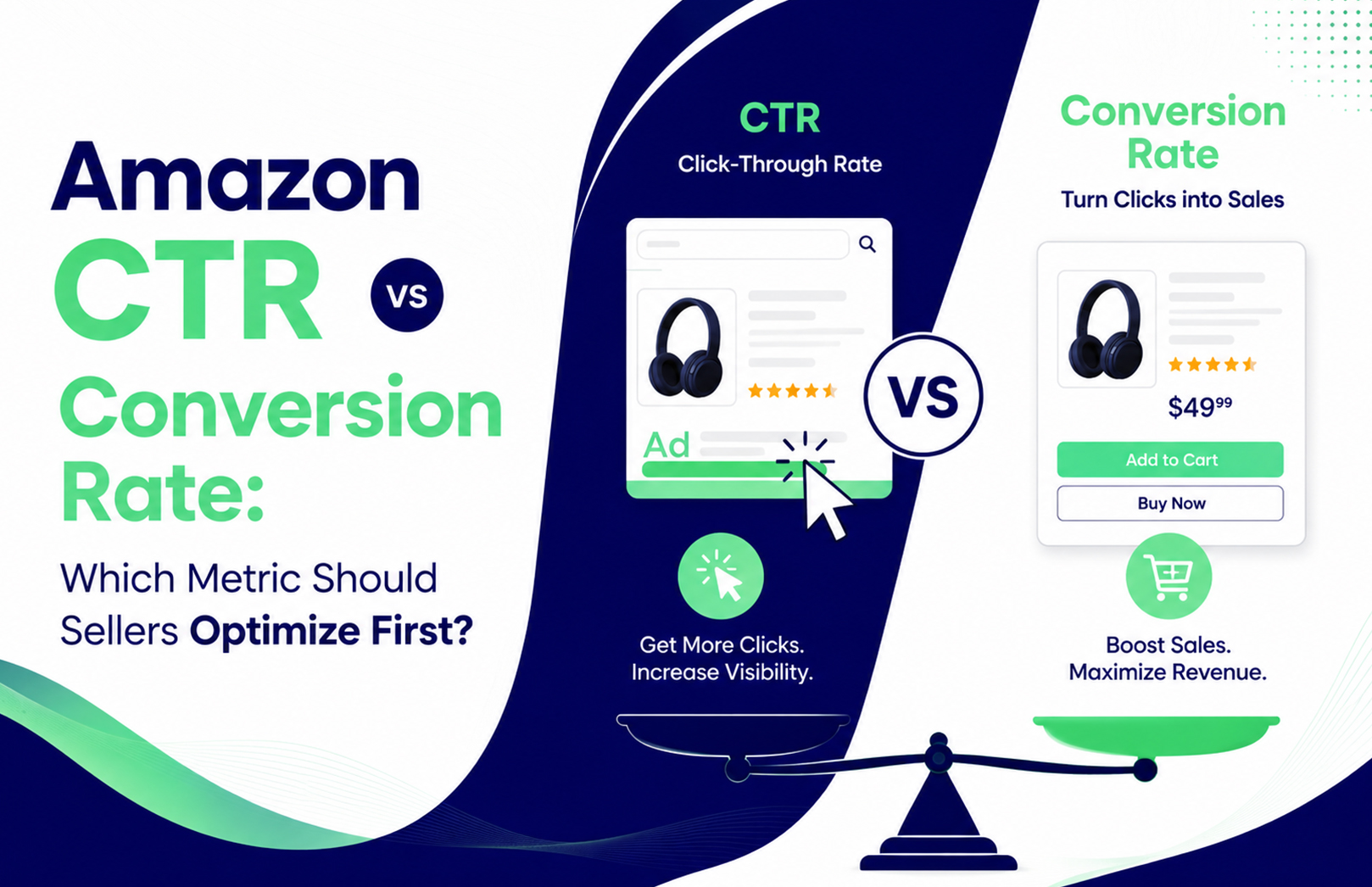
Amazon CTR vs Conversion Rate: Which Metric Should Sellers Optimize First?


Your Amazon listing is getting 50,000 impressions but only 250 clicks. Or perhaps your ads are generating hundreds of clicks every week, but orders remain disappointing. These are two very different problems, and treating them the same can waste your advertising budget.

So, should you optimize Amazon CTR or conversion rate first? Start with the metric showing the bigger funnel problem. If impressions are high but clicks are weak, prioritize Amazon CTR. If clicks are healthy but purchases are weak, prioritize conversion rate. Once both are performing reasonably well, move your attention to CPC, ACoS, ROAS, TACoS and profit. Amazon Ads itself positions CTR as a consideration-stage metric and conversion rate as a purchase-stage metric.

What Should Amazon Sellers Optimize First: CTR or Conversion Rate?

Optimize CTR first when your product is visible but shoppers aren’t clicking. Optimize conversion rate first when shoppers are clicking but not buying. This simple diagnostic prevents sellers from increasing ad spend before fixing the actual bottleneck.

Think about your Amazon funnel as:

Impressions → Clicks → Product Page → Purchase → Revenue → Profit

If the first transition is weak, improving the product page won’t immediately solve the traffic problem. If the second transition is weak, buying more traffic can simply increase wasted spend.

For example, consider an illustrative Amazon seller receiving 100,000 impressions, a 0.4% CTR and a 10% conversion rate. That produces approximately 400 clicks and 40 orders. If the seller improves CTR to 0.8% while maintaining the same conversion rate, the same impression volume could produce around 80 orders.

But there is a catch.

If the new clicks are less relevant and conversion falls from 10% to 4%, the seller would generate only about 32 orders. A higher CTR can therefore produce fewer sales if the additional traffic is poor quality.

That is one of the biggest mistakes sellers make when optimizing Amazon advertising metrics: treating an improving percentage as automatically meaning better business performance.

What Is Amazon Click-Through Rate and Why Does It Matter?

Amazon click-through rate, or CTR, is the percentage of ad impressions that result in clicks. Amazon Ads calculates CTR as clicks divided by impressions, multiplied by 100.

CTR tells you whether your ad is attracting attention from shoppers who see it. It does not tell you whether those shoppers will purchase.

For sellers, a weak Amazon listing CTR can point to several issues:

  • Your product is appearing for irrelevant searches.
  • Your main image isn’t competitive in the search results.
  • Your title doesn’t communicate the product clearly.
  • Your price looks uncompetitive.
  • A competitor has stronger ratings, reviews or offers.
  • Your ad placement is reaching shoppers with weaker intent.
  • Your keyword targeting is too broad.

This is why you shouldn’t immediately increase bids when CTR is poor.

If your product appears beside five stronger offers and shoppers repeatedly ignore yours, paying more to obtain that placement doesn’t necessarily solve the problem.

Amazon Ads recommends reviewing CTR alongside campaign goals and other KPIs rather than using it in isolation.

For sellers managing multiple campaigns, the more useful question is not simply “What is my Amazon CTR?” but:

“Which keywords, placements and products are generating impressions without earning enough qualified clicks?”

That distinction makes CTR actionable.

What Is Amazon Conversion Rate?

Amazon conversion rate measures how effectively shoppers who reach your product experience complete the desired action, such as making a purchase. Amazon Ads notes that conversion rate depends on how the conversion is defined and measured, so sellers should always understand which report and denominator they’re using.

For an Amazon seller, conversion performance is affected by much more than advertising.

Your product page has to answer the shopper’s questions quickly:

Is this the right product?
Is it worth the price?
Can I trust the seller?
Will it solve my problem?
Can I get it when I need it?

A seller can have excellent PPC targeting and still experience poor conversion because the product detail page doesn’t close the sale.

Common conversion blockers include:

  • Weak or unclear product images
  • Poor review rating or insufficient reviews
  • Uncompetitive pricing
  • Confusing variations
  • Weak bullet points
  • Missing product benefits
  • Poor A+ Content
  • Weak offer or delivery proposition
  • Traffic that doesn’t match the product’s actual use case

Amazon itself recommends relevant product content and product detail page optimisation as part of improving conversion performance.

This is where Amazon product listing and SEO optimization becomes part of the advertising strategy, rather than a separate SEO exercise. HRL Infotechs aligns listing content, keywords and conversion elements so paid traffic lands on a product page designed to continue the buying journey.

How Do Amazon CTR and Conversion Rate Work Together?

CTR measures how effectively you turn visibility into traffic. Conversion rate measures how effectively you turn that traffic into customers. You need both because improving only one part of the funnel can produce misleading results.

Consider three seller situations:

High impressions, low CTR

Your product is being seen but isn’t earning enough attention.

Priority: Investigate search relevance, main image, title, offer, placement and competitive positioning.

Do not assume that higher bids are the answer.

Healthy CTR, low conversion

Shoppers are interested enough to click, but something on the product page or offer is stopping them from buying.

Priority: Audit the listing, pricing, reviews, images, A+ Content, variations and traffic quality.

Increasing the campaign budget before fixing the listing can make the problem more expensive.

Healthy CTR, healthy conversion

Now you have a stronger foundation for scaling.

Priority: Evaluate CPC, ACoS, ROAS, TACoS, contribution margin, search-term performance and incremental sales.

This is where the seller’s goal changes from “Can I get more traffic?” to “Can I acquire more profitable customers?”

How Can Sellers Diagnose a Low Amazon CTR?

Start with the search results, not the advertising dashboard. Look at what a shopper actually sees when your product appears beside competing products.

Search your primary keywords manually and compare your listing against the products receiving the most attention.

Look at:

  • Main image
  • Product title
  • Price
  • Discount or coupon
  • Star rating
  • Review volume
  • Prime or delivery proposition
  • Product differentiation
  • Brand familiarity

One practical lesson from Amazon listing work is that sellers often try to solve a creative problem with a bidding solution.

If your product has a poor main image, increasing the bid may help you win more impressions, but it doesn’t necessarily make shoppers want to click.

HRL Infotechs’ analysis of Amazon product images and their impact on clicks and conversions makes this distinction particularly relevant. Your main image competes for attention before the shopper reads most of your listing copy.

You should also segment CTR instead of looking at one account-wide number.

Compare:

Brand vs non-brand → Exact vs phrase/broad → Search terms → Placements → Products → Time periods

A 2% CTR on branded searches doesn’t mean your generic keyword campaigns are equally strong.

How Can Sellers Fix a Low Amazon Conversion Rate?

Start by determining whether the problem is the product page or the traffic reaching it. A low conversion rate caused by irrelevant traffic requires campaign optimisation. A low conversion rate caused by a weak listing requires product-page optimisation.

This distinction matters because the wrong fix can make your account worse.

Suppose you’re selling a premium protein powder and your campaign receives clicks for searches related to cheap protein supplements. Your listing might be excellent, yet conversion remains poor because the shopper’s price expectation is wrong.

In that case, rewriting the listing may have limited impact.

But if shoppers are searching for your exact product type, clicking your ad and then choosing competitors, investigate:

  • Price positioning
  • Main image
  • Benefits
  • Product specifications
  • Reviews
  • A+ Content
  • Coupons
  • Delivery
  • Competitor offers
  • Product differentiation

A useful rule is:

Poor traffic quality = fix targeting.
Good traffic + poor purchase rate = fix the offer or listing.

Don’t automatically reduce price. That’s another trade-off experienced sellers learn quickly. A discount can increase conversion while reducing contribution margin. If your product can win through better positioning, stronger content or more relevant traffic, discounting may be the wrong first move.

Should Sellers Increase Amazon PPC Bids When CTR Is Low?

Not necessarily. Increasing a bid can help your ad compete for placements, but it does not directly fix weak shopper appeal or irrelevant targeting. First determine why CTR is low.

Amazon’s Sponsored Products guidance recommends monitoring impressions, clicks, sales and CPC and using search-term, targeting, advertised-product and placement reports to understand performance.

A better workflow is:

  1. Check whether the search term is relevant.
  2. Compare CTR with similar keywords in the account.
  3. Review the placement.
  4. Inspect the product’s search-result appearance.
  5. Check competitor pricing and offers.
  6. Improve the listing or targeting where necessary.
  7. Adjust the bid only after the underlying issue is understood.

This is the difference between bid management and genuine Amazon advertising optimisation.

If you need account-level support, Amazon PPC management and advertising services can connect search-term analysis, bid optimisation, campaign structure and conversion data rather than treating each metric separately. HRL Infotechs specifically positions PPC management around qualified traffic, search-term analysis, conversion data and advertising efficiency.

What Amazon PPC Metrics Should Sellers Check After CTR and Conversion?

CTR and conversion rate tell you where the funnel is leaking, but they don’t tell you whether the resulting sales are profitable. Once the funnel is functioning, sellers should connect these metrics to CPC, ACoS, ROAS, TACoS and ultimately contribution margin.

Amazon defines ACoS as ad spend divided by attributed sales and ROAS as ad sales divided by ad spend.

For example, an illustrative campaign might show:

CTR improving → clicks increasing → conversion stable → CPC rising → ACoS worsening

That isn’t necessarily a successful optimisation.

You may have improved the front of the funnel while making customer acquisition more expensive.

This is why HRL Infotechs’ recent Amazon ACoS vs TACoS analysis recommends looking beyond a single advertising metric and connecting advertising performance with overall sales.

For sellers, the final question should always be:

“Did this change create more profitable incremental sales?”

Not:

“Did this percentage go up?”

How Should Amazon Sellers Optimize CTR and Conversion Rate Together?

Use a staged optimisation process rather than changing everything simultaneously. This makes it easier to identify what actually improved performance and prevents sellers from wasting budget on symptoms instead of causes.

Step 1: Diagnose visibility

Check impressions and search-term relevance.

If impressions are low, investigate indexing, keyword coverage, bids, budget and eligibility before worrying about CTR.

Step 2: Diagnose the click

If impressions are healthy but CTR is weak, compare your search-result presentation against competitors.

Prioritise the main image, title clarity, relevance, price and offer.

Step 3: Diagnose the purchase

If clicks are healthy but orders aren’t following, audit the product detail page and traffic quality.

Don’t assume the advertising campaign is automatically responsible.

Step 4: Diagnose economics

Once traffic and conversion are reasonably healthy, review CPC, ACoS, ROAS, TACoS and contribution margin.

A campaign generating more orders isn’t automatically better if every incremental order reduces profitability.

Step 5: Scale only what has evidence

Amazon Ads recommends regularly reviewing campaign performance and using reporting to identify optimisation opportunities.

For sellers, that means scaling keywords, products and placements that have demonstrated commercially useful performance instead of increasing the entire campaign budget simply because sales are rising.

What Should Indian Amazon Sellers Do This Week?

Don’t start by changing every campaign. Start with the products and search terms where the performance problem is easiest to identify.

Use this sequence:

  1. Select your top 10 products by advertising spend.
  2. Pull impressions, clicks, CTR, CPC, orders, sales and ACoS.
  3. Identify products with high impressions and weak CTR.
  4. Identify products with strong CTR but weak conversion.
  5. Review their search terms and placements.
  6. Manually inspect the product detail pages.
  7. Compare price, reviews, images and offers against leading competitors.
  8. Make one meaningful change at a time.
  9. Give the account enough data to establish a pattern.
  10. Recheck sales and profitability, not just CTR or conversion rate.

This is particularly useful during Indian shopping peaks, when promotions, competitor discounts and demand changes can distort short-term performance.

Don’t compare a major sale event directly with a normal trading week and assume the difference is caused by your optimisation.

So, Which Metric Should Amazon Sellers Optimize First?

Optimize Amazon CTR first when your biggest problem is getting qualified shoppers to click. Optimize conversion rate first when qualified shoppers are already reaching your product page but aren’t purchasing. Neither metric should be treated as the final goal. The real objective is profitable Amazon sales.

The strongest Amazon sellers don’t ask, “Should I improve CTR or conversion rate?”

They ask:

“Where is my funnel losing the most commercially valuable shoppers?”

That question leads to better decisions about PPC, listing optimisation, bids, keywords, pricing and budget allocation.

If your Amazon account has strong impressions but weak CTR, or strong clicks but disappointing sales, the next step is not necessarily more advertising spend. It is identifying whether the problem sits in targeting, search-result presentation, product-page conversion or campaign economics.

HRL Infotechs brings Amazon advertising and listing optimisation together so sellers can diagnose those gaps across the funnel rather than optimise isolated dashboard metrics. If you’re unsure whether your current bottleneck is traffic, conversion or advertising efficiency, request an Amazon performance review and use the data to decide where the next optimisation should happen.

FAQs About Amazon CTR vs Conversion Rate

Q1. Is Amazon CTR or conversion rate more important for sellers?

Ans. Neither is universally more important. CTR matters most when your products receive impressions but insufficient clicks. Conversion rate matters more when shoppers click but don’t purchase. Sellers should identify the weakest stage first, then evaluate CPC, ACoS, ROAS, TACoS and profitability.

Q2. What causes a low Amazon listing CTR?

Ans. Low Amazon listing CTR can result from weak search relevance, an uncompetitive main image, unclear titles, pricing, poor ratings, weak offers or stronger competing products. Review CTR at the keyword and placement level rather than relying on an account-wide average.

Q3. Why is my Amazon CTR high but sales are low?

Ans. High CTR with low sales often indicates a traffic-quality or product-page problem. Check whether shoppers are searching for the exact product you sell, then review price, reviews, images, benefits, variations and delivery. More clicks won’t necessarily help if the additional traffic has weak purchase intent.

Q4. Should I increase my Amazon PPC bids to get more clicks?

Ans. Not automatically. Higher bids can help win more auctions and placements, but they don’t fix irrelevant targeting or weak product presentation. Before increasing bids, identify whether the problem is low visibility, poor CTR, expensive CPC or weak conversion. Then make the change that addresses the actual bottleneck.

Q5. What is a good Amazon CTR for Sponsored Products?

Ans. There isn’t one universal CTR target that applies to every seller. CTR varies by category, keyword intent, placement, competition and campaign type. Amazon has introduced benchmark resources that give advertisers more category-level context, making peer comparison more useful than relying on a generic CTR percentage.

Q6. How can I improve Amazon conversion rate without lowering my price?

Ans. Start with relevance and the product experience. Make sure your ads target shoppers who genuinely need the product, then improve images, product benefits, titles, bullet points, A+ Content, reviews and offer clarity. If qualified traffic is already strong, these improvements can be more sustainable than using discounts as the default conversion lever.

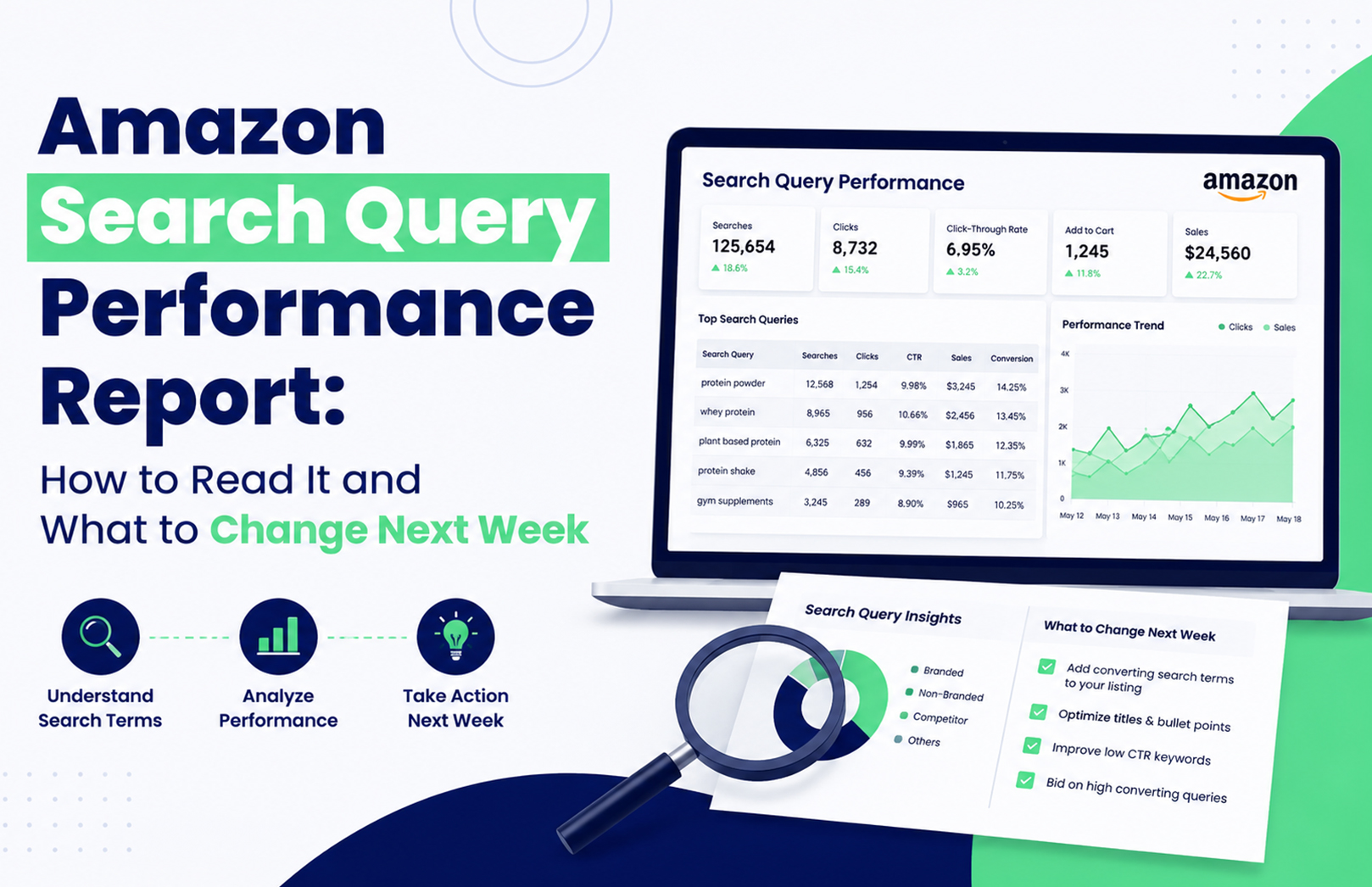
Amazon Search Query Performance Report: How to Read It and What to Change Next Week


Your Amazon product is getting 40,000 impressions for a search query, but only 800 clicks. Another query gets fewer impressions yet produces significantly more cart adds and purchases. Which one deserves your attention next week? The Amazon Search Query Performance report helps answer that question by showing how shoppers move from search impressions to clicks, cart adds, and purchases for queries associated with your brand.

The mistake is treating SQP as another keyword report. It isn’t. Used properly, it tells you where your brand is losing potential customers and whether the next action should be listing optimisation, advertising, pricing, or broader account management.

What Is the Amazon Search Query Performance Report?

The Amazon Search Query Performance report is a Brand Analytics report that shows how your brand performs for customer search queries. It provides query-level visibility into stages such as impressions, clicks, cart adds, and purchases, helping you compare your brand’s performance with the wider query opportunity.

For eligible brands, Search Query Performance sits within Amazon Brand Analytics in Seller Central. Amazon’s Brand Analytics tools are designed to give registered brands access to customer and search behaviour insights, but availability depends on account and Brand Registry eligibility.

The practical value is simple: instead of asking “Which keyword should I add?”, you can ask “At which stage are shoppers dropping away?”

How Do You Read Amazon SQP Data?

Read the report as a search-to-purchase funnel, not as a list of keywords. Start with relevant queries, then compare your performance across impressions, clicks, cart adds, and purchases before deciding what to change.

SQP SignalWhat It Usually IndicatesFirst Thing to Check
High impressions, low clicksVisibility without enough shopper interestMain image, title, price
High clicks, low cart addsProduct page isn’t convincing enoughListing content, reviews, offer
High cart adds, low purchasesPurchase frictionPrice, delivery, availability
Low impressionsWeak visibility or query coverageRelevance, SEO, PPC
Strong purchases, low brand shareOpportunity to capture more demandListing + advertising

1. Start With Commercially Relevant Queries

Don’t automatically select the query with the highest search volume.

Suppose you sell a ₹799 vitamin supplement in India. A broad query such as “vitamins” may generate huge search activity, but a more specific query such as “multivitamin for daily energy” could have stronger purchase intent for your particular product.

This is one of the judgement calls that matters in real Amazon optimisation: the biggest query isn’t necessarily the best query to win.

If the query is relevant but your listing isn’t sufficiently aligned with the customer’s language, review your Amazon SEO and listing optimisation strategy before simply increasing advertising spend. HRL Infotechs’ Amazon SEO service specifically combines keyword research with product-page optimisation.

2. Compare Impressions With Clicks

High impressions mean your products are appearing, but they don’t tell you whether shoppers care enough to click.

If your brand receives substantial impressions for a query but very few clicks, compare your product with the competing results visible for the same search. Look at the main image, price, rating, review count, title presentation, and product type.

A common mistake is changing keywords first. If Amazon is already showing the product for a relevant query, the bigger problem may be search-result competitiveness rather than keyword coverage.

What Should You Do When Amazon Impressions Are High but Clicks Are Low?

When impressions are healthy but clicks are weak, improve the elements shoppers see before entering your product detail page. The main image, visible title, price, rating, reviews, and relevance should be checked before you touch the campaign structure.

This is particularly important on mobile, where shoppers scroll quickly through competing products. HRL Infotechs’ analysis of how Amazon product images affect rankings, clicks and conversions highlights why product imagery should be treated as a performance element rather than decoration.

Don’t change five listing elements simultaneously if you want to understand what worked. Test the most obvious weakness first, document the change, and compare the next meaningful reporting period.

What Does Low Cart-Add Performance Mean?

High clicks but weak cart adds usually mean the search result did its job, but the product page didn’t complete the next step. The shopper was interested enough to visit but didn’t find sufficient reason to move closer to purchase.

Check your bullets, images, A+ Content, reviews, price, variations, product information and offer. Also ask whether the search query actually matches what your product delivers.

This is where Amazon listing optimisation and SQP analysis work together. The report identifies the leak; the listing work addresses the leak.

What If Cart Adds Are Strong but Purchases Are Low?

Strong cart activity with weak purchases can indicate purchase friction rather than poor keyword targeting. Price, delivery expectations, stock availability, promotions, competition and customer confidence can all influence the final decision.

Don’t automatically respond by increasing PPC bids. More traffic won’t necessarily fix a purchase-stage problem.

This is another practical trade-off: if the listing already generates clicks and cart adds, sending more paid traffic before fixing the purchase barrier can increase spend without solving conversion.

Amazon Search Query Performance vs Search Term Report: What’s the Difference?

The Amazon Search Query Performance report and the Search Term Report serve different purposes. SQP focuses on customer search-query performance around your brand, while the Search Term Report helps advertisers analyse the customer search terms associated with their advertising activity.

That distinction matters because an important customer query might represent a broader organic opportunity even when your current PPC activity isn’t capturing it effectively.

If the SQP data identifies a valuable query, compare it against your advertising data before deciding whether to increase keyword coverage, adjust bids, add negative targeting, or leave the query primarily to organic optimisation.

For broader advertising execution, Amazon advertising services can connect search-term analysis with Sponsored Products, Sponsored Brands, Sponsored Display and other advertising activities.

How Can Amazon Brand Analytics Search Terms Improve Your Keyword Strategy?

Amazon Brand Analytics search data can help you understand the language customers use and identify queries worth investigating for your catalogue. But don’t copy every high-volume search term into your listing.

A query should pass three tests before becoming a priority:

  1. Relevance: Does the query accurately describe your product?
  2. Commercial value: Do shoppers using it show meaningful buying behaviour?
  3. Competitive opportunity: Can your product realistically improve its position?

This approach prevents a common problem: building a keyword-heavy listing around searches that generate traffic but don’t generate the right customers.

How Do You Use Amazon Impression Share by Keyword?

Amazon impression share should be interpreted alongside the rest of the funnel. A low share can indicate an opportunity, but it doesn’t automatically mean you should spend more.

If your brand has low impression share but strong clicks and purchases whenever it appears, increasing visibility may be worth testing. If impression share is low and conversion is also poor, fixing the listing or offer may come first.

The same principle applies to advertising. Your goal isn’t simply to maximise impressions. You want qualified visibility that has a realistic path to conversion.

What Should You Change Next Week?

Once you’ve identified the biggest SQP gap, turn it into one clearly defined action rather than making broad account changes.

Monday: Segment the Queries

Separate relevant queries into four groups:

  • High impressions
  • High clicks
  • High cart adds
  • High purchases

Then identify where your brand is disproportionately weak.

Tuesday: Diagnose the Listing

For high-impression/low-click queries, compare your main image, title, rating, reviews and price against competing products.

For high-click/low-cart queries, inspect your detail page and product positioning.

If several products need this work, a structured Amazon product listing and SEO strategy can help connect query analysis with catalogue-level optimisation.

Wednesday: Review Advertising

Match priority queries against your advertising search terms.

Ask:

  • Are valuable queries being targeted?
  • Are bids competitive enough?
  • Are irrelevant searches consuming spend?
  • Are converting search terms isolated appropriately?
  • Is your listing strong enough to justify additional paid traffic?

Thursday: Check Price and Availability

Don’t ignore operational factors. A search-query problem can sometimes be caused by price, stock availability, delivery expectations or the competitive offer.

Friday: Make the Smallest Meaningful Change

Change one major variable at a time where practical.

For example, if the main image is clearly weaker than competitors, test the image before rewriting the entire listing and changing PPC bids on the same day.

Following Week: Compare Before and After

SQP data shouldn’t be judged from a single movement. Search volume changes, seasonality, promotions and reporting delays can affect short periods.

Keep a simple record of the query, original performance, change made and subsequent performance. That turns SQP from a reporting exercise into a repeatable optimisation process.

How Should SQP Data Influence Amazon PPC?

SQP should tell you where to investigate the opportunity. Advertising data should help determine how to capture it.

For example, imagine a query with strong customer demand and healthy purchase behaviour but weak brand visibility. That is a reasonable candidate for deeper PPC investigation.

But if the query generates plenty of clicks while your product rarely converts, increasing bids may simply buy more expensive traffic.

This is why advertising shouldn’t be evaluated through ACoS alone. HRL Infotechs’ recent Amazon ACoS vs TACoS analysis explains why sellers need to distinguish campaign-level advertising efficiency from broader business performance.

When Should You Use Amazon Account Management Services?

SQP becomes significantly more useful when someone actually turns the findings into weekly execution. That can involve listing changes, advertising adjustments, catalogue maintenance, inventory checks, reporting and account-health monitoring.

For brands managing multiple ASINs, these tasks can quickly become difficult to coordinate. Amazon account management services can bring those activities into one operational workflow, including catalogue management, account-health monitoring, performance tracking and other marketplace tasks.

The goal isn’t to generate another dashboard. The goal is to make sure the insight from that dashboard produces an action.

What Are the Biggest Amazon SQP Mistakes?

The biggest mistake is assuming that every low metric requires an immediate optimisation.

SQP data needs context. Query relevance, competition, product availability, pricing, promotions and the reporting period can all affect what you see.

The second mistake is making too many changes simultaneously. If you change your listing, increase PPC bids, reduce price and launch a promotion in the same week, you may improve sales without knowing which action created the improvement.

Experienced Amazon teams usually work with a clearer sequence: identify the bottleneck → choose the most relevant intervention → document it → measure the result → iterate.

Final Takeaway: Use SQP to Decide What Changes Next

The Amazon Search Query Performance report is most valuable when you use it to answer a practical question: where are customers dropping out of my search journey?

Start with commercially relevant queries. Compare impressions, clicks, cart adds and purchases. Then connect the gap to the appropriate action—listing optimisation, advertising, pricing, availability or account-level execution.

If your SQP report repeatedly shows the same gaps across important queries, that’s a sign that you need a consistent optimisation process rather than another one-off report. HRL Infotechs provides Amazon account management and marketplace optimisation support for brands that need the analysis and execution to work together.

Frequently Asked Questions

Q1. How often should I check the Amazon Search Query Performance report?

A weekly review is useful for active Amazon brands because it helps identify emerging visibility and conversion gaps. However, don’t make major decisions from a single short period. Compare relevant periods and account for seasonality, promotions, inventory changes and reporting delays before judging whether an optimisation worked.

Q2. What does a high Amazon SQP impression share mean?

High impression share means your brand is capturing a meaningful portion of the available visibility associated with a query. It doesn’t automatically mean the query is profitable or that your listing is converting well. Always evaluate impression share alongside clicks, cart adds, purchases and commercial relevance.

Q3. Can Amazon SQP data help with Amazon SEO?

Yes. SQP can provide useful evidence about customer search behaviour and your brand’s performance for relevant queries. Use it alongside keyword research, listing relevance, conversion data and competitive analysis. SQP should inform your Amazon SEO decisions rather than replace broader keyword and listing research.

Q3. Is Amazon SQP the same as the Amazon Search Term Report?

No. Search Query Performance is a Brand Analytics tool focused on customer search-query performance around your brand. The Search Term Report is primarily an advertising analysis tool. They can be used together: SQP can identify valuable search opportunities, while advertising reports can show how your paid campaigns capture those searches.

Q4. Should I increase PPC bids if my SQP impressions are low?

Not necessarily. Low impressions can result from weak relevance, limited advertising coverage, competition, inventory problems or other factors. First determine whether the query is commercially valuable and whether your product is capable of converting. Increase PPC coverage only when advertising is genuinely the missing part of the funnel.

Q5. Can an Amazon agency manage SQP analysis every week?

Yes. SQP analysis can be incorporated into a broader Amazon management process that combines search-query analysis, listing optimisation, PPC management, catalogue operations and performance reporting. The benefit is that the report becomes an input for specific weekly actions rather than remaining a passive performance document.

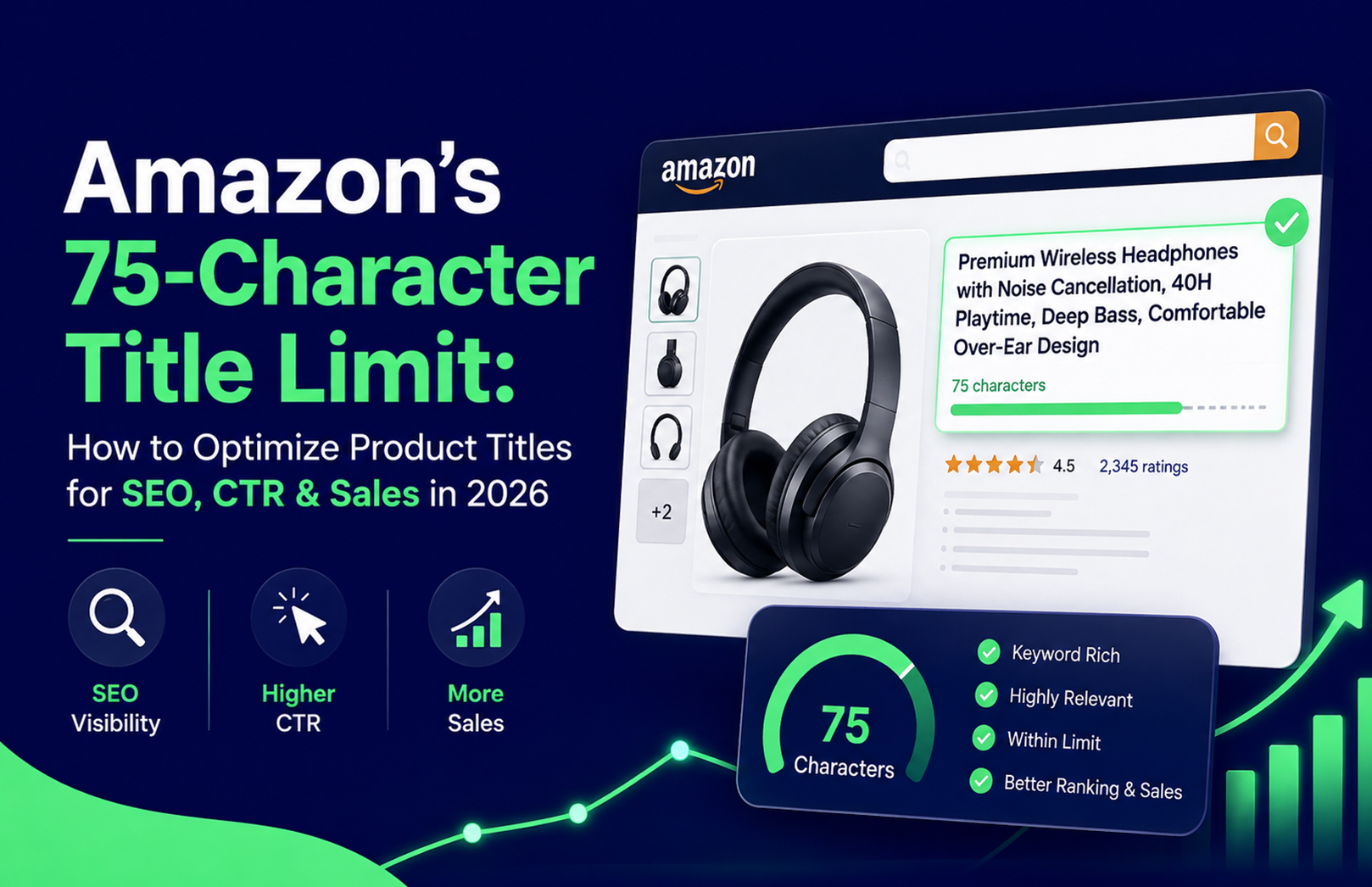
Amazon’s 75-Character Title Limit: How to Optimize Product Titles for SEO, CTR & Sales in 2026


Amazon sellers in India need to rethink how they create and optimize product titles in 2026. Amazon announced that, starting July 27, 2026, product titles in all categories except media must be 75 characters or fewer, including spaces. Amazon says the change is intended to make product titles display more clearly on mobile devices and create a more consistent shopping experience.

For sellers, this makes Amazon product title optimization more important than ever. Instead of trying to fit as many keywords as possible into a title, brands now need to prioritize the right keyword, essential product information and conversion-focused messaging within a much smaller character limit.

A well-optimized Amazon product title can help shoppers understand a product quickly, support relevance for Amazon search and encourage more clicks. In 2026, the goal is not simply to write a shorter title—it is to make every character work harder.

What Is Amazon’s 75-Character Title Limit?

Amazon’s new requirement states that titles for categories other than media must contain 75 characters or fewer, including spaces. Amazon also introduced Item Highlights, which provide an additional 125 characters for information such as materials and recommended use cases. This content is searchable and can appear with titles in search results and on product detail pages.

Amazon is also providing AI-powered tools to help sellers create titles and Item Highlights that comply with the new limits. Sellers can access recommendations through Manage All Inventory and review suggested changes before implementation.

This means the Amazon title character limit should not be viewed only as a compliance requirement. It should be treated as an opportunity to make product listings more concise, relevant and shopper-friendly.

Why Amazon Product Title Optimization Matters in 2026

The title is one of the first pieces of information shoppers encounter when browsing Amazon search results. It tells customers what the product is and can immediately communicate important attributes such as size, quantity, material, compatibility or use case.

At the same time, your title contributes to how Amazon understands your product and its relevance to customer searches. This makes Amazon SEO and title optimization closely connected.

However, keyword placement alone is not enough. A title can contain relevant keywords and still perform poorly if it is difficult to read or does not communicate a compelling reason to click.

The best approach combines search relevance + readability + conversion intent.

How to Optimize an Amazon Product Title Within 75 Characters

1. Start With the Most Important Keyword

The primary product keyword should generally appear early in the title so shoppers can understand the product immediately.

For example, instead of:

“Premium Quality Best Wireless Bluetooth Earbuds for Music Calls”

consider:

“Wireless Bluetooth Earbuds, Noise Cancellation, 40H Battery”

The second version removes unnecessary promotional wording and focuses on product identity and meaningful attributes.

When performing Amazon title optimization, identify the search terms most closely connected to the product and customer buying intent. Do not automatically choose a keyword simply because it has the highest search volume.

2. Remove Unnecessary Words

The new Amazon 75 character title limit means sellers have less room for filler.

Words such as “best,” “amazing,” “premium quality,” “high quality” and “perfect” can consume valuable space without helping shoppers understand the product.

Instead, use characters for information that helps customers make a purchasing decision.

Prioritize:

  • Product type
  • Primary keyword
  • Important feature
  • Size or quantity
  • Material
  • Compatibility
  • Key use case
  • Meaningful differentiator

Every word should either improve relevance or help the shopper understand the product.

3. Use High-Intent Keywords

Effective Amazon SEO begins with understanding what shoppers actually search for when they are ready to purchase.

For an Indian seller, keyword research can include:

  • Core product keywords
  • Long-tail search terms
  • Product attributes
  • Size and quantity terms
  • Material-related searches
  • Compatibility keywords
  • Usage-based searches
  • Category-specific terminology
  • Commercial search phrases

Rather than inserting every keyword into the title, select the strongest primary term and use the remaining relevant terms naturally across the listing.

This is particularly important because Amazon’s new title format forces sellers to make stronger keyword prioritization decisions.

4. Optimize for CTR, Not Just Rankings

A common mistake is to think that Amazon product title optimization is only about rankings.

Your title also has a direct role in the shopper’s decision to click.

Consider these examples:

Generic:
“Face Serum 30ml”

More informative:
“Vitamin C Face Serum 30ml, Brightening, Lightweight”

The second title quickly communicates the product, size and relevant benefit. It gives the shopper more context without becoming unnecessarily long.

A good title should answer the shopper’s basic question:

“Is this the product I am looking for?”

If the answer is immediately clear, the listing has a stronger opportunity to earn the click.

Use Item Highlights Instead of Overloading the Title

The 75-character requirement does not mean every product benefit needs to disappear.

Amazon’s new Item Highlights feature provides up to 125 additional characters for information such as materials and recommended use cases. Amazon states that this content is searchable and visible with titles in search results and on product detail pages.

This creates an opportunity to separate information strategically.

Product title:
Product identity + primary keyword + critical attribute

Item Highlights:
Material + recommended use + supporting product information

For example:

Title:
“Stainless Steel Water Bottle 1L, Leakproof, Insulated”

Item Highlight:
“Suitable for office, gym, school and travel; durable stainless steel construction.”

This approach keeps the title focused while giving customers additional information elsewhere in the listing.

Amazon Product Title Character Limit: Mistakes to Avoid

The biggest mistake sellers can make is treating the Amazon product title character limit as a keyword puzzle.

Avoid these common errors:

  • Repeating the same keyword multiple times
  • Adding unrelated high-volume keywords
  • Using unnecessary promotional claims
  • Writing the entire title in capital letters
  • Adding excessive punctuation
  • Including information that belongs elsewhere in the listing
  • Hiding the primary product keyword
  • Sacrificing readability to add another keyword
  • Ignoring category-specific Amazon requirements

Amazon’s guidance emphasizes concise titles and provides title requirements and best practices for sellers. Amazon also notes that titles exceeding applicable requirements can be subject to changes through its enforcement process.

The objective should always be relevance without keyword stuffing.

A Simple Formula for Amazon Title Optimization

A practical structure for creating a 75-character title is:

[Primary Product Keyword] + [Key Feature] + [Size/Quantity] + [Critical Differentiator]

For example:

“Cotton Bedsheet King Size, 300 TC, Floral Print”

Or:

“Yoga Mat 6mm, Non-Slip, Extra Wide for Home Workouts”

The exact structure will vary by category, but the principle remains the same: start with what the product is, then use the remaining space for the information most likely to influence search relevance and purchasing decisions.

Before publishing, check:

  1. Is the main product keyword clear?
  2. Is the product immediately understandable?
  3. Is the most important information near the beginning?
  4. Have filler words been removed?
  5. Is the title 75 characters or fewer?
  6. Does it follow category-specific requirements?
  7. Would a real shopper find the title useful?

How Better Titles Can Improve CTR and Sales

An optimized title cannot guarantee higher sales on its own. Amazon performance depends on several factors, including pricing, reviews, availability, advertising, images, conversion rate and overall listing quality.

However, a strong title can contribute to the customer journey in several ways.

Better relevance: A clearly structured title helps communicate what the product is and which searches it is relevant to.

Better readability: Customers can understand the offer faster, particularly when browsing on mobile.

Better click potential: A title that clearly matches customer intent can provide a stronger reason to open the product detail page.

This is why Amazon listing optimization should go beyond the title. Sellers should also optimize bullet points, product images, backend search terms, A+ Content and other listing elements.

If your catalogue contains multiple ASINs, maintaining all of these elements consistently can become difficult. Professional Amazon account management services can help brands manage catalogue optimization, listing performance, account health and other ongoing marketplace activities. HRL Infotechs provides account management covering catalogue optimization, performance analysis and broader Seller Central operations.

Combine Amazon SEO With Complete Listing Optimization

A product title works best when the rest of the listing supports it.

Imagine a customer searches for a product and clicks because the title matches their intent. If the product images are unclear, bullet points are weak or the description does not answer their questions, the click may not turn into a purchase.

That is why Amazon listing optimization should cover the entire product detail page.

A strong optimization strategy can include:

  • Keyword research
  • Amazon product title optimization
  • Bullet point optimization
  • Backend search term optimization
  • Product image optimization
  • A+ Content
  • Competitor analysis
  • Conversion-focused content
  • Search performance monitoring

For brands that need professional support, HRL Infotechs offers Amazon product listing and SEO services, helping businesses optimize product titles, keywords and other listing elements as part of a broader Amazon growth strategy.

Connect Title Optimization With Amazon Marketing

Optimizing a listing is only one part of growing on Amazon. Once your product page is properly structured, paid advertising can help bring qualified shoppers to it.

This is where Amazon marketing services become valuable.

Amazon PPC campaigns can be aligned with listing keywords so that the search terms being targeted through advertising are also reflected naturally within the product detail page. HRL Infotechs’ Amazon advertising approach combines keyword research, campaign management and listing optimization to help paid traffic reach product pages designed to convert.

For example, if your PPC campaign identifies a high-converting search term, your listing strategy can evaluate whether that term is appropriately represented in the title or another relevant listing field.

This creates a stronger connection between:

Keyword research → Amazon SEO → Listing optimization → PPC → Conversion → Sales

Should You Rewrite Existing Amazon Titles?

If you already have Amazon listings, do not blindly rewrite every title simply to make it shorter.

Start with your highest-priority ASINs.

Review:

  • Current title length
  • Organic ranking
  • Main search terms
  • Click performance
  • Conversion rate
  • Sales contribution
  • Competitor titles
  • Product relevance
  • Category requirements

Then prioritize titles that are over the new limit or contain unnecessary wording.

Amazon states that titles exceeding 75 characters after the July 27 change will be updated to AI recommendations gradually. Sellers can review, modify and approve AI-generated recommendations during the specified review period.

For brands with a large catalogue, this makes a systematic title audit more valuable than making random changes.

A 2026 Amazon Title Optimization Checklist

Before finalizing any Amazon product title, use this quick checklist:

  • Keep the title within the applicable character limit.
  • Place the primary product keyword naturally.
  • Describe the product clearly.
  • Add only important attributes.
  • Remove repetitive keywords.
  • Remove unnecessary promotional language.
  • Keep the title easy to read.
  • Optimize for mobile shoppers.
  • Follow category-specific requirements.
  • Use Item Highlights for additional information where applicable.
  • Review performance after optimization.

A title should not be written once and forgotten. Amazon search behavior, competition and customer preferences can change, so ongoing performance analysis is essential.

Final Thoughts

Amazon’s 75-character title limit is changing how sellers should approach product listing optimization in 2026. With less space available, brands cannot rely on long keyword-heavy titles to communicate every possible product detail.

Instead, successful Amazon product title optimization requires prioritization.

Start with the strongest relevant keyword. Clearly identify the product. Add the most important attribute or differentiator. Remove unnecessary words and use Item Highlights and other listing fields for additional information.

For Indian Amazon sellers, this is an opportunity to create cleaner, more focused listings that work better for mobile shoppers while supporting broader Amazon SEO and conversion strategies.

When title optimization is combined with complete Amazon listing optimization, professional account management and targeted Amazon marketing services, sellers can build a more consistent foundation for visibility, traffic and long-term marketplace growth.

If your Amazon catalogue needs to be reviewed for the new 75-character requirements, connect with HRL Infotechs for Amazon marketing and listing support.

FAQs

1. What is Amazon’s 75-character title limit?

Starting July 27, 2026, Amazon requires product titles in categories other than media to be 75 characters or fewer, including spaces.

2. Does the Amazon 75-character title limit apply to sellers in India?

Yes. Amazon’s Seller Central India announcement specifies that titles in all categories except media must be 75 characters or less, including spaces.

3. Can I still use keywords in my Amazon product title?

Yes. Keywords remain important for Amazon SEO, but sellers should focus on the most relevant, high-intent terms instead of repeating keywords or trying to include every search phrase.

4. What should I do if important product information does not fit within 75 characters?

Amazon introduced Item Highlights, which provide up to 125 additional characters for information such as materials and recommended use cases. This information is also searchable.

5. Can Amazon product title optimization increase sales?

An optimized title cannot guarantee sales, but it can improve product clarity, search relevance and click potential. Strong results usually require title optimization alongside images, bullet points, A+ Content, pricing, reviews, inventory and advertising.

6. Should I optimize all my Amazon product titles?

It is advisable to audit your catalogue, particularly high-traffic and high-revenue ASINs. Prioritize titles that exceed the new limit, contain unnecessary wording or are not clearly aligned with high-intent customer searches.

How Amazon AI Seller Assistant Can Help Sellers Manage Listings, Inventory & Growth


Amazon selling in India is becoming increasingly data-driven. Managing product listings, inventory, orders, pricing, advertising and account health manually can quickly become overwhelming, particularly as a seller’s catalogue grows.

Amazon is responding to this complexity with Seller Assistant, an AI-powered, conversational tool designed to help sellers launch, manage and grow their businesses. Amazon says the assistant can provide business insights across areas such as sales performance, inventory management, listings and catalogues, shipments and returns, orders and fees, while also helping sellers take certain actions with their approval.

For Indian sellers, this creates an important opportunity: AI can reduce the time spent analysing Seller Central data and help identify problems and opportunities faster. However, AI should complement not completely replace structured amazon seller account management and marketplace expertise.

What Is Amazon Seller Assistant?

Amazon Seller Assistant is an AI-powered assistant available within the Amazon selling ecosystem. Sellers can interact with it using natural-language questions instead of manually searching through multiple Seller Central reports and menus.

Amazon describes it as an always-on, generative AI and agentic system that can understand seller needs, surface relevant insights and, where supported, take actions with seller approval. Its capabilities cover areas including listings, inventory, sales performance, orders, fees, shipments and returns.

For Indian sellers, Amazon has also introduced Seller Assistant with support for English and Hinglish, making it more accessible to sellers who prefer conversational guidance over complicated dashboards. Amazon says the tool is available at no cost to sellers in India.

How AI Can Improve Amazon Listing Management

Product listings are one of the most important parts of an Amazon business. A seller can have a strong product and competitive price, but poor titles, bullet points, images or product information can still reduce visibility and conversions.

Seller Assistant can help sellers understand listing and catalogue-related issues and obtain guidance about their products. This makes AI particularly useful for sellers managing large catalogues where manually reviewing every ASIN is time-consuming.

However, AI recommendations should be reviewed against keyword strategy, customer intent, competitor positioning and Amazon’s listing requirements. This is where professional amazon listing management services can add significant value.

An experienced team can combine AI-assisted analysis with keyword research, backend keyword optimisation, content improvements and ongoing listing monitoring. HRL Infotechs’ Amazon SEO & Listing Optimization service, for example, focuses on improving listing visibility through listing optimisation, keyword research and backend keyword additions.

Using AI for Better Inventory Management

Inventory problems can quickly turn into lost sales.

Too little stock can create out-of-stock situations, while excessive inventory can tie up working capital and increase storage-related costs. Amazon’s Seller Assistant provides sellers with insights related to inventory management and can help identify actions associated with inventory and business performance.

Indian sellers can use these insights to ask practical questions such as:

  • Which products need immediate replenishment?
  • Which SKUs are selling slower than expected?
  • Where could inventory costs become a concern?
  • Which products require closer monitoring before major sales events?
  • How should inventory decisions align with expected demand?

AI can make the analysis faster, but sellers still need accurate sales history, lead times, supplier information and business context before making purchasing decisions.

Turning Seller Central Data Into Growth Insights

One of the biggest advantages of AI tools for Amazon sellers is the ability to turn large amounts of marketplace data into easier-to-understand insights.

Instead of checking multiple reports individually, sellers can use conversational questions to explore areas such as sales performance, orders, fees, inventory and catalogue performance. Amazon specifically highlights these business-insight capabilities within Seller Assistant.

For example, a seller could investigate why a product’s sales have declined, identify inventory-related concerns or understand which areas require attention.

But growth does not come from data alone. Sellers need to connect those insights with pricing, advertising, content, customer behaviour and profitability.

This is where amazon account management services become valuable. A professional account management team can continuously monitor performance, identify opportunities and coordinate different parts of the Amazon strategy instead of treating each metric separately.

Can AI Replace Amazon Seller Account Management?

Not completely.

AI can significantly reduce repetitive analysis and help sellers access information faster, but successful marketplace growth still requires strategic decision-making.

Professional amazon seller management services can cover areas such as account health monitoring, case management, FBA reimbursement, catalogue management and ongoing marketplace optimisation. HRL Infotechs’ Amazon Account Management service includes account health monitoring, case log management and FBA reimbursement support.

Think of AI as an additional layer of intelligence rather than a replacement for experienced Amazon professionals.

AI can identify a potential issue. A human expert can determine why it happened, assess its commercial impact and decide what should happen next.

Combining AI With Amazon Marketing Services

AI-assisted account management becomes even more powerful when combined with a structured advertising strategy.

A listing with strong organic visibility can still underperform if advertising campaigns are poorly structured. Similarly, increasing ad spend will not necessarily solve a conversion problem caused by weak product content.

Professional amazon marketing services can connect listing optimisation, keyword targeting, PPC management, competitor analysis and conversion improvements into one growth strategy.

An amazon marketing agency can also use Seller Central insights alongside advertising data to determine where budget should be increased, reduced or reallocated.

HRL Infotechs provides Amazon Advertising Services designed around campaign performance, conversions, traffic and ROI.

The Best Approach for Indian Amazon Sellers

For sellers in India, the strongest approach is not simply choosing between AI and human expertise. It is combining both.

A practical Amazon growth system can look like this:

AI insights → human analysis → strategic action → performance monitoring → continuous optimisation

Seller Assistant can help surface information and opportunities. A professional team can then validate those insights against business objectives, margins, competition and marketplace strategy.

This approach is particularly useful for established sellers managing multiple SKUs, advertising campaigns and fulfilment requirements.

Why Sellers Should Start Using AI Now

The Amazon marketplace is becoming increasingly dependent on automation, data and AI-driven experiences. Amazon is already expanding Seller Assistant’s capabilities beyond simple question answering into business insights and approved actions.

For Indian sellers, learning how to work alongside these tools can create an operational advantage.

The objective should not be to automate every decision. Instead, sellers should automate repetitive analysis while keeping important commercial decisions under expert control.

This can help teams spend less time navigating Seller Central and more time improving products, customer experience, profitability and growth.

Final Thoughts

Amazon AI Seller Assistant represents an important development for sellers who want faster access to marketplace insights. From listings and inventory to sales performance and account operations, AI can help simplify many parts of the selling process.

However, AI alone is not an Amazon growth strategy. Sellers still need strong listings, effective advertising, inventory planning, account health management and ongoing optimisation.

The most effective model is therefore a combination of AI tools for Amazon sellers and professional amazon seller account management. AI provides speed and insights, while experienced marketplace specialists provide strategy, context and execution.

If your Amazon business is growing and managing Seller Central is becoming difficult to handle internally, professional support can help you build a more structured and scalable marketplace operation.

Frequently Asked Questions

Q1. What is Amazon Seller Assistant?

Ans. Amazon Seller Assistant is an AI-powered conversational tool that helps Amazon sellers access information, receive business insights and manage aspects of their selling operations. Amazon says it covers areas including sales, inventory, listings, orders, fees, shipments and returns.

Q2. Is Amazon Seller Assistant available to Indian sellers?

Ans. Yes. Amazon India announced Seller Assistant for Indian sellers, with support for English and Hinglish. Amazon describes it as a free AI tool available to sellers in India.

Q3. Can Seller Assistant manage Amazon listings?

Ans. Seller Assistant can provide insights and guidance related to listings and catalogues. Sellers should still review AI-generated recommendations for accuracy, compliance, keyword relevance and brand positioning before implementing important changes.

Q4. Can AI replace Amazon account managers?

Ans. AI can automate and simplify many analytical and repetitive tasks, but it does not eliminate the need for strategic account management. Human expertise remains important for advertising, catalogue strategy, account health, profitability and complex marketplace decisions.

Q5. What are the best AI tools for Amazon sellers?

Ans. Amazon Seller Assistant is one of the key AI tools available within the Amazon seller ecosystem. Sellers can also use specialised AI and analytics solutions for keyword research, listing optimisation, advertising analysis and forecasting, depending on their requirements.

Q6. When should an Amazon seller consider professional account management?

Ans. Professional support becomes particularly valuable when a seller is managing a growing catalogue, increasing advertising spend, experiencing account-health issues, struggling with inventory or lacking the internal resources to monitor Seller Central consistently.