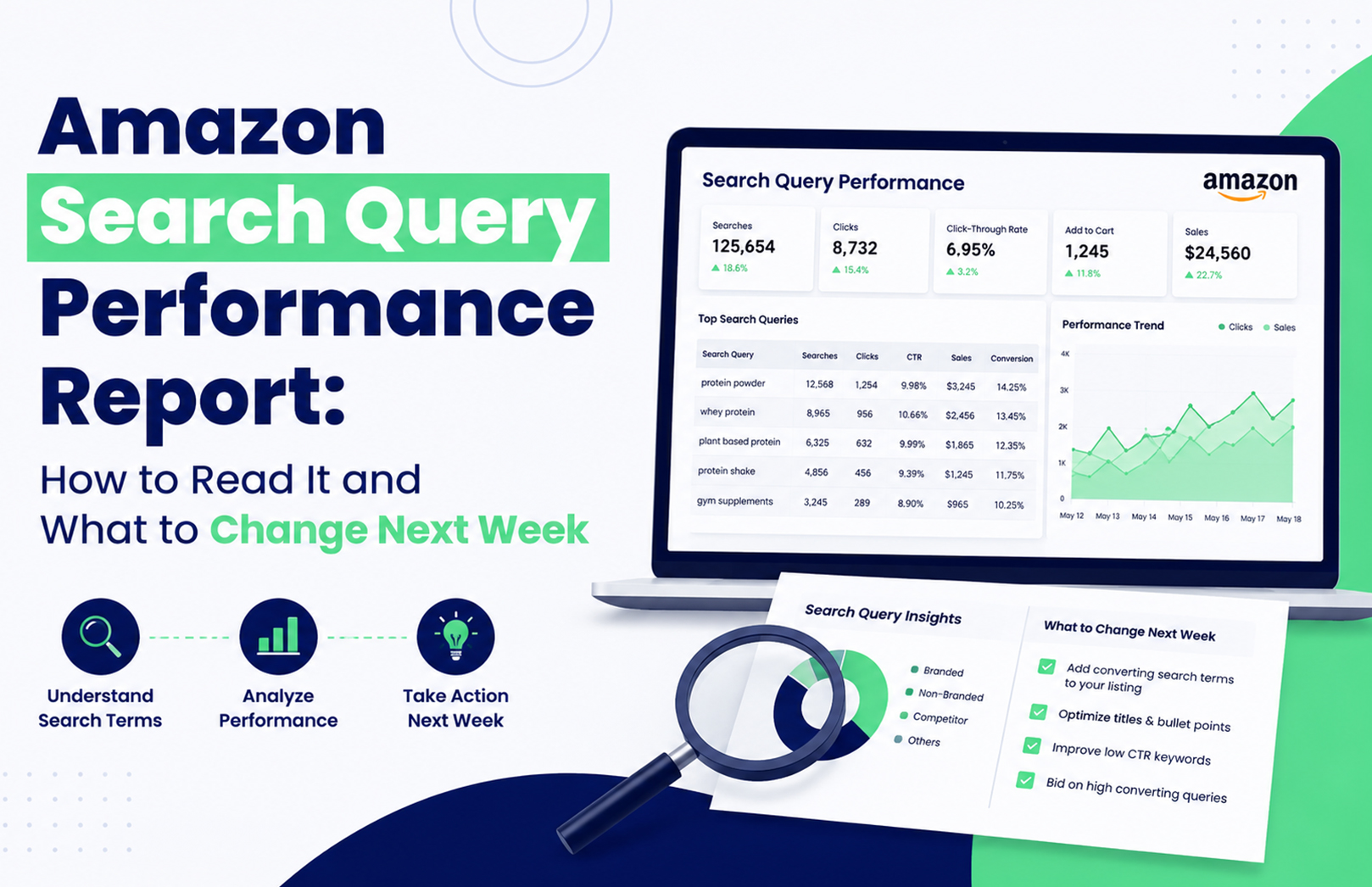
Amazon Search Query Performance Report: How to Read It and What to Change Next Week


Your Amazon product is getting 40,000 impressions for a search query, but only 800 clicks. Another query gets fewer impressions yet produces significantly more cart adds and purchases. Which one deserves your attention next week? The Amazon Search Query Performance report helps answer that question by showing how shoppers move from search impressions to clicks, cart adds, and purchases for queries associated with your brand.

The mistake is treating SQP as another keyword report. It isn’t. Used properly, it tells you where your brand is losing potential customers and whether the next action should be listing optimisation, advertising, pricing, or broader account management.

What Is the Amazon Search Query Performance Report?

The Amazon Search Query Performance report is a Brand Analytics report that shows how your brand performs for customer search queries. It provides query-level visibility into stages such as impressions, clicks, cart adds, and purchases, helping you compare your brand’s performance with the wider query opportunity.

For eligible brands, Search Query Performance sits within Amazon Brand Analytics in Seller Central. Amazon’s Brand Analytics tools are designed to give registered brands access to customer and search behaviour insights, but availability depends on account and Brand Registry eligibility.

The practical value is simple: instead of asking “Which keyword should I add?”, you can ask “At which stage are shoppers dropping away?”

How Do You Read Amazon SQP Data?

Read the report as a search-to-purchase funnel, not as a list of keywords. Start with relevant queries, then compare your performance across impressions, clicks, cart adds, and purchases before deciding what to change.

SQP SignalWhat It Usually IndicatesFirst Thing to Check
High impressions, low clicksVisibility without enough shopper interestMain image, title, price
High clicks, low cart addsProduct page isn’t convincing enoughListing content, reviews, offer
High cart adds, low purchasesPurchase frictionPrice, delivery, availability
Low impressionsWeak visibility or query coverageRelevance, SEO, PPC
Strong purchases, low brand shareOpportunity to capture more demandListing + advertising

1. Start With Commercially Relevant Queries

Don’t automatically select the query with the highest search volume.

Suppose you sell a ₹799 vitamin supplement in India. A broad query such as “vitamins” may generate huge search activity, but a more specific query such as “multivitamin for daily energy” could have stronger purchase intent for your particular product.

This is one of the judgement calls that matters in real Amazon optimisation: the biggest query isn’t necessarily the best query to win.

If the query is relevant but your listing isn’t sufficiently aligned with the customer’s language, review your Amazon SEO and listing optimisation strategy before simply increasing advertising spend. HRL Infotechs’ Amazon SEO service specifically combines keyword research with product-page optimisation.

2. Compare Impressions With Clicks

High impressions mean your products are appearing, but they don’t tell you whether shoppers care enough to click.

If your brand receives substantial impressions for a query but very few clicks, compare your product with the competing results visible for the same search. Look at the main image, price, rating, review count, title presentation, and product type.

A common mistake is changing keywords first. If Amazon is already showing the product for a relevant query, the bigger problem may be search-result competitiveness rather than keyword coverage.

What Should You Do When Amazon Impressions Are High but Clicks Are Low?

When impressions are healthy but clicks are weak, improve the elements shoppers see before entering your product detail page. The main image, visible title, price, rating, reviews, and relevance should be checked before you touch the campaign structure.

This is particularly important on mobile, where shoppers scroll quickly through competing products. HRL Infotechs’ analysis of how Amazon product images affect rankings, clicks and conversions highlights why product imagery should be treated as a performance element rather than decoration.

Don’t change five listing elements simultaneously if you want to understand what worked. Test the most obvious weakness first, document the change, and compare the next meaningful reporting period.

What Does Low Cart-Add Performance Mean?

High clicks but weak cart adds usually mean the search result did its job, but the product page didn’t complete the next step. The shopper was interested enough to visit but didn’t find sufficient reason to move closer to purchase.

Check your bullets, images, A+ Content, reviews, price, variations, product information and offer. Also ask whether the search query actually matches what your product delivers.

This is where Amazon listing optimisation and SQP analysis work together. The report identifies the leak; the listing work addresses the leak.

What If Cart Adds Are Strong but Purchases Are Low?

Strong cart activity with weak purchases can indicate purchase friction rather than poor keyword targeting. Price, delivery expectations, stock availability, promotions, competition and customer confidence can all influence the final decision.

Don’t automatically respond by increasing PPC bids. More traffic won’t necessarily fix a purchase-stage problem.

This is another practical trade-off: if the listing already generates clicks and cart adds, sending more paid traffic before fixing the purchase barrier can increase spend without solving conversion.

Amazon Search Query Performance vs Search Term Report: What’s the Difference?

The Amazon Search Query Performance report and the Search Term Report serve different purposes. SQP focuses on customer search-query performance around your brand, while the Search Term Report helps advertisers analyse the customer search terms associated with their advertising activity.

That distinction matters because an important customer query might represent a broader organic opportunity even when your current PPC activity isn’t capturing it effectively.

If the SQP data identifies a valuable query, compare it against your advertising data before deciding whether to increase keyword coverage, adjust bids, add negative targeting, or leave the query primarily to organic optimisation.

For broader advertising execution, Amazon advertising services can connect search-term analysis with Sponsored Products, Sponsored Brands, Sponsored Display and other advertising activities.

How Can Amazon Brand Analytics Search Terms Improve Your Keyword Strategy?

Amazon Brand Analytics search data can help you understand the language customers use and identify queries worth investigating for your catalogue. But don’t copy every high-volume search term into your listing.

A query should pass three tests before becoming a priority:

  1. Relevance: Does the query accurately describe your product?
  2. Commercial value: Do shoppers using it show meaningful buying behaviour?
  3. Competitive opportunity: Can your product realistically improve its position?

This approach prevents a common problem: building a keyword-heavy listing around searches that generate traffic but don’t generate the right customers.

How Do You Use Amazon Impression Share by Keyword?

Amazon impression share should be interpreted alongside the rest of the funnel. A low share can indicate an opportunity, but it doesn’t automatically mean you should spend more.

If your brand has low impression share but strong clicks and purchases whenever it appears, increasing visibility may be worth testing. If impression share is low and conversion is also poor, fixing the listing or offer may come first.

The same principle applies to advertising. Your goal isn’t simply to maximise impressions. You want qualified visibility that has a realistic path to conversion.

What Should You Change Next Week?

Once you’ve identified the biggest SQP gap, turn it into one clearly defined action rather than making broad account changes.

Monday: Segment the Queries

Separate relevant queries into four groups:

  • High impressions
  • High clicks
  • High cart adds
  • High purchases

Then identify where your brand is disproportionately weak.

Tuesday: Diagnose the Listing

For high-impression/low-click queries, compare your main image, title, rating, reviews and price against competing products.

For high-click/low-cart queries, inspect your detail page and product positioning.

If several products need this work, a structured Amazon product listing and SEO strategy can help connect query analysis with catalogue-level optimisation.

Wednesday: Review Advertising

Match priority queries against your advertising search terms.

Ask:

  • Are valuable queries being targeted?
  • Are bids competitive enough?
  • Are irrelevant searches consuming spend?
  • Are converting search terms isolated appropriately?
  • Is your listing strong enough to justify additional paid traffic?

Thursday: Check Price and Availability

Don’t ignore operational factors. A search-query problem can sometimes be caused by price, stock availability, delivery expectations or the competitive offer.

Friday: Make the Smallest Meaningful Change

Change one major variable at a time where practical.

For example, if the main image is clearly weaker than competitors, test the image before rewriting the entire listing and changing PPC bids on the same day.

Following Week: Compare Before and After

SQP data shouldn’t be judged from a single movement. Search volume changes, seasonality, promotions and reporting delays can affect short periods.

Keep a simple record of the query, original performance, change made and subsequent performance. That turns SQP from a reporting exercise into a repeatable optimisation process.

How Should SQP Data Influence Amazon PPC?

SQP should tell you where to investigate the opportunity. Advertising data should help determine how to capture it.

For example, imagine a query with strong customer demand and healthy purchase behaviour but weak brand visibility. That is a reasonable candidate for deeper PPC investigation.

But if the query generates plenty of clicks while your product rarely converts, increasing bids may simply buy more expensive traffic.

This is why advertising shouldn’t be evaluated through ACoS alone. HRL Infotechs’ recent Amazon ACoS vs TACoS analysis explains why sellers need to distinguish campaign-level advertising efficiency from broader business performance.

When Should You Use Amazon Account Management Services?

SQP becomes significantly more useful when someone actually turns the findings into weekly execution. That can involve listing changes, advertising adjustments, catalogue maintenance, inventory checks, reporting and account-health monitoring.

For brands managing multiple ASINs, these tasks can quickly become difficult to coordinate. Amazon account management services can bring those activities into one operational workflow, including catalogue management, account-health monitoring, performance tracking and other marketplace tasks.

The goal isn’t to generate another dashboard. The goal is to make sure the insight from that dashboard produces an action.

What Are the Biggest Amazon SQP Mistakes?

The biggest mistake is assuming that every low metric requires an immediate optimisation.

SQP data needs context. Query relevance, competition, product availability, pricing, promotions and the reporting period can all affect what you see.

The second mistake is making too many changes simultaneously. If you change your listing, increase PPC bids, reduce price and launch a promotion in the same week, you may improve sales without knowing which action created the improvement.

Experienced Amazon teams usually work with a clearer sequence: identify the bottleneck → choose the most relevant intervention → document it → measure the result → iterate.

Final Takeaway: Use SQP to Decide What Changes Next

The Amazon Search Query Performance report is most valuable when you use it to answer a practical question: where are customers dropping out of my search journey?

Start with commercially relevant queries. Compare impressions, clicks, cart adds and purchases. Then connect the gap to the appropriate action—listing optimisation, advertising, pricing, availability or account-level execution.

If your SQP report repeatedly shows the same gaps across important queries, that’s a sign that you need a consistent optimisation process rather than another one-off report. HRL Infotechs provides Amazon account management and marketplace optimisation support for brands that need the analysis and execution to work together.

Frequently Asked Questions

Q1. How often should I check the Amazon Search Query Performance report?

A weekly review is useful for active Amazon brands because it helps identify emerging visibility and conversion gaps. However, don’t make major decisions from a single short period. Compare relevant periods and account for seasonality, promotions, inventory changes and reporting delays before judging whether an optimisation worked.

Q2. What does a high Amazon SQP impression share mean?

High impression share means your brand is capturing a meaningful portion of the available visibility associated with a query. It doesn’t automatically mean the query is profitable or that your listing is converting well. Always evaluate impression share alongside clicks, cart adds, purchases and commercial relevance.

Q3. Can Amazon SQP data help with Amazon SEO?

Yes. SQP can provide useful evidence about customer search behaviour and your brand’s performance for relevant queries. Use it alongside keyword research, listing relevance, conversion data and competitive analysis. SQP should inform your Amazon SEO decisions rather than replace broader keyword and listing research.

Q3. Is Amazon SQP the same as the Amazon Search Term Report?

No. Search Query Performance is a Brand Analytics tool focused on customer search-query performance around your brand. The Search Term Report is primarily an advertising analysis tool. They can be used together: SQP can identify valuable search opportunities, while advertising reports can show how your paid campaigns capture those searches.

Q4. Should I increase PPC bids if my SQP impressions are low?

Not necessarily. Low impressions can result from weak relevance, limited advertising coverage, competition, inventory problems or other factors. First determine whether the query is commercially valuable and whether your product is capable of converting. Increase PPC coverage only when advertising is genuinely the missing part of the funnel.

Q5. Can an Amazon agency manage SQP analysis every week?

Yes. SQP analysis can be incorporated into a broader Amazon management process that combines search-query analysis, listing optimisation, PPC management, catalogue operations and performance reporting. The benefit is that the report becomes an input for specific weekly actions rather than remaining a passive performance document.
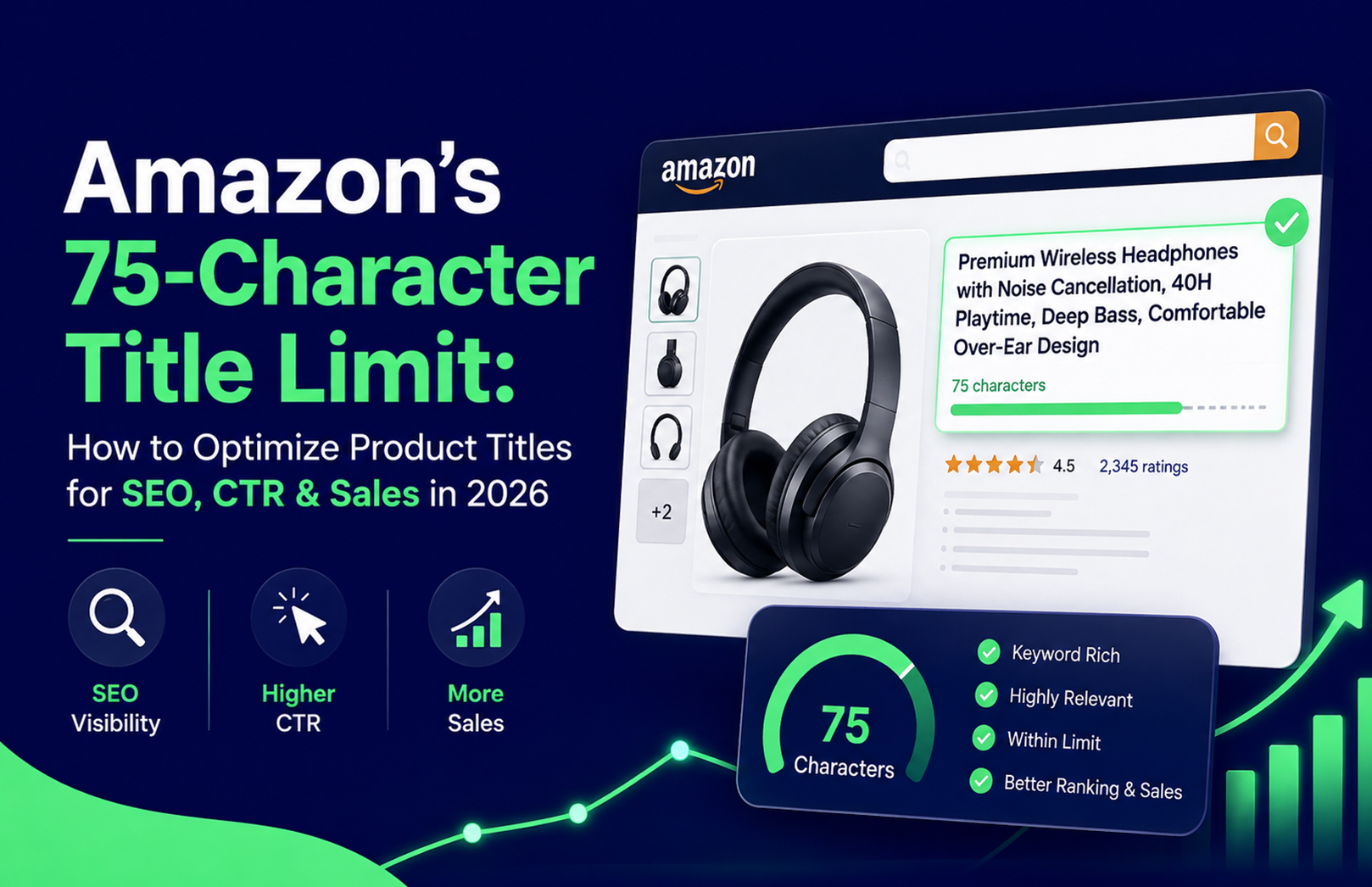

Amazon’s 75-Character Title Limit: How to Optimize Product Titles for SEO, CTR & Sales in 2026


Amazon sellers in India need to rethink how they create and optimize product titles in 2026. Amazon announced that, starting July 27, 2026, product titles in all categories except media must be 75 characters or fewer, including spaces. Amazon says the change is intended to make product titles display more clearly on mobile devices and create a more consistent shopping experience.

For sellers, this makes Amazon product title optimization more important than ever. Instead of trying to fit as many keywords as possible into a title, brands now need to prioritize the right keyword, essential product information and conversion-focused messaging within a much smaller character limit.

A well-optimized Amazon product title can help shoppers understand a product quickly, support relevance for Amazon search and encourage more clicks. In 2026, the goal is not simply to write a shorter title—it is to make every character work harder.

What Is Amazon’s 75-Character Title Limit?

Amazon’s new requirement states that titles for categories other than media must contain 75 characters or fewer, including spaces. Amazon also introduced Item Highlights, which provide an additional 125 characters for information such as materials and recommended use cases. This content is searchable and can appear with titles in search results and on product detail pages.

Amazon is also providing AI-powered tools to help sellers create titles and Item Highlights that comply with the new limits. Sellers can access recommendations through Manage All Inventory and review suggested changes before implementation.

This means the Amazon title character limit should not be viewed only as a compliance requirement. It should be treated as an opportunity to make product listings more concise, relevant and shopper-friendly.

Why Amazon Product Title Optimization Matters in 2026

The title is one of the first pieces of information shoppers encounter when browsing Amazon search results. It tells customers what the product is and can immediately communicate important attributes such as size, quantity, material, compatibility or use case.

At the same time, your title contributes to how Amazon understands your product and its relevance to customer searches. This makes Amazon SEO and title optimization closely connected.

However, keyword placement alone is not enough. A title can contain relevant keywords and still perform poorly if it is difficult to read or does not communicate a compelling reason to click.

The best approach combines search relevance + readability + conversion intent.

How to Optimize an Amazon Product Title Within 75 Characters

1. Start With the Most Important Keyword

The primary product keyword should generally appear early in the title so shoppers can understand the product immediately.

For example, instead of:

“Premium Quality Best Wireless Bluetooth Earbuds for Music Calls”

consider:

“Wireless Bluetooth Earbuds, Noise Cancellation, 40H Battery”

The second version removes unnecessary promotional wording and focuses on product identity and meaningful attributes.

When performing Amazon title optimization, identify the search terms most closely connected to the product and customer buying intent. Do not automatically choose a keyword simply because it has the highest search volume.

2. Remove Unnecessary Words

The new Amazon 75 character title limit means sellers have less room for filler.

Words such as “best,” “amazing,” “premium quality,” “high quality” and “perfect” can consume valuable space without helping shoppers understand the product.

Instead, use characters for information that helps customers make a purchasing decision.

Prioritize:

  • Product type
  • Primary keyword
  • Important feature
  • Size or quantity
  • Material
  • Compatibility
  • Key use case
  • Meaningful differentiator

Every word should either improve relevance or help the shopper understand the product.

3. Use High-Intent Keywords

Effective Amazon SEO begins with understanding what shoppers actually search for when they are ready to purchase.

For an Indian seller, keyword research can include:

  • Core product keywords
  • Long-tail search terms
  • Product attributes
  • Size and quantity terms
  • Material-related searches
  • Compatibility keywords
  • Usage-based searches
  • Category-specific terminology
  • Commercial search phrases

Rather than inserting every keyword into the title, select the strongest primary term and use the remaining relevant terms naturally across the listing.

This is particularly important because Amazon’s new title format forces sellers to make stronger keyword prioritization decisions.

4. Optimize for CTR, Not Just Rankings

A common mistake is to think that Amazon product title optimization is only about rankings.

Your title also has a direct role in the shopper’s decision to click.

Consider these examples:

Generic:
“Face Serum 30ml”

More informative:
“Vitamin C Face Serum 30ml, Brightening, Lightweight”

The second title quickly communicates the product, size and relevant benefit. It gives the shopper more context without becoming unnecessarily long.

A good title should answer the shopper’s basic question:

“Is this the product I am looking for?”

If the answer is immediately clear, the listing has a stronger opportunity to earn the click.

Use Item Highlights Instead of Overloading the Title

The 75-character requirement does not mean every product benefit needs to disappear.

Amazon’s new Item Highlights feature provides up to 125 additional characters for information such as materials and recommended use cases. Amazon states that this content is searchable and visible with titles in search results and on product detail pages.

This creates an opportunity to separate information strategically.

Product title:
Product identity + primary keyword + critical attribute

Item Highlights:
Material + recommended use + supporting product information

For example:

Title:
“Stainless Steel Water Bottle 1L, Leakproof, Insulated”

Item Highlight:
“Suitable for office, gym, school and travel; durable stainless steel construction.”

This approach keeps the title focused while giving customers additional information elsewhere in the listing.

Amazon Product Title Character Limit: Mistakes to Avoid

The biggest mistake sellers can make is treating the Amazon product title character limit as a keyword puzzle.

Avoid these common errors:

  • Repeating the same keyword multiple times
  • Adding unrelated high-volume keywords
  • Using unnecessary promotional claims
  • Writing the entire title in capital letters
  • Adding excessive punctuation
  • Including information that belongs elsewhere in the listing
  • Hiding the primary product keyword
  • Sacrificing readability to add another keyword
  • Ignoring category-specific Amazon requirements

Amazon’s guidance emphasizes concise titles and provides title requirements and best practices for sellers. Amazon also notes that titles exceeding applicable requirements can be subject to changes through its enforcement process.

The objective should always be relevance without keyword stuffing.

A Simple Formula for Amazon Title Optimization

A practical structure for creating a 75-character title is:

[Primary Product Keyword] + [Key Feature] + [Size/Quantity] + [Critical Differentiator]

For example:

“Cotton Bedsheet King Size, 300 TC, Floral Print”

Or:

“Yoga Mat 6mm, Non-Slip, Extra Wide for Home Workouts”

The exact structure will vary by category, but the principle remains the same: start with what the product is, then use the remaining space for the information most likely to influence search relevance and purchasing decisions.

Before publishing, check:

  1. Is the main product keyword clear?
  2. Is the product immediately understandable?
  3. Is the most important information near the beginning?
  4. Have filler words been removed?
  5. Is the title 75 characters or fewer?
  6. Does it follow category-specific requirements?
  7. Would a real shopper find the title useful?

How Better Titles Can Improve CTR and Sales

An optimized title cannot guarantee higher sales on its own. Amazon performance depends on several factors, including pricing, reviews, availability, advertising, images, conversion rate and overall listing quality.

However, a strong title can contribute to the customer journey in several ways.

Better relevance: A clearly structured title helps communicate what the product is and which searches it is relevant to.

Better readability: Customers can understand the offer faster, particularly when browsing on mobile.

Better click potential: A title that clearly matches customer intent can provide a stronger reason to open the product detail page.

This is why Amazon listing optimization should go beyond the title. Sellers should also optimize bullet points, product images, backend search terms, A+ Content and other listing elements.

If your catalogue contains multiple ASINs, maintaining all of these elements consistently can become difficult. Professional Amazon account management services can help brands manage catalogue optimization, listing performance, account health and other ongoing marketplace activities. HRL Infotechs provides account management covering catalogue optimization, performance analysis and broader Seller Central operations.

Combine Amazon SEO With Complete Listing Optimization

A product title works best when the rest of the listing supports it.

Imagine a customer searches for a product and clicks because the title matches their intent. If the product images are unclear, bullet points are weak or the description does not answer their questions, the click may not turn into a purchase.

That is why Amazon listing optimization should cover the entire product detail page.

A strong optimization strategy can include:

  • Keyword research
  • Amazon product title optimization
  • Bullet point optimization
  • Backend search term optimization
  • Product image optimization
  • A+ Content
  • Competitor analysis
  • Conversion-focused content
  • Search performance monitoring

For brands that need professional support, HRL Infotechs offers Amazon product listing and SEO services, helping businesses optimize product titles, keywords and other listing elements as part of a broader Amazon growth strategy.

Connect Title Optimization With Amazon Marketing

Optimizing a listing is only one part of growing on Amazon. Once your product page is properly structured, paid advertising can help bring qualified shoppers to it.

This is where Amazon marketing services become valuable.

Amazon PPC campaigns can be aligned with listing keywords so that the search terms being targeted through advertising are also reflected naturally within the product detail page. HRL Infotechs’ Amazon advertising approach combines keyword research, campaign management and listing optimization to help paid traffic reach product pages designed to convert.

For example, if your PPC campaign identifies a high-converting search term, your listing strategy can evaluate whether that term is appropriately represented in the title or another relevant listing field.

This creates a stronger connection between:

Keyword research → Amazon SEO → Listing optimization → PPC → Conversion → Sales

Should You Rewrite Existing Amazon Titles?

If you already have Amazon listings, do not blindly rewrite every title simply to make it shorter.

Start with your highest-priority ASINs.

Review:

  • Current title length
  • Organic ranking
  • Main search terms
  • Click performance
  • Conversion rate
  • Sales contribution
  • Competitor titles
  • Product relevance
  • Category requirements

Then prioritize titles that are over the new limit or contain unnecessary wording.

Amazon states that titles exceeding 75 characters after the July 27 change will be updated to AI recommendations gradually. Sellers can review, modify and approve AI-generated recommendations during the specified review period.

For brands with a large catalogue, this makes a systematic title audit more valuable than making random changes.

A 2026 Amazon Title Optimization Checklist

Before finalizing any Amazon product title, use this quick checklist:

  • Keep the title within the applicable character limit.
  • Place the primary product keyword naturally.
  • Describe the product clearly.
  • Add only important attributes.
  • Remove repetitive keywords.
  • Remove unnecessary promotional language.
  • Keep the title easy to read.
  • Optimize for mobile shoppers.
  • Follow category-specific requirements.
  • Use Item Highlights for additional information where applicable.
  • Review performance after optimization.

A title should not be written once and forgotten. Amazon search behavior, competition and customer preferences can change, so ongoing performance analysis is essential.

Final Thoughts

Amazon’s 75-character title limit is changing how sellers should approach product listing optimization in 2026. With less space available, brands cannot rely on long keyword-heavy titles to communicate every possible product detail.

Instead, successful Amazon product title optimization requires prioritization.

Start with the strongest relevant keyword. Clearly identify the product. Add the most important attribute or differentiator. Remove unnecessary words and use Item Highlights and other listing fields for additional information.

For Indian Amazon sellers, this is an opportunity to create cleaner, more focused listings that work better for mobile shoppers while supporting broader Amazon SEO and conversion strategies.

When title optimization is combined with complete Amazon listing optimization, professional account management and targeted Amazon marketing services, sellers can build a more consistent foundation for visibility, traffic and long-term marketplace growth.

If your Amazon catalogue needs to be reviewed for the new 75-character requirements, connect with HRL Infotechs for Amazon marketing and listing support.

FAQs

1. What is Amazon’s 75-character title limit?

Starting July 27, 2026, Amazon requires product titles in categories other than media to be 75 characters or fewer, including spaces.

2. Does the Amazon 75-character title limit apply to sellers in India?

Yes. Amazon’s Seller Central India announcement specifies that titles in all categories except media must be 75 characters or less, including spaces.

3. Can I still use keywords in my Amazon product title?

Yes. Keywords remain important for Amazon SEO, but sellers should focus on the most relevant, high-intent terms instead of repeating keywords or trying to include every search phrase.

4. What should I do if important product information does not fit within 75 characters?

Amazon introduced Item Highlights, which provide up to 125 additional characters for information such as materials and recommended use cases. This information is also searchable.

5. Can Amazon product title optimization increase sales?

An optimized title cannot guarantee sales, but it can improve product clarity, search relevance and click potential. Strong results usually require title optimization alongside images, bullet points, A+ Content, pricing, reviews, inventory and advertising.

6. Should I optimize all my Amazon product titles?

It is advisable to audit your catalogue, particularly high-traffic and high-revenue ASINs. Prioritize titles that exceed the new limit, contain unnecessary wording or are not clearly aligned with high-intent customer searches.

Amazon Rufus and Why Reviews Matter More Than Ever in 2026


As people are becoming increasingly dependent on AI to simplify and make their experience easy, Amazon has also automated the way people shop in 2026 with the introduction of Amazon Rufus AI. With this built-in shopping assistant, available 24/7 to make customers’ experience more convenient, it has made the seller’s job a bit harder. With the importance of reviews being increased now more than ever, delivering a satisfied customer experience has become crucial if you want to be one of Rufus’s recommended products.     

In this blog, we are going to learn about Amazon Rufus and what criteria you need to check if you want to become its favourite.

What is Amazon Rufus?

Amazon Rufus is an AI-powered shopping assistant integrated into the Amazon Shopping app and website, designed to answer questions, help users search, compare products, read reviews, and get recommendations. It scans through customer ratings and reviews before recommending the product to the user to streamline their purchasing decisions. 

Some more Amazon Rufus features are:

  • Find products by activity, event, or purpose
  • Suggest categories or specific items based on the request
  • Add items to the cart for review before checkout
  • Help with reorders based on past shopping activity 

Why Did the Importance of Reviews Increase?

Amazon Rufus shopping assistant is designed to interpret the shopper’s intent and provide custom and personalized product recommendations. The key role in Rufus decision making is played by customer reviews. Because when the customer asks a question, they expect an unbiased and honest feedback that will enable them to make informed decisions.

Rufus reads through the reviews that mention important information related to the product, such as its quality, performance over time, and user experience, to guide shoppers towards the right product.

How to Optimize Reviews for Rufus?

Now that we understand the importance of reviews in 2026, given below are some of the strategies to optimize customer reviews and boost your product visibility with Amazon Rufus for sellers.

Encourage Detailed Reviews

Request and encourage customers to leave detailed reviews that mention the product quality, durability, and user experience. This type of review has a higher chance of getting pulled by Rufus when answering customer queries.

Answer Questions in Reviews

The more detailed and clear your reviews and Q&A sections are, the easier it is for Rufus to help customers answer their questions. Ensure that common questions are answered directly in both sections to build trust and assist shoppers.

Request Honest Feedback

After a purchase is made, asking customers to leave a review once they’ve received the product can help you and Rufus to get real, useful insights. This helps Rufus offer better recommendations and build brand reputation.

Address Negative Reviews

If you are noticing consistent complaints or negative feedback, addressing them quickly is the right choice. This satisfies the customer as well as shows the potential buyers that you are trustworthy and care about your customers.

Other Ways to Be Recommended by Rufus

Though having high ratings and positive reviews are essentials of getting recommended to the user, there are other aspects too, which the seller needs to focus on to get noticed by Rufus. Some of them are:

Detailed Product Listings

Amazon Product Listing and SEO are key focus areas. Ensuring that your product descriptions are accurate, mention all its features and uses, your A+ content is made of high-resolution and clear images that show the product clearly, and using the keywords correctly helps Rufus pull accurate information to answer customer queries.

Satisfactory Customer Support

Customer service plays an indirect role in Rufus recommendations. If a customer has a bad experience, addressing their concerns shows Rufus (and shoppers) that you care about satisfaction. Providing quick and effective solutions for product defects can boost your reputation and chances of getting recommended by Rufus.

Low Return Rate and Refund Requests

Rufus takes into account the rate of return and refund requests for your product when answering questions. If a product is returned frequently for reasons such as poor quality or damaged goods, Rufus can lean towards products with lower return rates. That’s why ensuring to meet customer expectations is crucial to avoid returns.

Product Availability and Stock Levels

Unmanaged inventory is also a reason for not getting recommended. If your product is out of stock or frequently unavailable, Rufus may not recommend it, especially if there are other similar products in stock. Keeping your inventory levels stable ensures that your products are readily available when Rufus pulls recommendations.

Final Thoughts: Positive Reviews Ensure Positive Sales

Amazon Rufus and product reviews are becoming the deciding factors in the customer shopping decisions in 2026. With AI integration, shopping on Amazon has become more data-driven, with customers making purchases based on reviews and ratings. Customer reviews are no longer just a way to confirm your product quality; they are a key factor in determining how and from where shoppers shop now. Brands that focus on collecting detailed, honest, and balanced reviews will have a distinct advantage in a world dominated by AI-driven assistants like Rufus. 

At HRL Infotech, we specialize in Amazon account management services so that you can gain buyer trust, boost product sales, and stay competitive in this constantly evolving marketplace.

Amazon SEO: The Ultimate Guide for Amazon Optimization


The term “Amazon SEO” can be foreign to someone fresh to eCommerce. Even the term “SEO” itself may be utterly foreign to you. However, knowing SEO is essential if you intend to sell through Amazon. We assure you that once we simplify everything for you, it will be simple for you. 

Amazon is, without question, a lucrative market that sales associates cannot ignore, yet the degree of competition today is insane. Businesses must go above and above by following pertinent developments and utilizing the best Amazon account management services and Amazon SEO techniques to stay ahead of their rivals.

The art of search engine optimization can be challenging, especially in a cutthroat online business. This blog offers practical instructions for understanding how Amazon SEO works and directions on creating a successful Amazon SEO technique for your company.

What Does Amazon SEO Mean?

When selling your goods on Amazon, you want them to become as readily available to many individuals. Amazon SEO is the process of improving your product listing so that it shows up at the forefront of consumer search results.

The Amazon SEO strategy entails making formatting, text, and media feature improvements to make your Amazon product listing appealing to Amazon’s search algorithm. By deliberately utilizing Amazon’s A10 algorithm, you can get your goods to show up at the forefront of search results, resulting in increased revenues. Comprehending Amazon’s A10 algorithm is the initial phase in grasping Amazon SEO.

Describe the A10 Algorithm from Amazon

The foundation of the search engine technology for the Amazon marketplace is called Amazon A10. This algorithm corresponded with consumer search requests with the best suitable products.

“Revenue-per-click” is the introductory priority of the A10 algorithm. It indicates that Amazon prioritizes increasing revenue and money and believes that providing customers with the most relevant results for their searches is the most effective method for achieving this. It makes sense that a buyer is swiftly and precisely provided with the specific product they are seeking, so a purchase is now possible.

How Does Amazon SEO Work?

The Amazon Search Bar

The Amazon search function has a fall panel of categories that allows online consumers to find products swiftly. Customers can use the search line at the top of the Amazon webpage to look for products by entering a phrase or a keyword. Additionally, customers can use broad keywords. The client can modify their search to focus on only the most pertinent outcomes after Amazon finds compelling findings again for terms or phrases.

Search Terms

Users can employ a variety of criteria to display search results in a particular sequence while conducting a search, such as:

  • Department
  • The top sellers (the most popular products based on sales)
  • fresh arrival
  • featured products
  • customer feedback
  • Pricey or inexpensive
  • Digital products and content
  • Features and programmes

The Search Results Tab

The following variables can influence search results:

  • Products names
  • Merchandise descriptions
  • Enhanced pictures
  • Product Attributes
  • Affordable prices

To raise your rating in Amazon search engine results, employ SEO to enhance all of these subsequent factors separately. For more information, read the remainder of this post.

Sponsored Products

Cost-per-click (CPC) advertisements, known as Sponsored Products, are ones that merchants having Professional seller accounts registered in Amazon’s brand Directory can utilize to advertise specific product listings in Amazon stores. Advertisements are seen on product descriptions, web pages and browsing outcomes pages.

Ads will be generated and matched by Amazon organically based on shopping inquiries. You may entice more buyers with Sponsored Products who proactively shop for items comparable to the advertised items.

Amazon Sales Position

Various seller evaluation criteria, such as account wellness, ratings, product cost, as well as other elements, are used by Amazon to rate each seller. Your sales power will often increase as your ranking rises.

6 Tips for Amazon SEO Optimization

Consider SEO as a continuous activity that will assist you in connecting with the 290 million Amazon customers. Starting today, incorporate optimization into your whole e-commerce marketing strategy.

1. Use Striking Images

Learning about Amazon’s extensive product image list covers various topics, from technical aspects like pixel measurements to illumination and backdrop colors.

Typically, your product photographs ought to feature a crisp, in-focus, expert-looking picture of your goods against a white background. The product must take up 85% of an image, and there shouldn’t be any more items in it. It’s essential that the product stands apart from the competition in the picture because it’s typically the first element of your listing that the browser notices in search engine results. 

2. Create Persuasive Sales Copy

Your marketing copy should represent your goods to buyers and describe how and why they would meet their demands. It likely will not be challenging to create a complimentary explanation of how a product is so great when you’re marketing one that you believe. Yet, there are some factors to be mindful of:

  • Writing in a straightforward and precise manner comes foremost. Rather than overstating your product, concentrate on the details 

The A10 algorithm must act in your favor to attract the correct individuals to your listing.

  • Next, you should put your keywords in your marketing text, despite avoiding keyword stuffing, attempt to sprinkle a variety of these across your product description.

3. Smart Keyword Use

Ensure you have an adequate keyword list when making the product description. Merely include these keywords within areas of your product points where they may organically appear.

4. Increasing Off-Site Traffic

The A9 algorithm encourages many Amazon merchants to use discounts and bargains to rank highly in search rankings, but the A10 algorithm places less emphasis on it. Instead, concentrate on generating traffic to your goods through places other than Amazon.

In addition to helping you score better on Amazon, building a portfolio of diverse off-site visitors that point to your goods will also assist you in ranking better on Google searches. Encouraging bloggers to evaluate and suggest your product is a fantastic strategy for accomplishing this.

5. Tactical Pricing

Effective pricing entails setting competitive prices for your goods while avoiding making offers that are simply too tempting to be true.

Examining your rivals is a wise move in this regard. Price your product at $19.99 when they are charging $20 for a comparable product with yours. Making sales doesn’t have to mean giving up profitability.

6. Strive to Get Reviews

Positive feedback always includes your ranking in the algorithm A10. The system evaluates every seller’s stats, how sufficiently they meet Amazon consumers’ requirements, and how favorably its clients evaluate them following a buy.

5 Key Practices for Amazon SEO

1. Avoid Keyword Repetition.

  • Concentrate on writing in a conversational style while providing buyers with the details they require to make a decision.
  • It can be detrimental and unproductive to repeatedly use keywords (sometimes referred to as “keyword stuffing”.

2. Target the Consumer in Your Sales Copy.

  • In your product description, respond to queries from customers and past sellers.
  • Instead of thinking about what you want to say about a product, try to think about just what your consumer may wish to know.

3. Enhance Your Rankings

  • Utilize Amazon Fulfillment (FBA).
  • Utilize A+ Content by signing up for Brand Registry.
  • To be eligible for the Premium badge and fast, free delivery, sign up as an Amazon Prime seller, which is generally supported by your registration in FBA. It may attract consumers who frequently use the Prime badge when searching for products.

4. For Listings, Use This Fundamental Styling Advice

  • Be informative yet also succinct and straightforward.
  • Be convincing, but avoid being overbearing or tacky.
  • Be precise and sincere while describing the state and caliber of the product.
  • Refrain from making assertions that are inflated or subjective.

5. For Constructing A Perfect Product Detail Page:

By adhering to advice on what to steer clear of and using uniform layout, you may create outstanding product information pages for:

  • Capital letters, numbers, and titles.
  • Copyrights, logos, and brand names.
  • What should be and shouldn’t be mentioned in product descriptions? 
  • Rules for important feature (bullet point) information.

You may enhance the customer experience, boost your chances of interacting with many more consumers, and drive revenue using these Amazon SEO tips.

Conclusion

Understanding the fundamental ideas behind the SEO procedure is already a big step in your eCommerce success. Although we know that taking this SEO masterclass won’t necessarily make anyone an immediate specialist in Amazon SEO, we believe that it will provide you only with the information you have to start on the correct path.

Looking to hire a seasoned Amazon SEO agency to assist with your SEO requirements. If so, HRL Infotechs, a leading provider of Amazon Storefront Design Services and Amazon SEO Services, will assist you in creating a unique SEO plan for your company. Make an appointment right away! Anytime is an excellent opportunity to arrange a free consultation with us.